Feature Summary
Handwritten Signature is used to collect handwritten signatures from respondents, which can serve as confirmation credentials. It supports features such as adding watermarks and custom naming methods.
Feature Description
| Feature Dimension | Description |
|---|---|
| Membership Limits | No membership limits |
| Version Limits | No membership limits |
Steps
Add a Handwritten Signature Question
Feature Entry
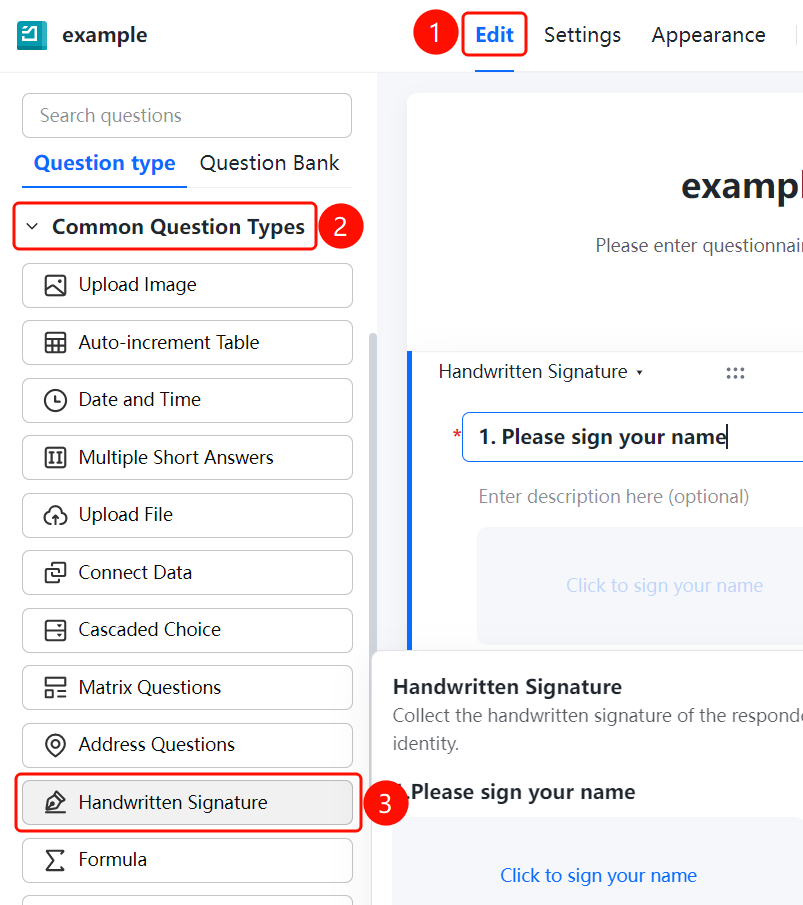
"Edit" tab → "Common Question Types" → "Handwritten Signature" button
- Click the Edit tab at the top.
- In the left panel, expand the Common Question Types area.
- Click the Handwritten Signature button to add a handwritten signature question to the questionnaire.
- The default question title is Please sign.
- Respondents can click the Click to start handwritten signature area to sign.
Enable Add Watermark
Feature Entry
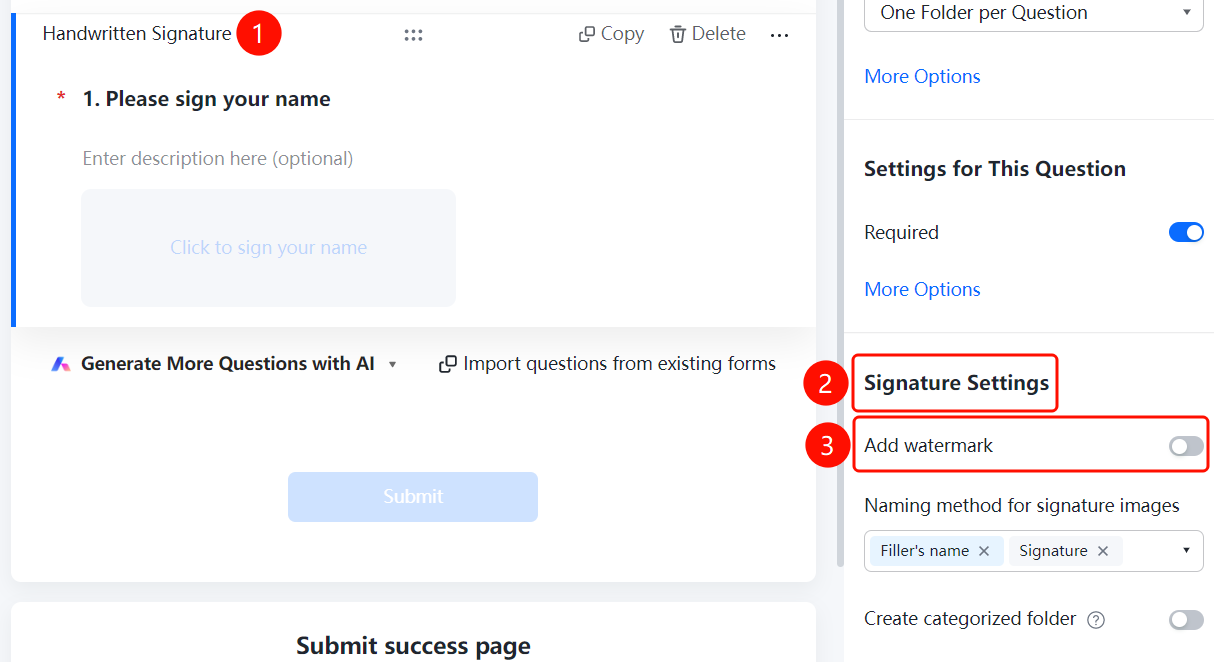
Handwritten Signature → "Signature Settings" → "Add Watermark" switch
- Click the added Handwritten Signature question.
- In the Signature Settings panel below, turn on the Add Watermark switch.
Set the Naming Method for Signature Images
Feature Entry
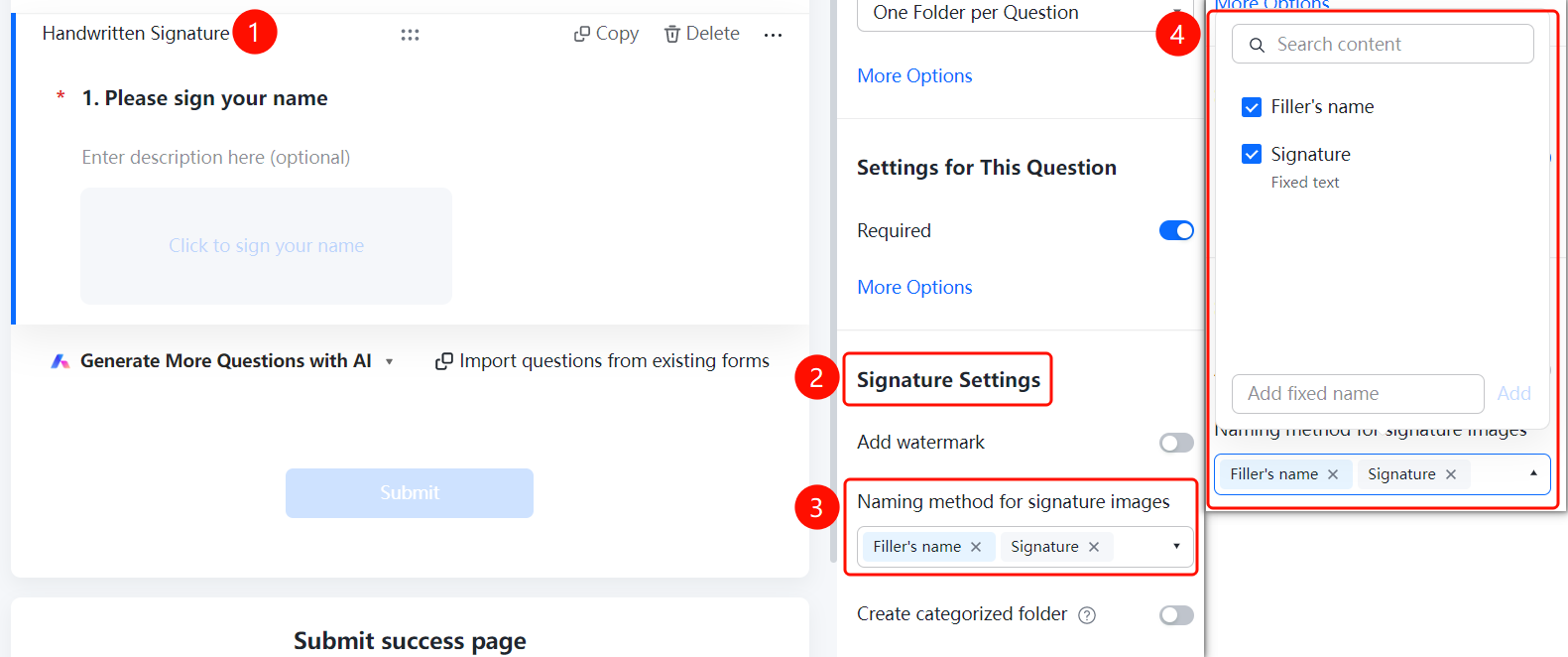
Handwritten Signature → "Signature Settings" → "Signature Image Naming Method" option box
- Click the added Handwritten Signature question.
- In the Signature Settings panel below, click Signature Image Naming Method (currently Respondent Nickname × Signature ×).
- In the pop-up panel, select the naming fields: Respondent Nickname and Signature. You can also select Fixed Text, or add custom rules in the Add Custom Fixed Name input box.
Enable Create Categorized Folders
Feature Entry
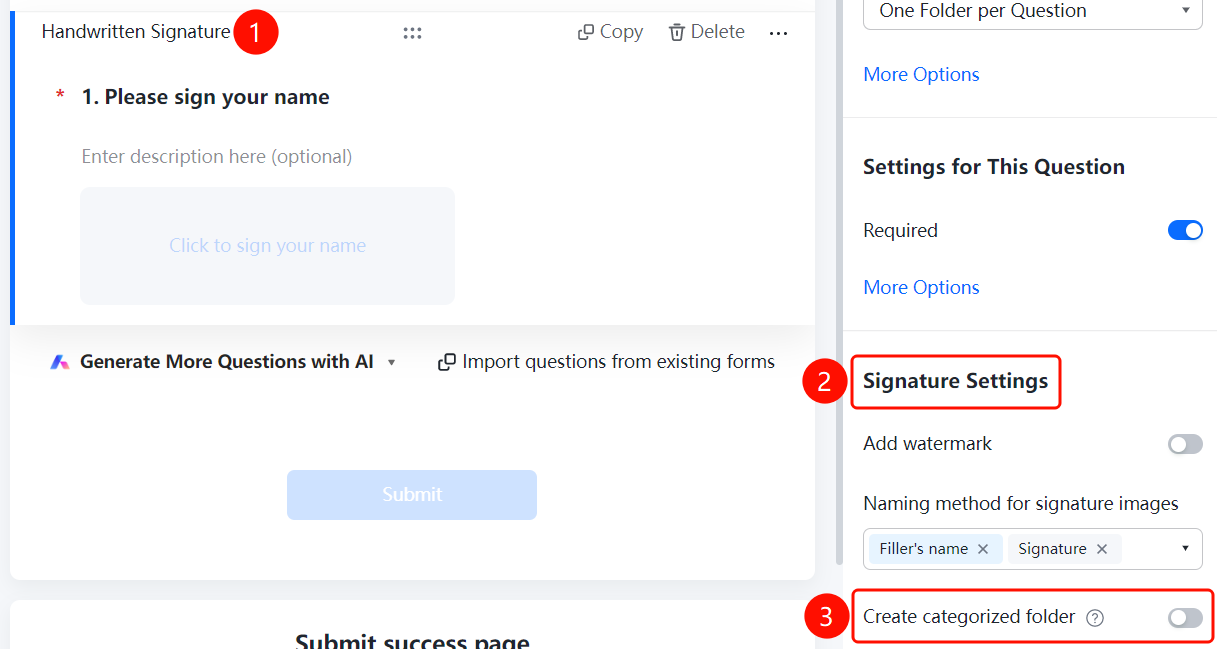
Handwritten Signature → "Signature Settings" → "Create Categorized Folders" switch
- Click the added Handwritten Signature question.
- In the Signature Settings panel below, turn on the Create Categorized Folders switch.
- Once enabled, folders will be automatically created according to the folder naming method, and the collected signatures will be categorized and consolidated. For example, if the folder is named after "Department", signatures from the same department will be automatically categorized and consolidated into the same folder.
FAQ
Question 1: Can handwritten signatures be used as confirmation credentials?
- Solution: Yes, the signature images collected through handwritten signatures can serve as credentials for respondent confirmation.
Question 2: How do I set the naming method for signature images?
- Solution: Set the "Signature Image Naming Method" in "Signature Settings". You can choose combinations such as "Respondent Nickname" and "Signature".
Notes
- Handwritten Signature is located in the "Common Question Types" area.
- Signature images support adding watermarks and custom naming.