Feature Summary
The submission success page is used to configure the page that respondents see after submitting a questionnaire. It supports adding closing remarks and images, or redirecting to a specified webpage.
Feature Description
| Feature Dimension | Description |
|---|---|
| Premium Restrictions | No premium restrictions |
| Version Restrictions | No version restrictions |
Steps
Edit Submission Success Page
Feature Entry
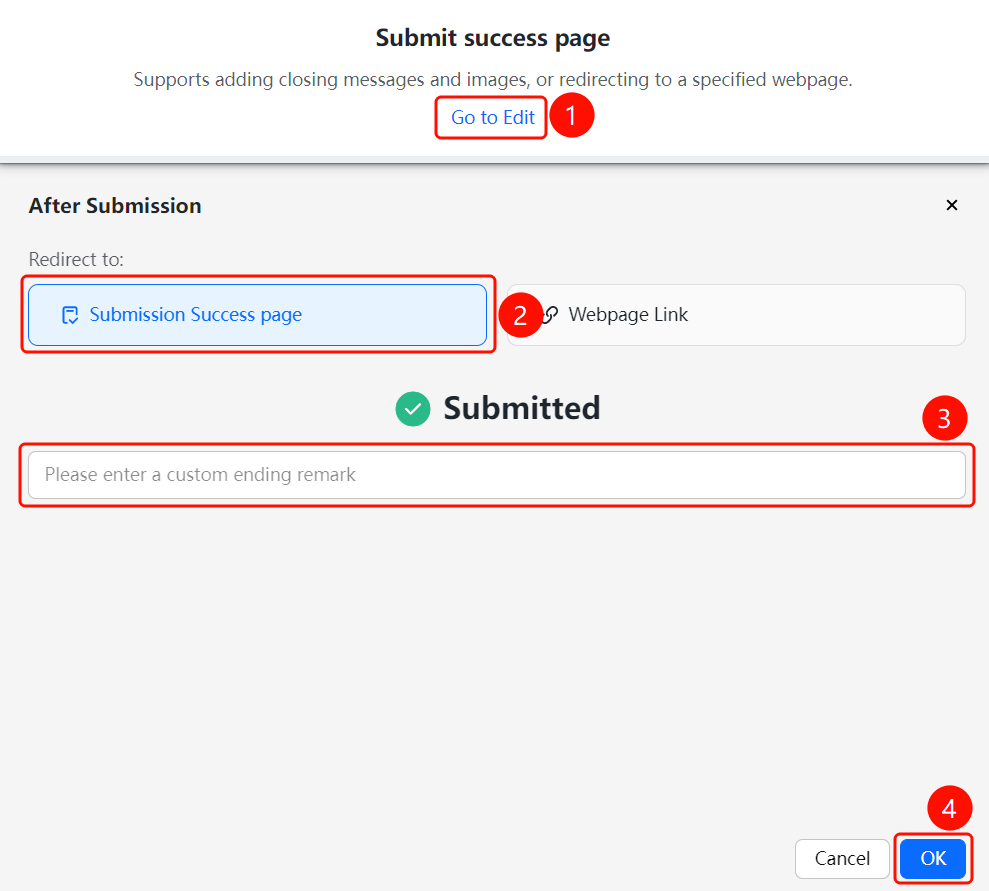
"Edit" tab → "Submission Success Page" → "Go to Edit" button
- On the editing page, find the "Submission Success Page" area.
- Click the "Go to Edit" button.
- In the pop-up dialog box, choose the "Redirect to" method: "Submission Success Page" or "Webpage Link" (free trial).
- When choosing "Submission Success Page", you can enter closing remarks in the "Enter custom closing remarks" input box.
- Click "OK" to save the settings.
Set Up Redirect Webpage Link
Feature Entry
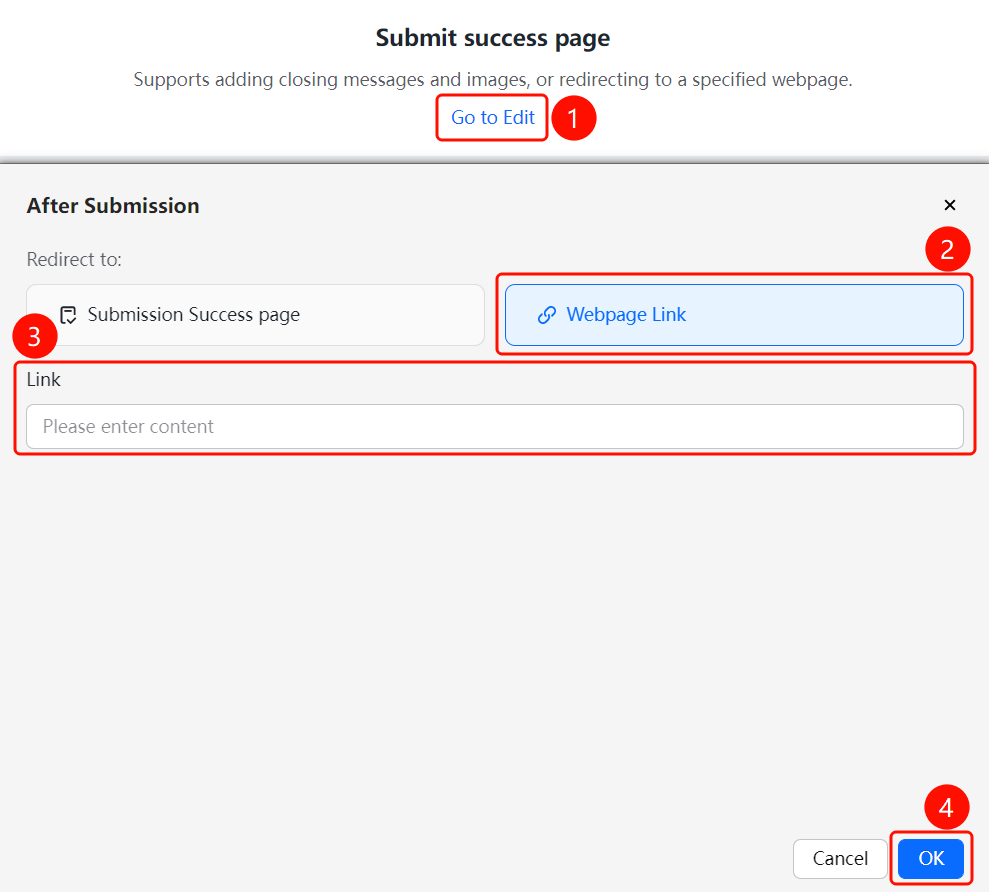
"Edit" tab → "Submission Success Page" → "Go to Edit" button → "Webpage Link" option
- On the editing page, find the "Submission Success Page" area.
- Click the "Go to Edit" button.
- In the pop-up dialog box, select the "Webpage Link" option.
- Enter the target webpage link.
- Click "OK" to save the settings.
- Respondents will be automatically redirected to the specified webpage after submitting the questionnaire.
FAQs
Question 1: What is the difference between the submission success page and a webpage link?
- Solution: The submission success page is the built-in success page of the questionnaire, where you can customize the closing remarks. A webpage link redirects to an external website, such as a company official website or a thank-you page.
Question 2: Why does the webpage link show "free trial"?
- Solution: The webpage link redirection feature is currently free for a limited time. Confirm whether it is within the validity period before using it.
Notes
- We recommend that the closing remarks be concise and clear, expressing gratitude or explaining the next steps.
- If using a webpage link redirect, ensure that the link address is correct and accessible.