Feature Summary
Settings after submitting a form are used to configure the behavior of respondents after they submit a questionnaire. For example, generating a response QR code after submission can be used in scenarios such as scanning the QR code to view submission details, scanning to sign in, or scanning to fill out additional information.
Feature Description
| Feature Dimension | Description |
|---|---|
| Premium Limit | No premium limit |
| Version Limit | No premium limit |
Steps
Enabling "Generate Response QR Code After Submission"
Feature Entry
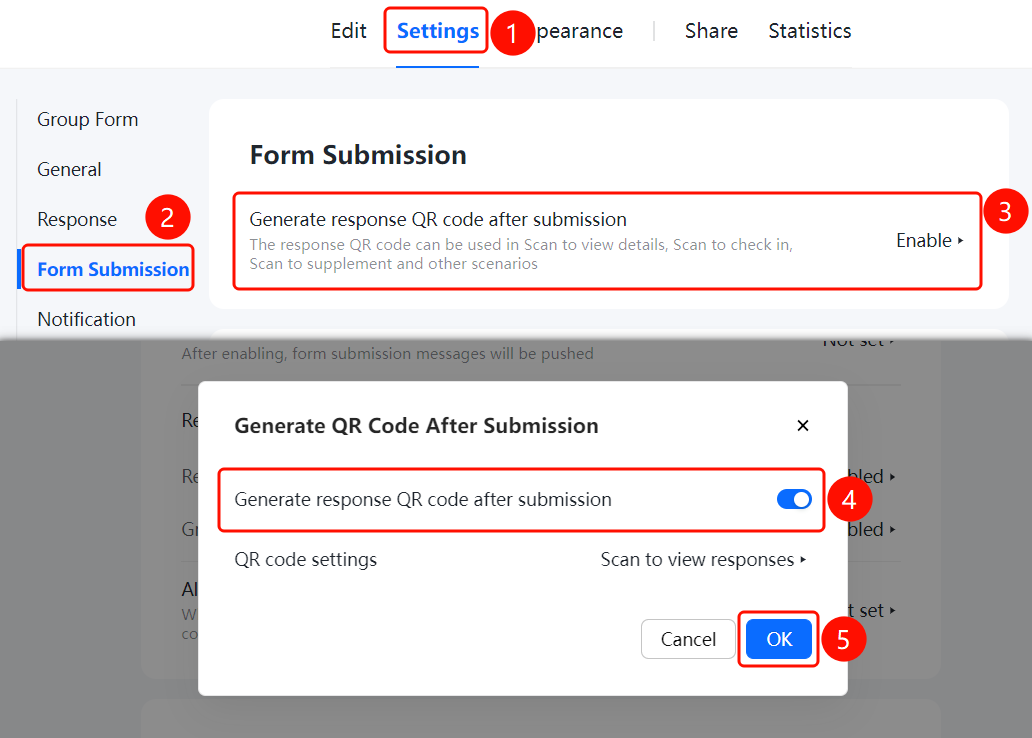
"Settings" tab > Left menu > "After Submitting Form" > "Generate Response QR Code After Submission" option
- Click the "Settings" tab at the top.
- In the left menu, click "After Submitting Form".
- Click "Generate Response QR Code After Submission" (currently "Enabled").
- In the pop-up dialog, turn on the "Generate Response QR Code After Submission" switch.
- Click "OK" to save the settings.
Configuring QR Code Viewable Content
Feature Entry
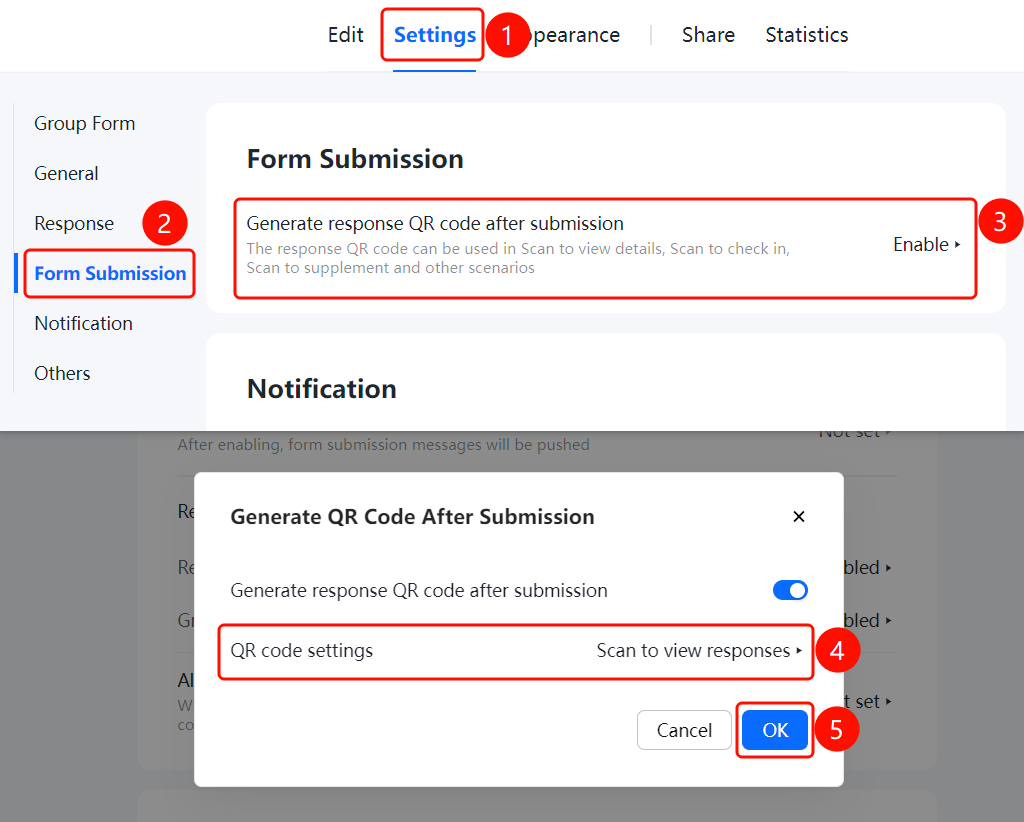
After Submitting Form > Generate Response QR Code After Submission > "QR Code Settings" option
- In the "Generate Response QR Code After Submission" dialog, click "QR Code Settings" (currently "Scan QR Code to View Response Content").
- Configure the response content that can be viewed after scanning the QR code.
- Click "OK" to save the settings.
FAQ
Question 1: What is the use of generating a response QR code after submission?
- Solution: The response QR code can be used in scenarios such as scanning to view submission details, scanning to sign in, and scanning to fill out additional information. Respondents can obtain the QR code immediately after submission.
Question 2: How do I configure scanning the QR code to view response content?
- Solution: In the "Generate Response QR Code After Submission" settings, find "QR Code Settings" > "Scan QR Code to View Response Content" to configure it.
Notes
- The response QR code makes it convenient for respondents to view their submission details.
- Once enabled, the QR code will be automatically displayed after respondents submit the questionnaire.