Feature Summary
When you select a segment of text and need to quickly understand its core meaning, AI Selection Summarization can instantly extract key information from the selected content, helping you efficiently grasp paragraph main points and improve reading efficiency.
Feature Description
| Feature Dimension | Description |
|---|---|
| Membership Limits | Available for both WPS Pro+ and WPS Premium |
| Version Limits | Applicable to the latest version on the WPS official website |
Operating Steps
AI Selection Summarization
Feature Entry ①
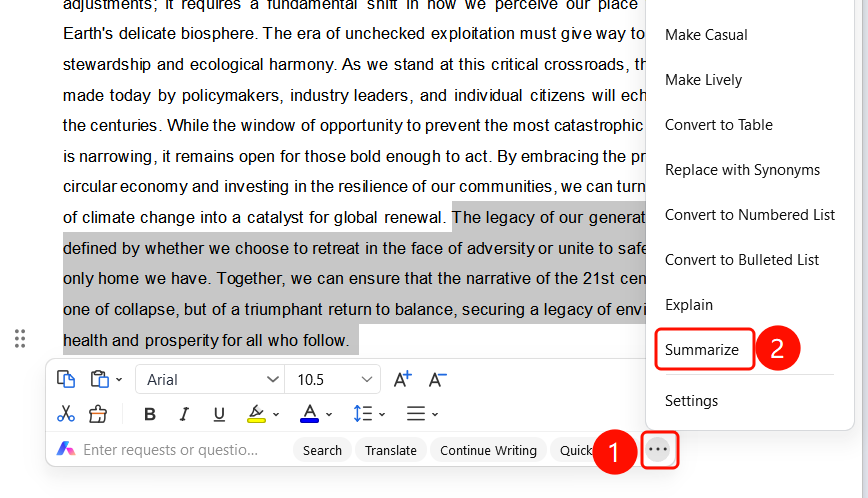
Select text → Selection toolbar → "More" → "Summarize"
- Drag and select the text paragraph you want to summarize in the document.
- A floating selection toolbar pops up above the selected area, displaying font formatting icons and the "Enter requirements or questions" line.
- Click the "More" (⋮) button at the end of the line.
- Select the "Summarize" option in the expanded menu.
- AI automatically generates a summary of the selected content.
Feature Entry ②
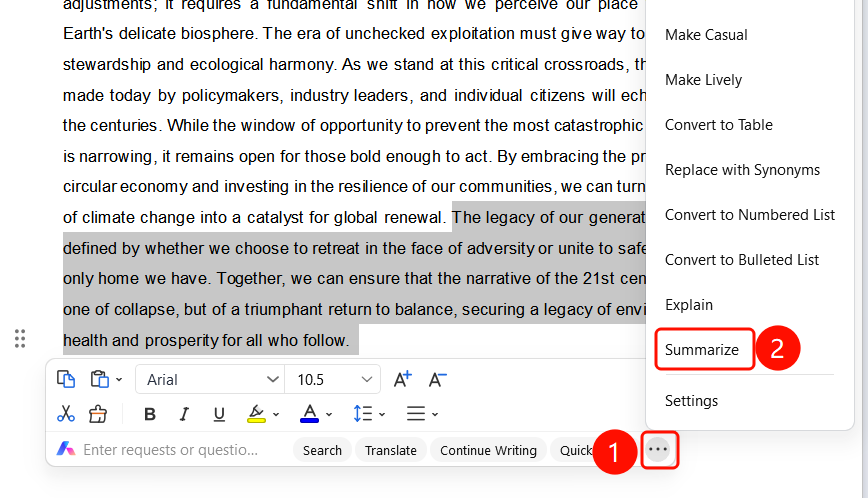
Right-click → Selection toolbar → "More" → "Summarize"
- Drag and select the text paragraph you want to summarize in the document.
- Right-click the selected text.
- Select the selection toolbar in the right-click menu.
- Click the "More" and then "Summarize" options in sequence.
View Summary Results
Feature Entry
"Summarize" pop-up
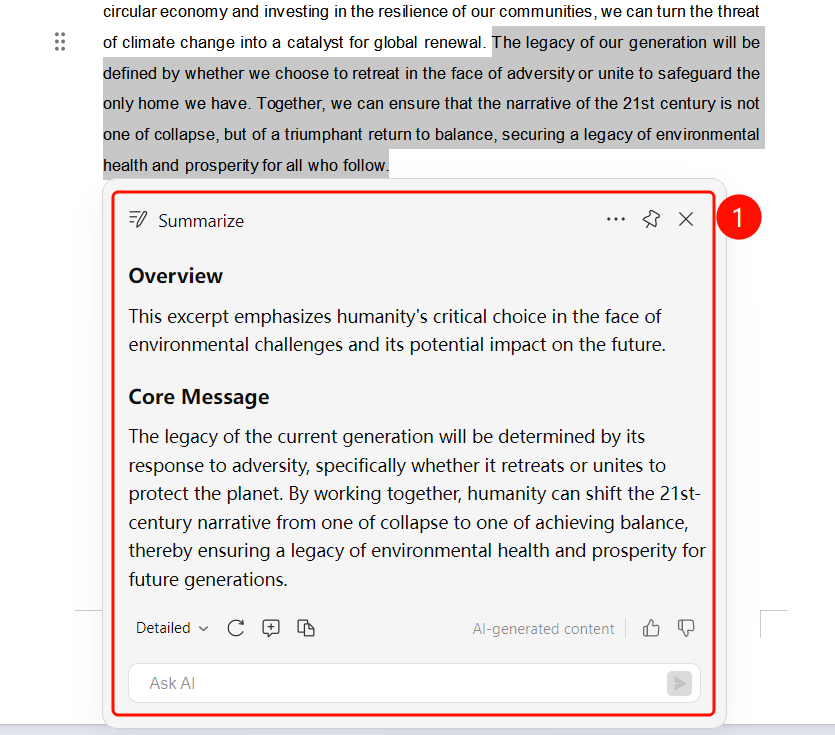
After the AI summary is complete, the "Summarize" pop-up appears.
The pop-up title is "Summarize", and the upper right corner provides more, share, and close buttons.
The content is displayed in numbered bullet points, such as "Research Background and Model Overview", "Core Technical Logic and Experimental Conclusions", etc.
The bottom action bar contains:
- "Detailed" dropdown: Toggle between detailed or concise summary
- "Regenerate": Re-generate the summary
- "Generate Annotation": Add the summary result as an annotation
- "Copy": Copy the summary content to clipboard with one click
An "Ask AI" input box is provided below to continue asking questions.
FAQs
Question 1: What is the difference between AI Selection Summarization and Summarize?
- Solution: Selection Summarization summarizes selected parts of text paragraphs, while Summarize summarizes the entire document. You can choose to use them as needed.
Question 2: What should I do if the toolbar does not pop up after selecting text?
- Solution: Ensure that you have correctly dragged and selected the text paragraph. The toolbar will automatically pop up when the mouse stays within the selected area. You can also right-click the selected text to find relevant options in the right-click menu.
Question 3: Can the summary results be copied?
- Solution: Yes. Click the "Copy" button at the bottom of the summary pop-up to copy the summary content to the clipboard.
Notes
- There is no limit on the number of times WPS Plus and Grand Members can use the AI Selection Summarization feature.
- The larger the selected range of text, the more comprehensive the summary will be.
- An "Ask AI" input box is provided at the bottom of the summary pop-up to continue asking questions.
- The content is generated by AI. Please pay attention to verify the accuracy of the information.