Feature Summary
The Collaboration Record feature records each collaborator's operation time, operation type, and specific content in detail, helping teams track document change history, clarify responsibility, and enhance collaboration transparency.
Feature Description
| Feature Dimension | Description |
|---|---|
| Membership Restriction | No membership restriction |
| Version Restriction | Document must have collaboration mode enabled |
| Record Retention | Retains the most recent 1000 operation records |
Operation Steps
View Collaboration Records
Feature Entry
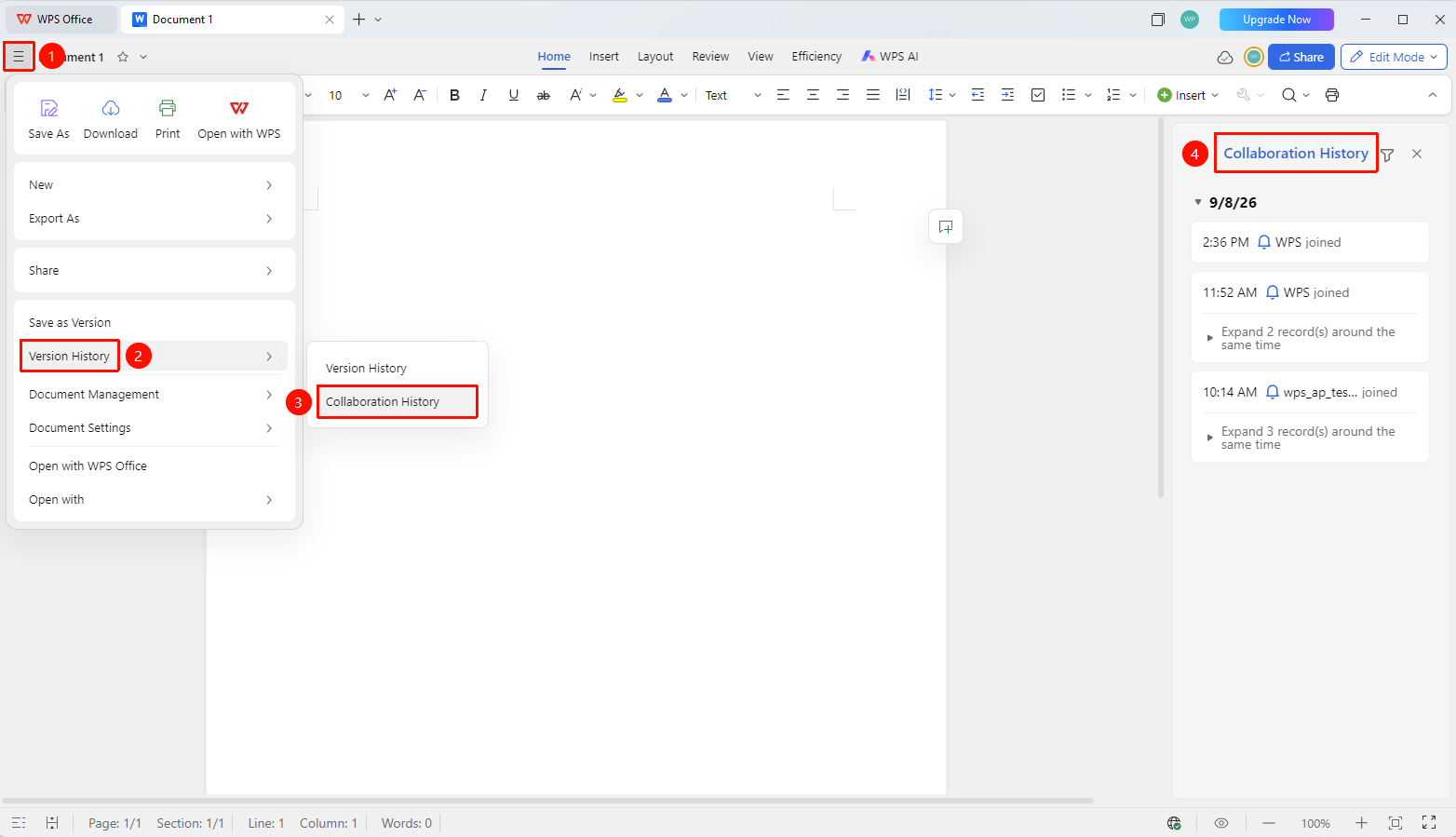
「File Operations」→「History」→「Collaboration Records」
- Open the cloud document and click 「File Operations」 (three-line icon) in the upper left corner
- Select 「History」 → 「Collaboration Records」
- View the collaboration record list in the right pane, which includes:
- Operation time (accurate to the minute)
- Collaborator profile picture and name
- Operation type (edit, delete, insert, etc.)
- Operation content summary
Filter Collaboration Records
Feature Entry
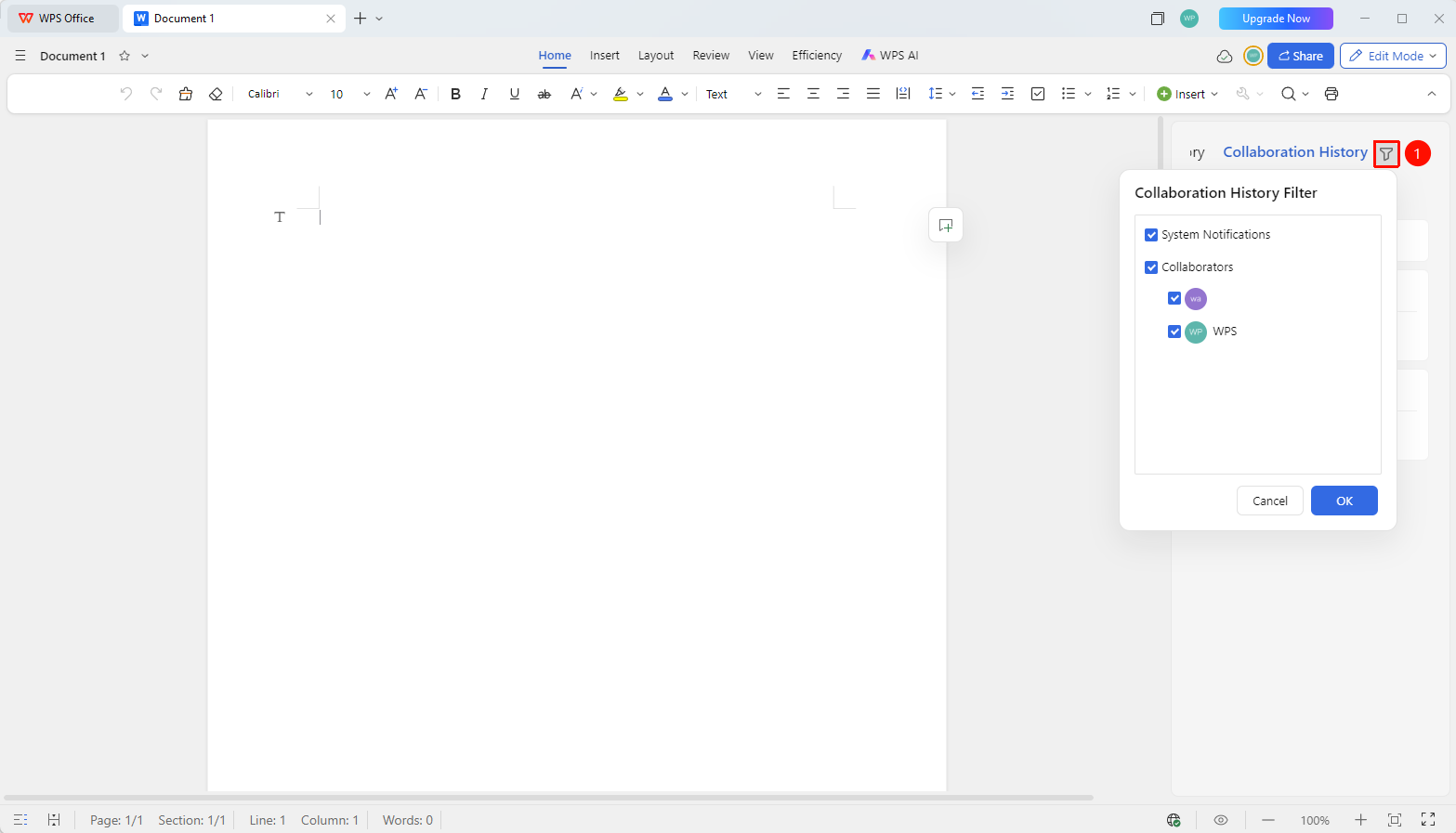
「Collaboration Records」→「Filter」
- On the Collaboration Records page, click the 「Filter」 button
- Filter by the following criteria:
- Collaborator: Select a specific member's operation records
3.After filtering, only records matching the criteria are displayed
FAQ
Q1: How long are collaboration records retained?
- Solution: Collaboration records retain the most recent 1000 operation records. Once the limit is exceeded, the earliest records will be overwritten.
Q2: Can I see what specific content was modified?
- Solution: Collaboration records display the operation type and summary. To view specific content differences, you can compare them via 「Version History」.
Q3: Are operations by non-collaborators recorded?
- Solution: Only operations by collaborators with edit permissions are recorded. Operations by users with view-only permissions are not recorded.
Notes
- Collaboration records are only effective in collaboration mode
- Records include all collaborator operations; individual records cannot be deleted separately
- Combined with the Version History feature, document changes can be fully traced
- Click 「View Details」→「Restore Record」 in the collaboration record panel to quickly restore that historical record to the document