Feature Summary
Transfer ownership of a shared document to another collaborator, changing the document's creator and Admin.
Feature Description
| Feature Dimension | Description |
|---|---|
| Membership Restriction | No membership restriction |
| Version Restriction | No version restriction |
Steps
Method 1: Transfer from the Share Panel
Feature Entry
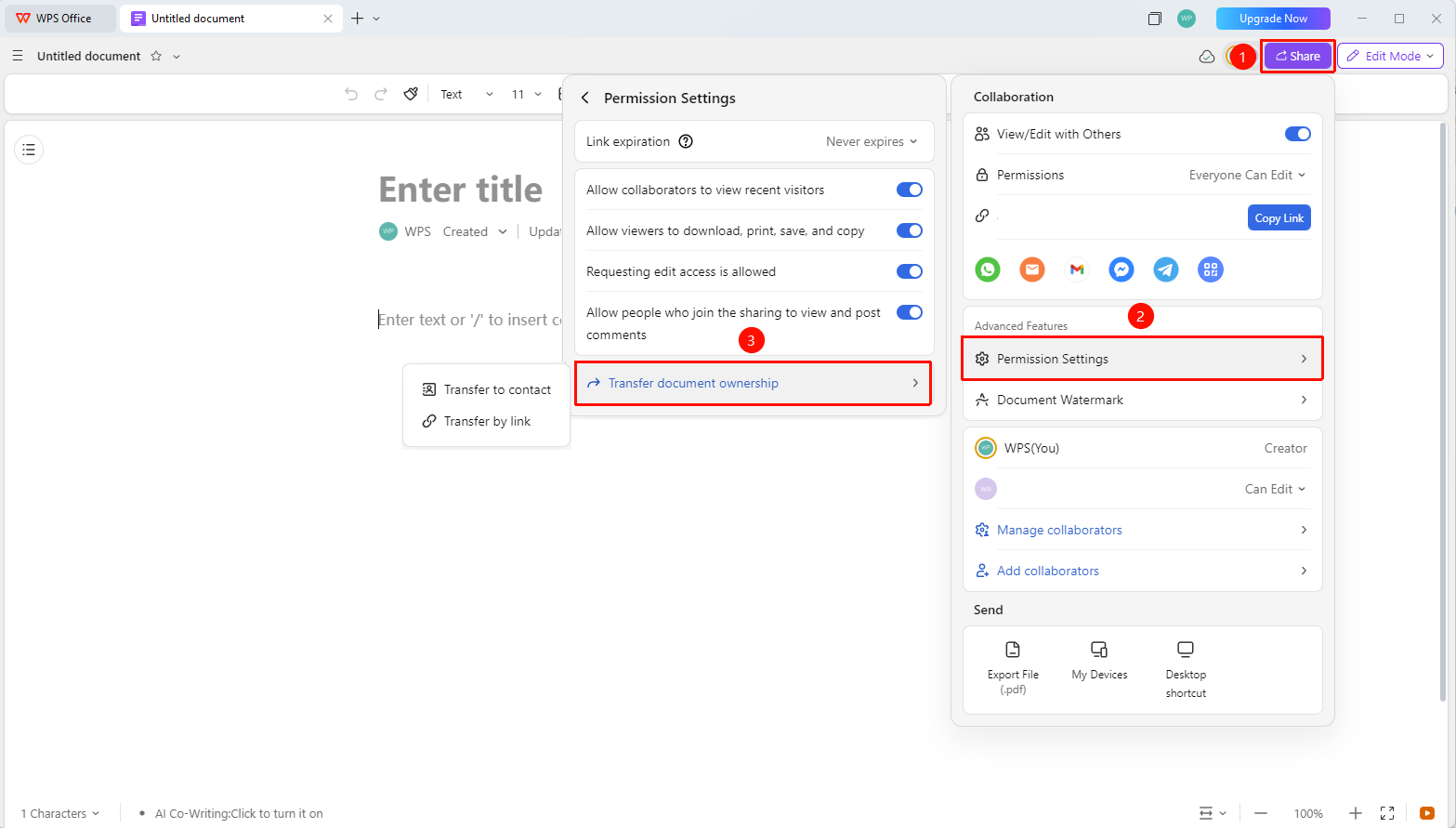
Open the document → "Share" in the upper right corner → "Advanced Settings" → "Transfer Document Ownership"
- Open the collaboration document for which you want to transfer ownership, and click "Share" in the upper right corner.
- In the share panel, click "Advanced Settings".
- Click "Transfer Document Ownership" to transfer via the following methods:
- "Select Contact to Transfer" : Select the transferee from Contacts.
- "Transfer via Link" : Generate a document transfer link. The transfer is completed after the recipient confirms.
Method 2: Transfer via File Operations
Feature Entry
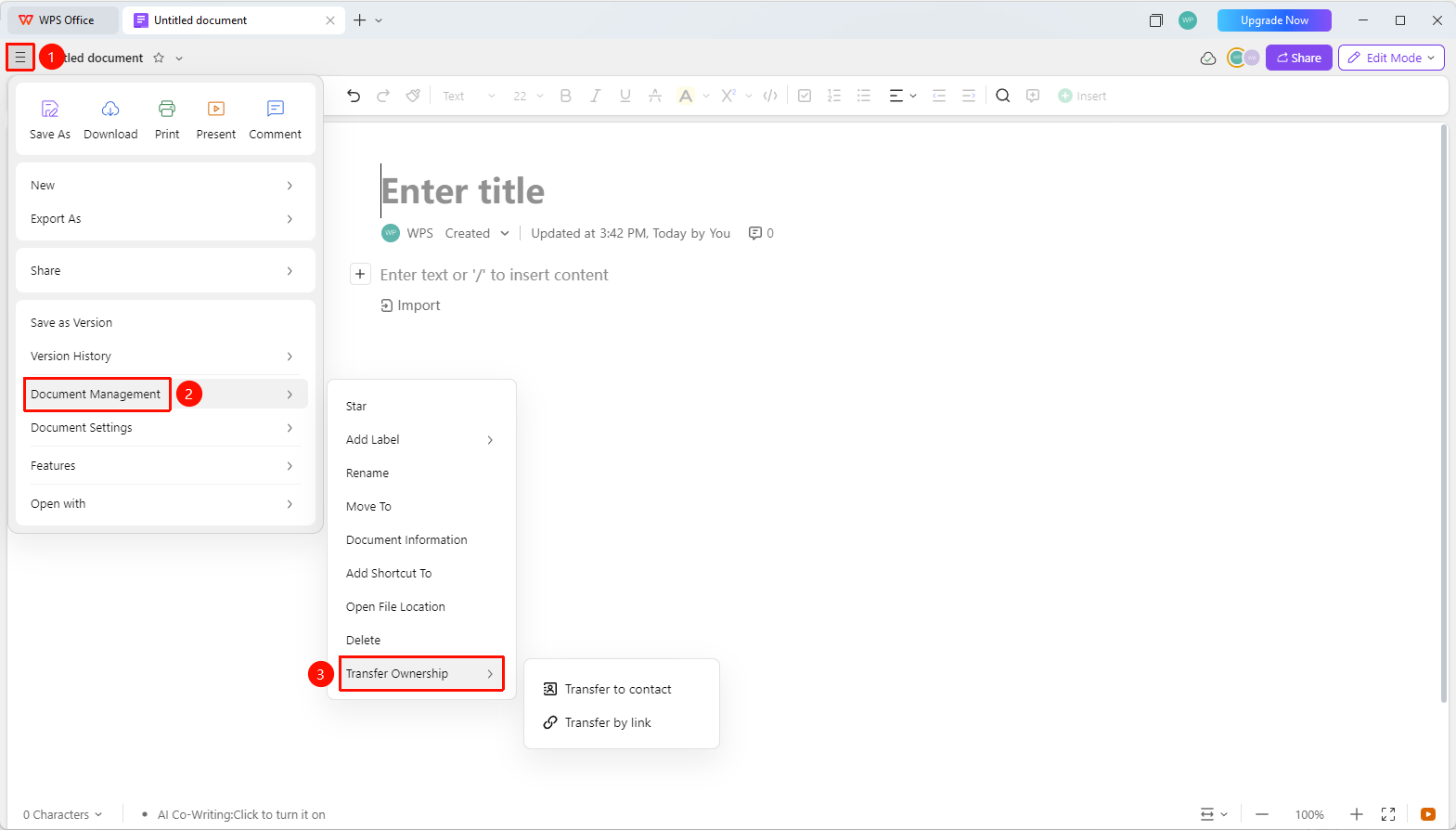
Open the document → "File Operations" button in the upper left corner → "Document Management" → "Transfer Document Ownership"
- Open the collaboration document for which you want to transfer ownership, and click the "File Operations" button (☰) icon in the upper left corner.
- Click "Document Management".
- Click "Transfer Document Ownership".
Method 3: Transfer from the WPS Homepage
Feature Entry
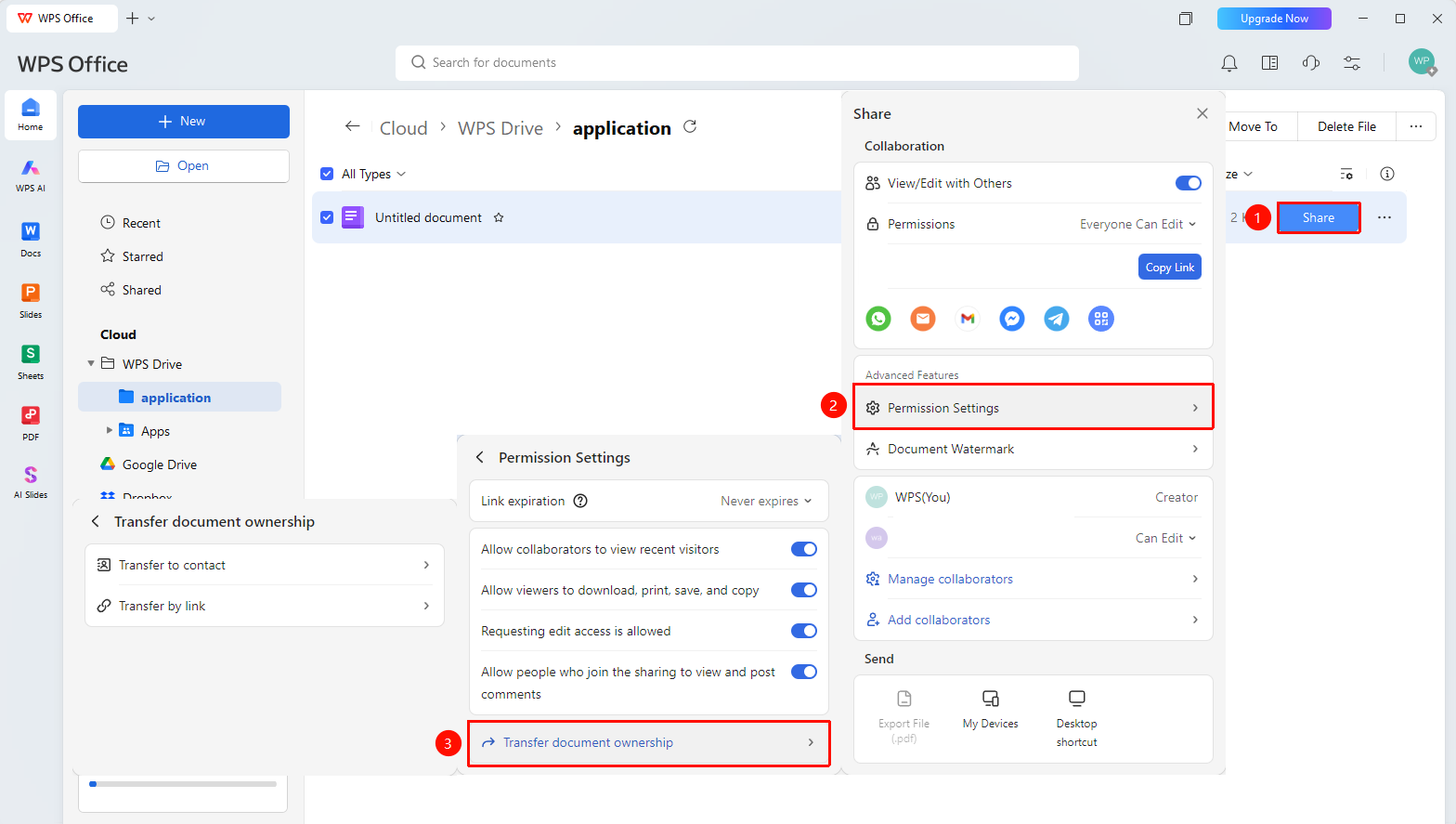
Personal Space → "Share" on the right side of the document → "Advanced Settings" → "Transfer Document Ownership"
- Open WPS, select the document you want to transfer, and click the blue "Share" button on the right.
- Click "Document Management" → "Transfer Document Ownership" in sequence.
- Select the transfer method: transfer via contact or transfer via link.
- Confirm to complete the ownership transfer.
FAQ
Q1: After transferring document ownership, does the original creator still have permissions?
- Solution: After the transfer, the original creator will lose document owner permissions and become a regular collaborator (if they remain in the collaborator list).
Q2: Is the other party's consent required to transfer document ownership?
- Solution: Transferring via contact does not require the other party's confirmation and is completed directly; transferring via link requires the recipient to click the link to confirm receipt.
Notes
- Only shared documents support ownership transfer.
- After the transfer, the document owner (highest permission) will complete the transfer, and the original creator will no longer be able to manage document permissions.
- Ownership transfer of organization documents may be restricted by Admin policies.