Feature Summary
The Document Information feature can view detailed information about a collaboration document, including size, creation time, modification records, etc.
Feature Description
| Feature Dimension | Description |
|---|---|
| Membership Restriction | No membership restriction |
| Version Restriction | No version restriction |
Operation Steps
View Document Information
Feature Entry
「File Operations」→「Document Management」→「Document Information」
- Open the collaboration document and click the 「File Operations」 button (☰) icon in the upper left corner
- Click 「Document Management」 → 「Document Information」 in sequence to bring up the Document Information panel
- View document details in the information panel
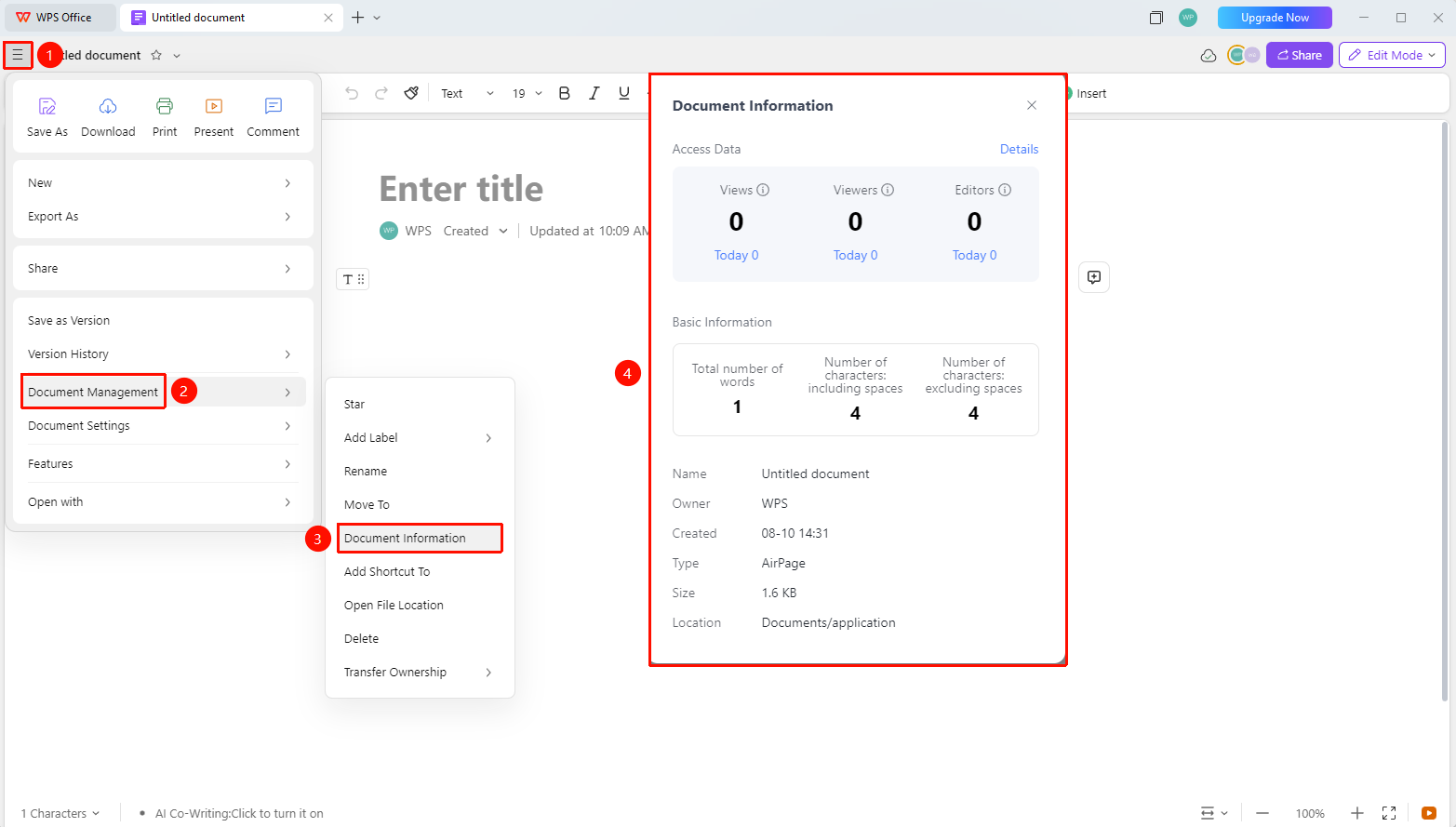
Document Information Content
Feature Entry
File Information Panel
- The following information can be viewed in the File Information Panel:
- 「Access Data」 : Document view count, number of viewers, number of editors
- 「File Name」 : Document name
- 「Owner」 : The owner of this collaboration document
- 「Creation Time」 : Collaboration document creation time (accurate to the minute)
- 「Type」 : File type
- 「Size」 : File size
- 「Location」 : File storage location
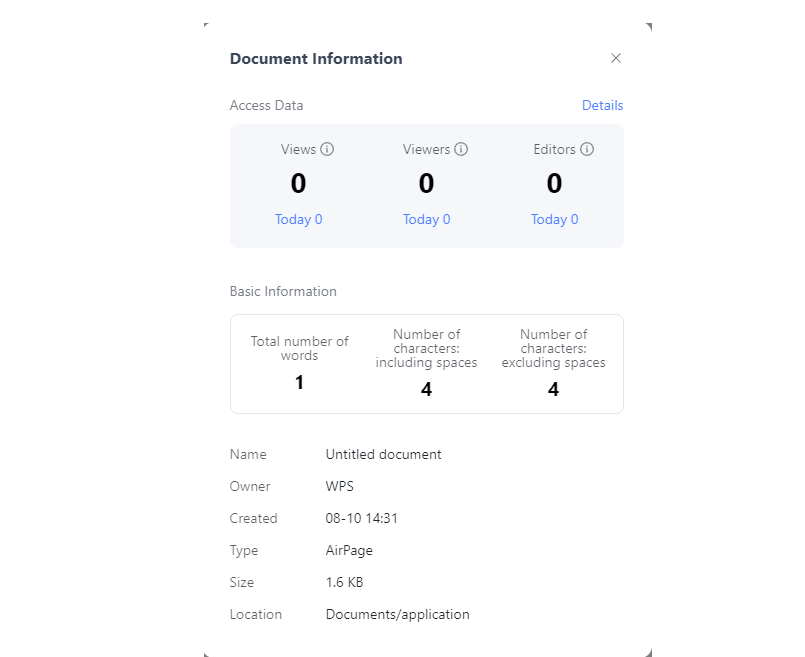
Export Access Data
Feature Entry
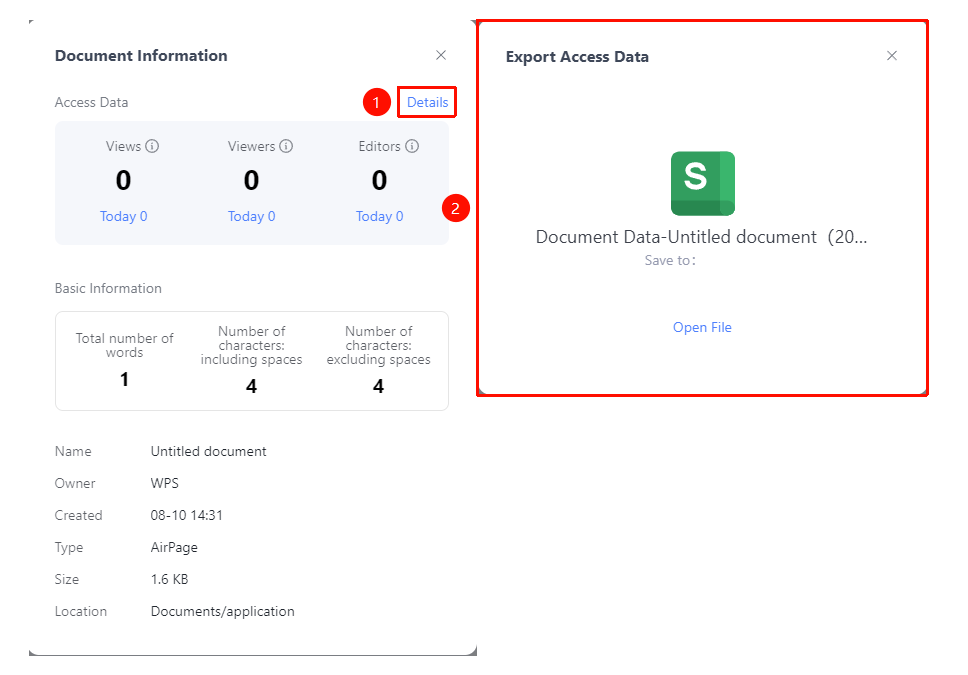
File Information Panel → 「Detailed Record」
- Click the 「Detailed Record」 button in the File Information Panel
- The system will automatically generate a file to export detailed access records and generate a Sheets
- Open the Sheets to view the following access records:
- 「Date」
- 「Access Count」
- 「Number of Viewers」
- 「Number of Editors」
FAQ
Q1: What content can be seen in Document Information?
- Solution: You can view detailed information such as file size, creation time, modification time, creator, etc.
Q2: Does the file information support export?
- Solution: You can click the 「Detailed Record」 button in the Document Information panel to export the collaboration document access records.