Feature Summary
Drive settings are used to manage the display of the WPS Drive entry in "My Computer", offline available folders, and file cache configuration.
Feature Description
| Feature Dimension | Description |
|---|---|
| Membership Restriction | Some features require WPS membership |
| Version Restriction | No version restriction |
Operation Steps
Enter Drive Settings
Feature Entry
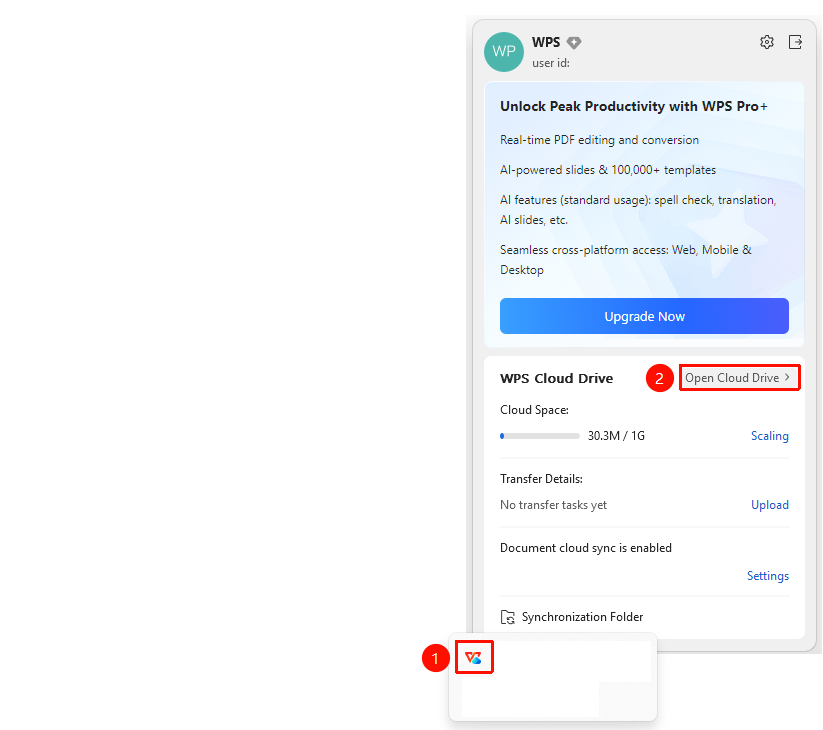
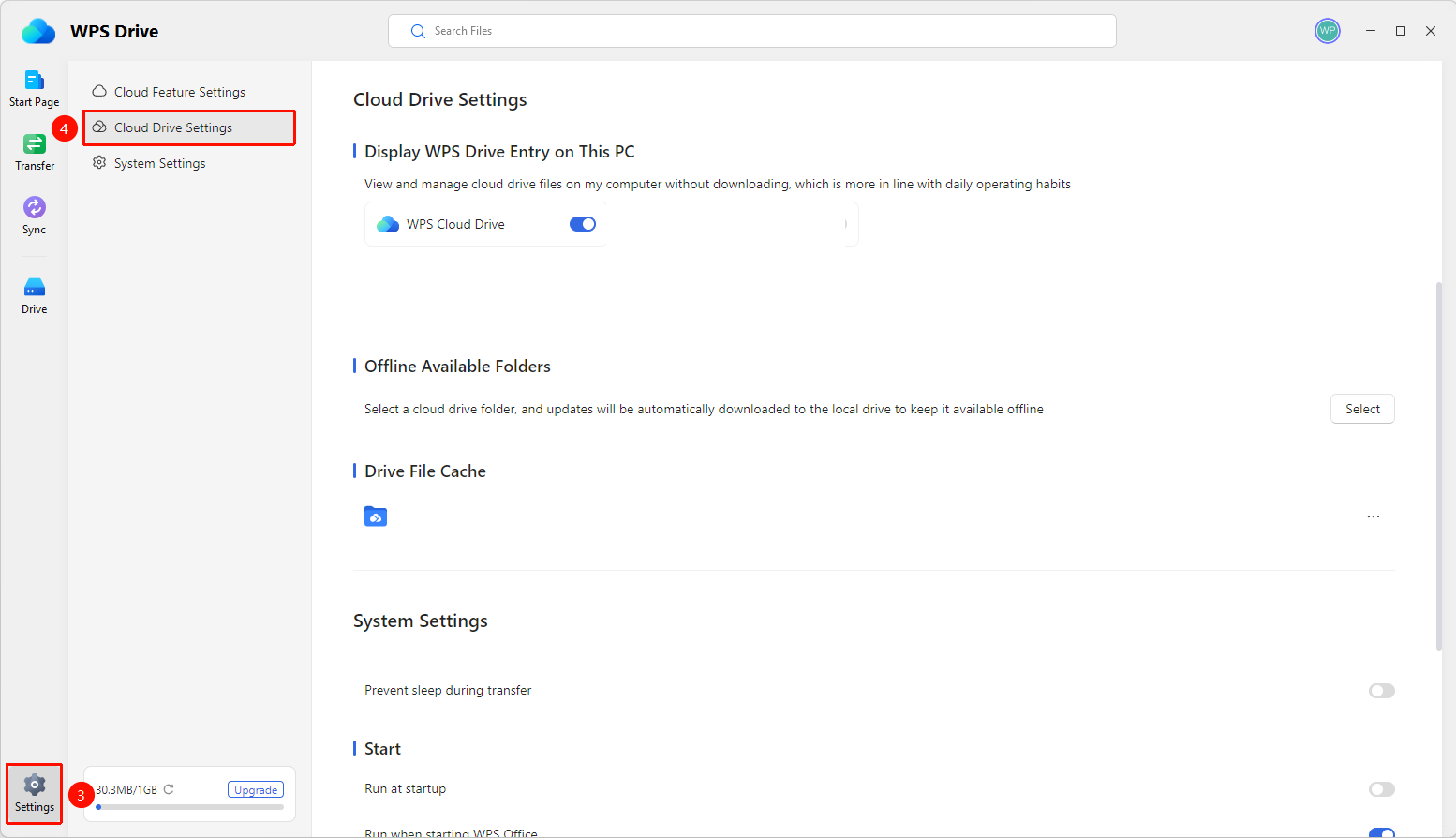
"WPS Drive" page → "Settings" icon → "Drive Settings" option
- Open WPS Drive.
- Click the "Settings" icon (gear shape) in the lower left corner.
- In the left panel, select the "Drive Settings" option.
Display WPS Drive Entry in "My Computer"
Feature Entry
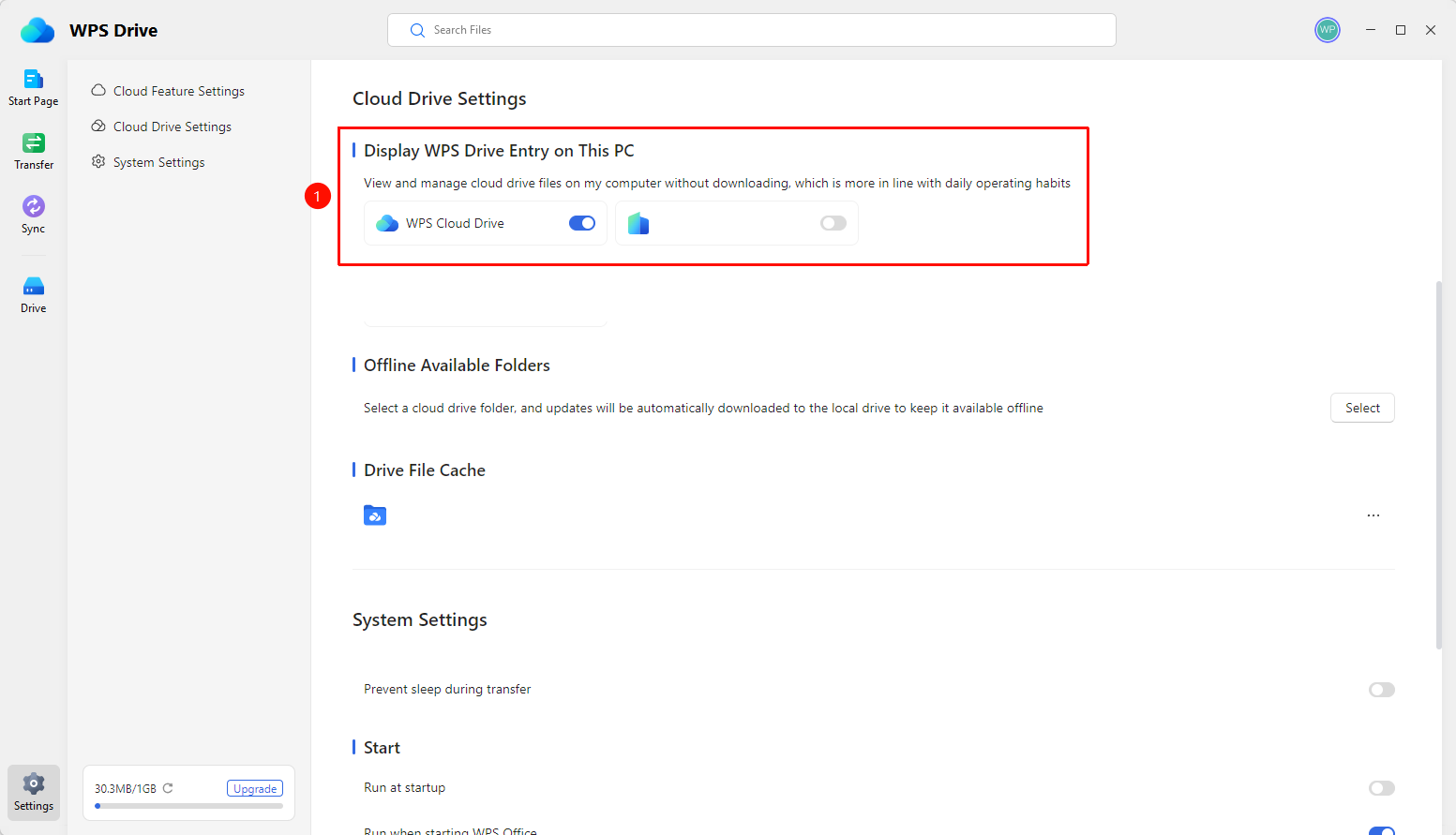
"Drive Settings" page → "Display WPS Drive entry in My Computer"
- In the "Display WPS Drive entry in My Computer" feature, you can manage the display of different organization drives:
- "WPS Drive" toggle —— When enabled, the WPS Drive entry is displayed in "My Computer".
- "Organization Drive" toggle —— When enabled, the demo organization drive entry is displayed in "My Computer".
Manage Drive File Cache
Feature Entry
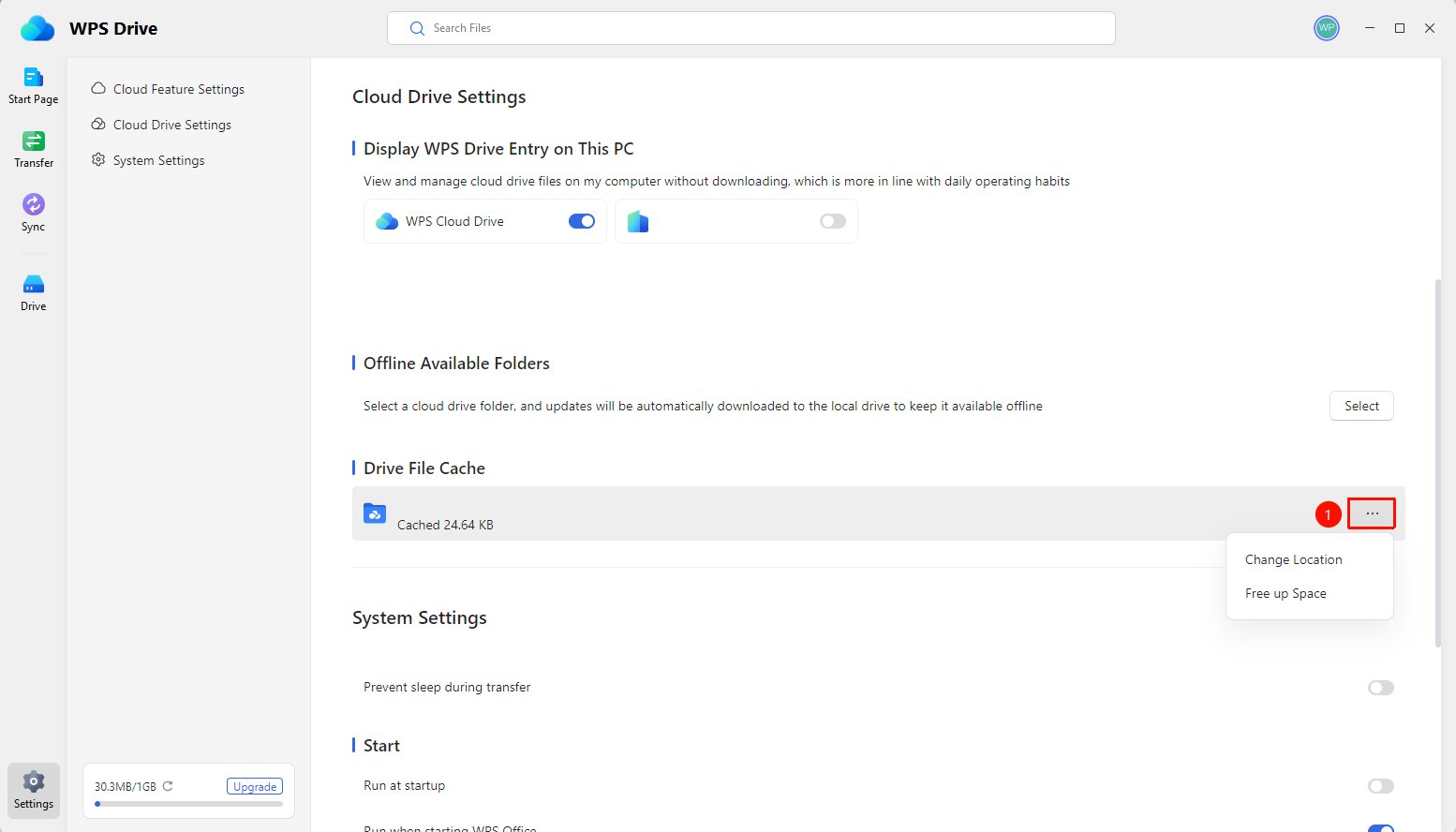
"Drive Settings" page → "Drive File Cache" area → "..." button
- In the "Drive File Cache" area, you can view the current cache path and cached size.
- Click the "..." button to manage cached files (clear cache and change location).
FAQ
Q1: WPS Drive entry is not displayed in "My Computer"?
- Solution: Enter Drive Settings → "Display WPS Drive entry in My Computer" → Enable the corresponding drive toggle. If it still does not display, check whether security software such as 360 Safeguard has disabled the WPS Office auto-start plugin.
Q2: How to clear WPS cloud cache to free up disk space?
- Solution: Enter Drive Settings → "Drive File Cache" → Click the "..." button to clear the cache. Clearing the cache does not delete cloud files; it only deletes local temporary cache.
Notes
- All settings take effect immediately after modification, no need to restart WPS Drive.
- Offline available folders will download cloud files to the local device, which may occupy significant disk space. Please choose wisely.
- After changing the cache path, previously cached files need to be re-downloaded.