Feature Summary
Display synced cloud documents categorized by device, making it easy to find and manage synced files by device.
Feature Description
| Feature Dimension | Description |
|---|---|
| Membership Restrictions | No membership restrictions |
| Version Restrictions | No version restrictions |
Operation Steps
View My Devices
Feature Entry
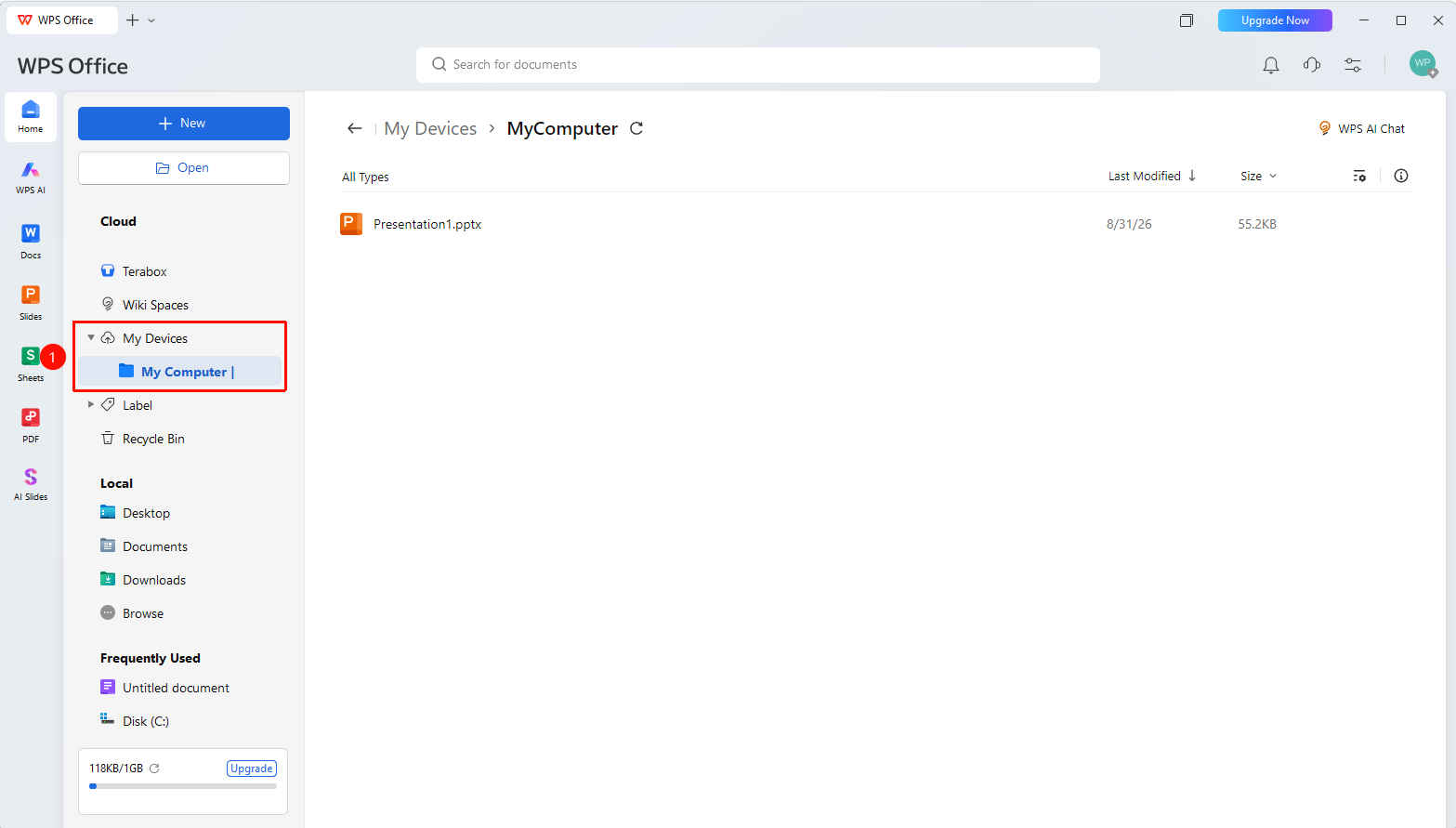
WPS Home left navigation bar → "My Devices"
- Open WPS and click the "My Devices" tab in the left navigation bar
- You can view all device folders stored in the cloud and all documents synced by that device
Manage Files and Folders
Feature Entry
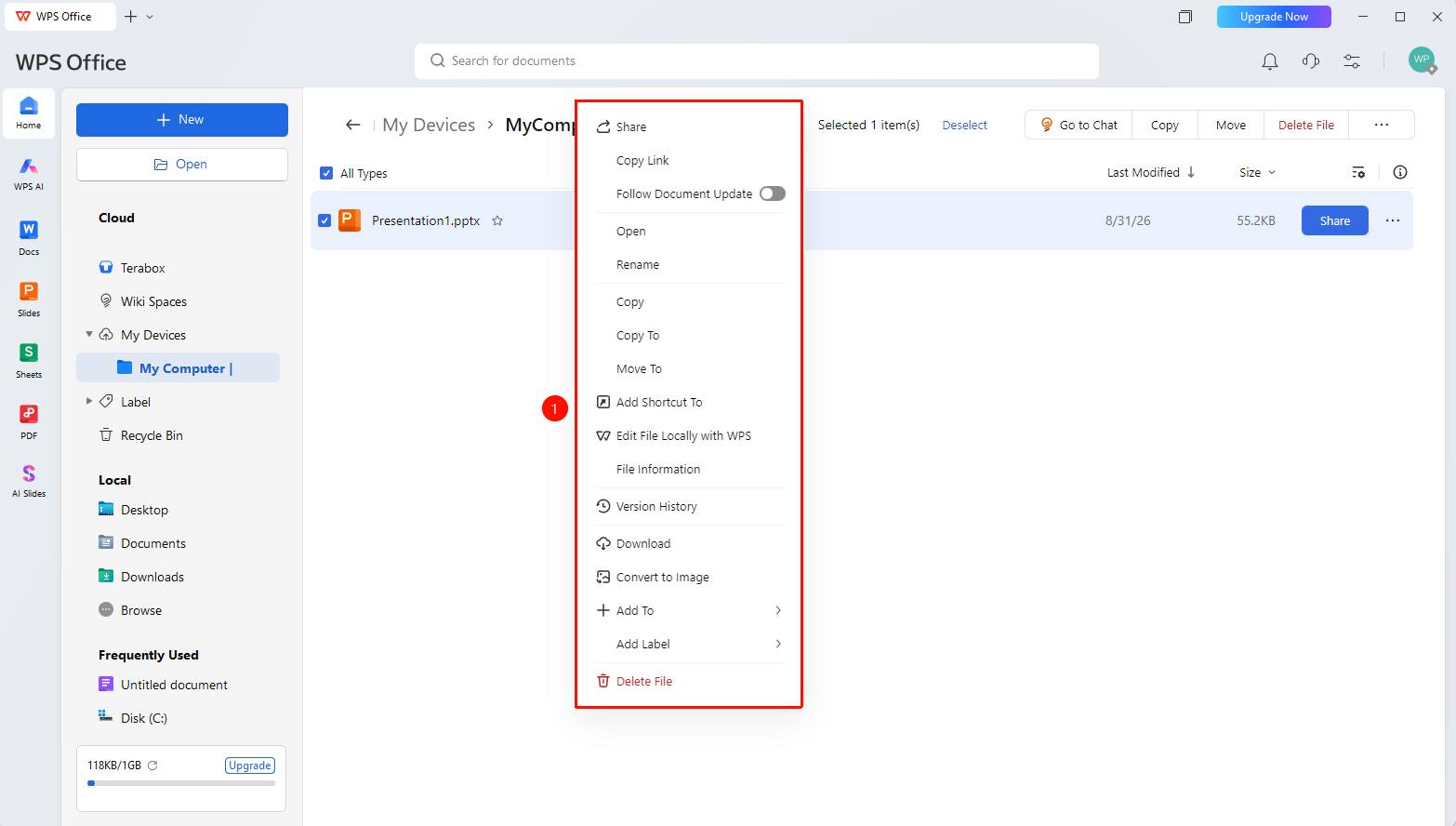
"My Devices" → Right-click file → Management operations
- Right-click a file or folder in the file list
- You can perform operations such as creating a new folder, renaming, moving, copying, and deleting
- Supports sorting and filtering by multiple dimensions such as name and modification time
My Devices Settings
Feature Entry
Top of the Personal Space tab
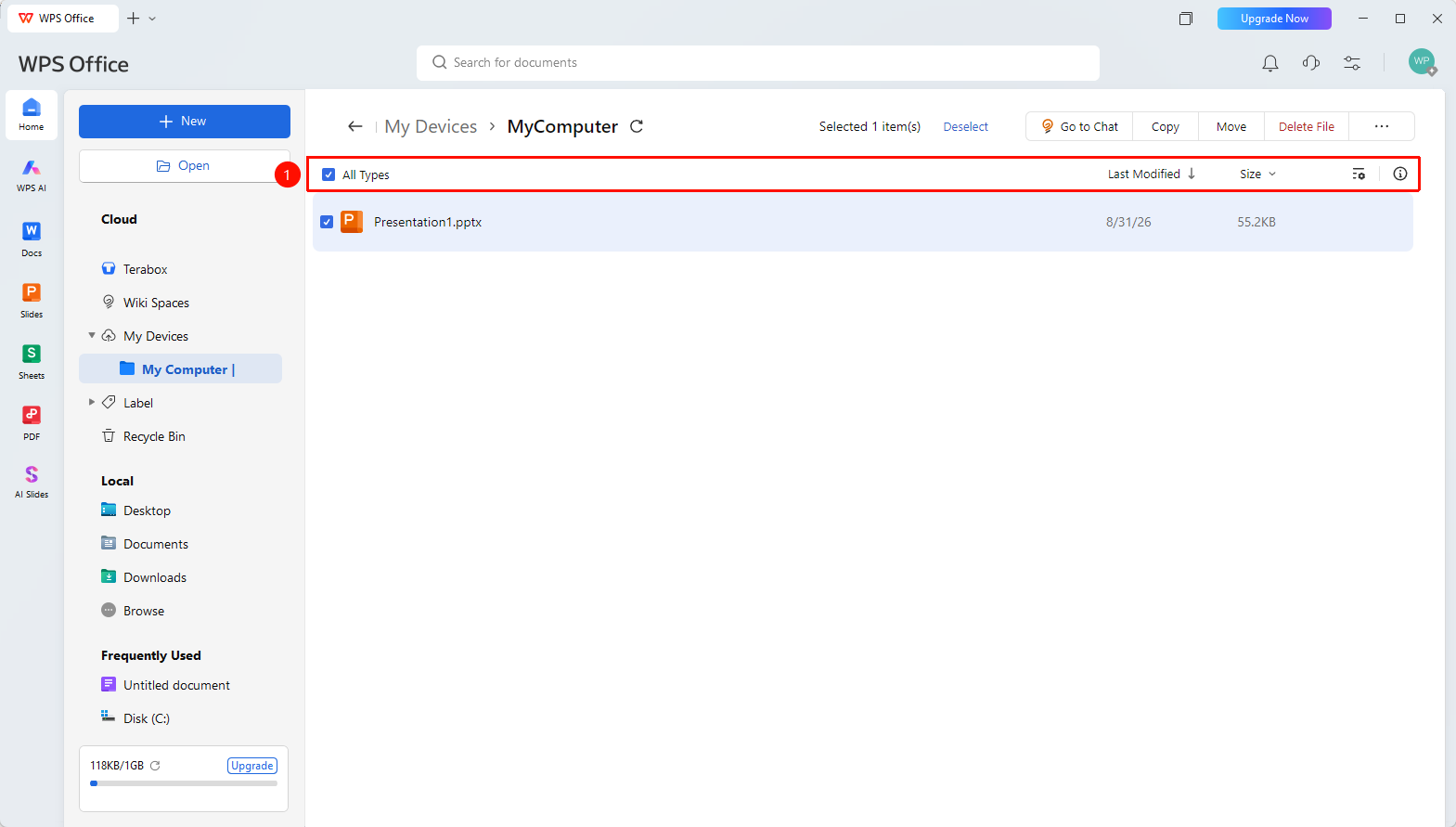
- At the top of Personal Space, you can select the following setting options:
- "All Types" : Filter Drive files by the desired type
- "Last Modified" : Filter Drive files by the desired type
- "Size" : Sort shared files by file size
- "Settings" : Set list sorting, view, custom list, and other options
- "File Info" : View the file information of the selected file
FAQ
Q1: Are the files in My Devices synced automatically?
- Solution: Yes. After enabling Document Cloud Sync, documents opened with WPS on each device will be automatically backed up to the corresponding device folder.
Q2: How do I delete a device?
- Solution: Right-click the device in "My Devices" and click "Delete Device".
Q3: Will signing in multiple times on the same device show multiple entries?
- Solution: Generally, signing in multiple times on the same device will only show one device Record and generate one device folder, unless the system is reinstalled or the device identifier is changed.
Q4: What is the difference between My Devices and Personal Space?
- Solution: The source of documents in My Devices is automatic upload via Document Cloud Sync, while the source of files in Personal Space is manual upload by the user. The two are independent of each other, and My Devices automatically distinguishes folders based on the uploading device.
Notes
- An independent backup folder will be automatically created for each signed-in account's device
- The folder contents must be emptied before deleting the device