Feature Summary
The ActiveX control feature allows you to insert interactive controls such as buttons, check boxes, and list boxes into documents to create feature-rich forms and interactive documents.
Feature Description
| Feature Dimension | Description |
|---|---|
| Membership Restriction | No membership restriction |
| Version Restriction | No version restriction |
Operation Steps
Inserting an ActiveX Control
Feature Entry
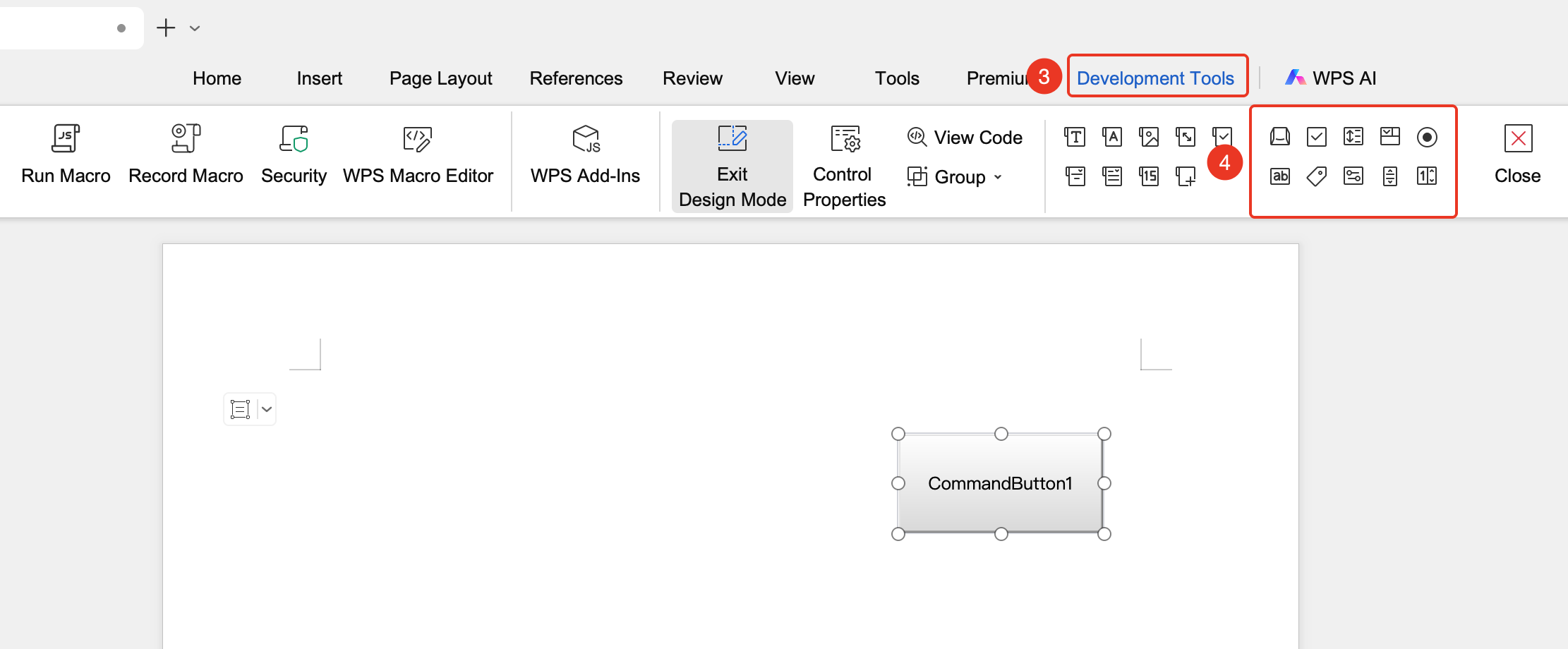
"Tools" tab → "Developer Tools" button → "Developer Tools" tab → "ActiveX Controls"
- Click the "Tools" tab at the top, locate and click the "Developer Tools" button to bring up the "Developer Tools" tab at the top
- Click the "Developer Tools" tab
- In the "ActiveX Controls" group, select the desired control (e.g., Command Button, Check Box, etc.)
- Click in the document to insert the control

Common ActiveX Control Types
- Command Button: Triggers an event when clicked
- Text Box: For entering text content
- Check Box: For checking options
- Option Button: For single selection
- List Box: Displays a list of options
- Combo Box: Drop-down selection list
- Toggle Button: Toggles a state on/off
- Scroll Bar: A numeric adjustment button with a scroll bar
- Label: A marking label
- Spin Button: A numeric adjustment button with "▲ ▼" indicators
Setting ActiveX Control Properties
Feature Entry
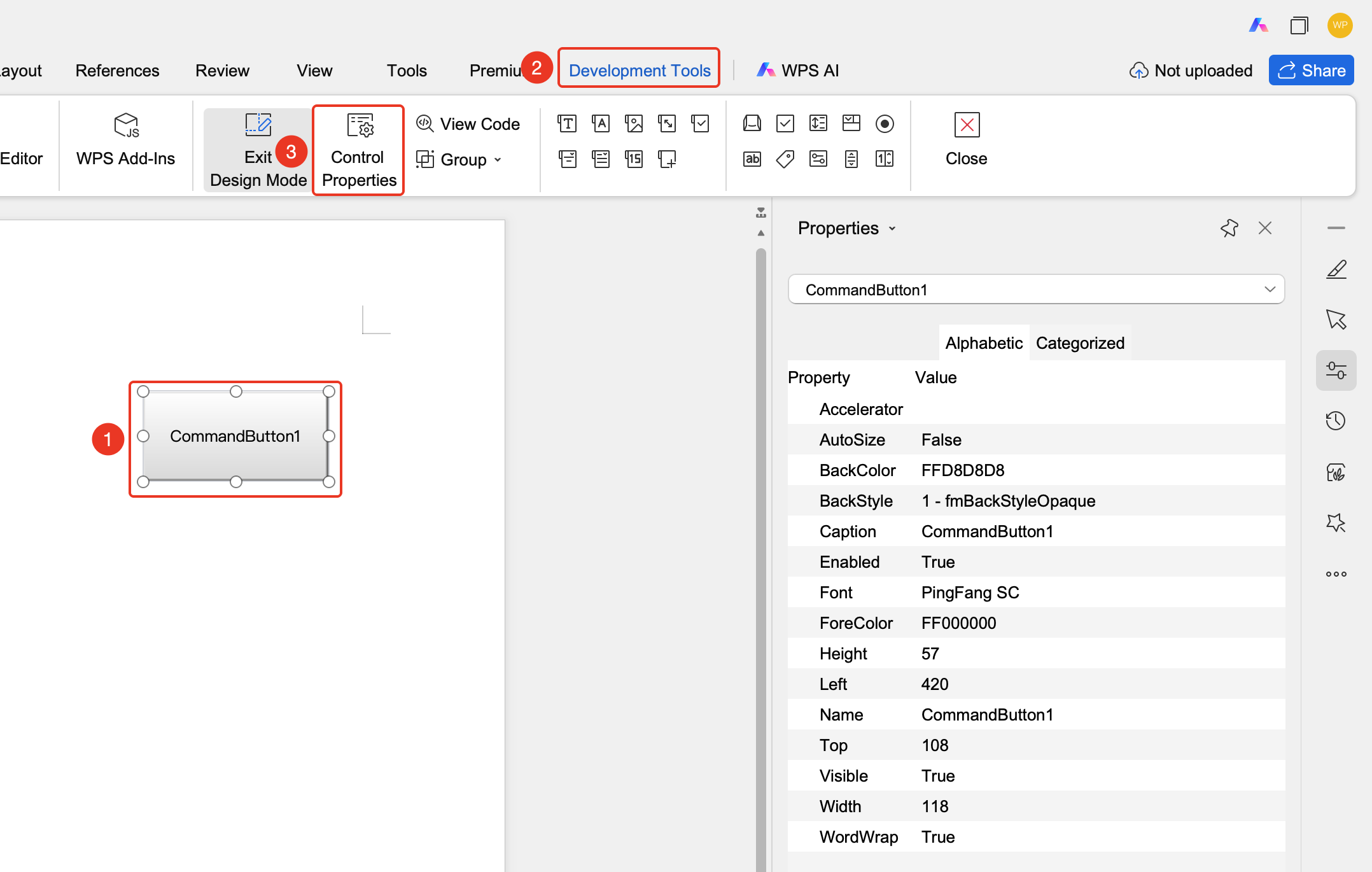
"Developer Tools" tab → "Control Properties"
- Enter Design Mode
- Click the ActiveX control
- Select the "Control Properties" button
- Set the control's various parameters in the properties window
Writing Code for Controls
Feature Entry
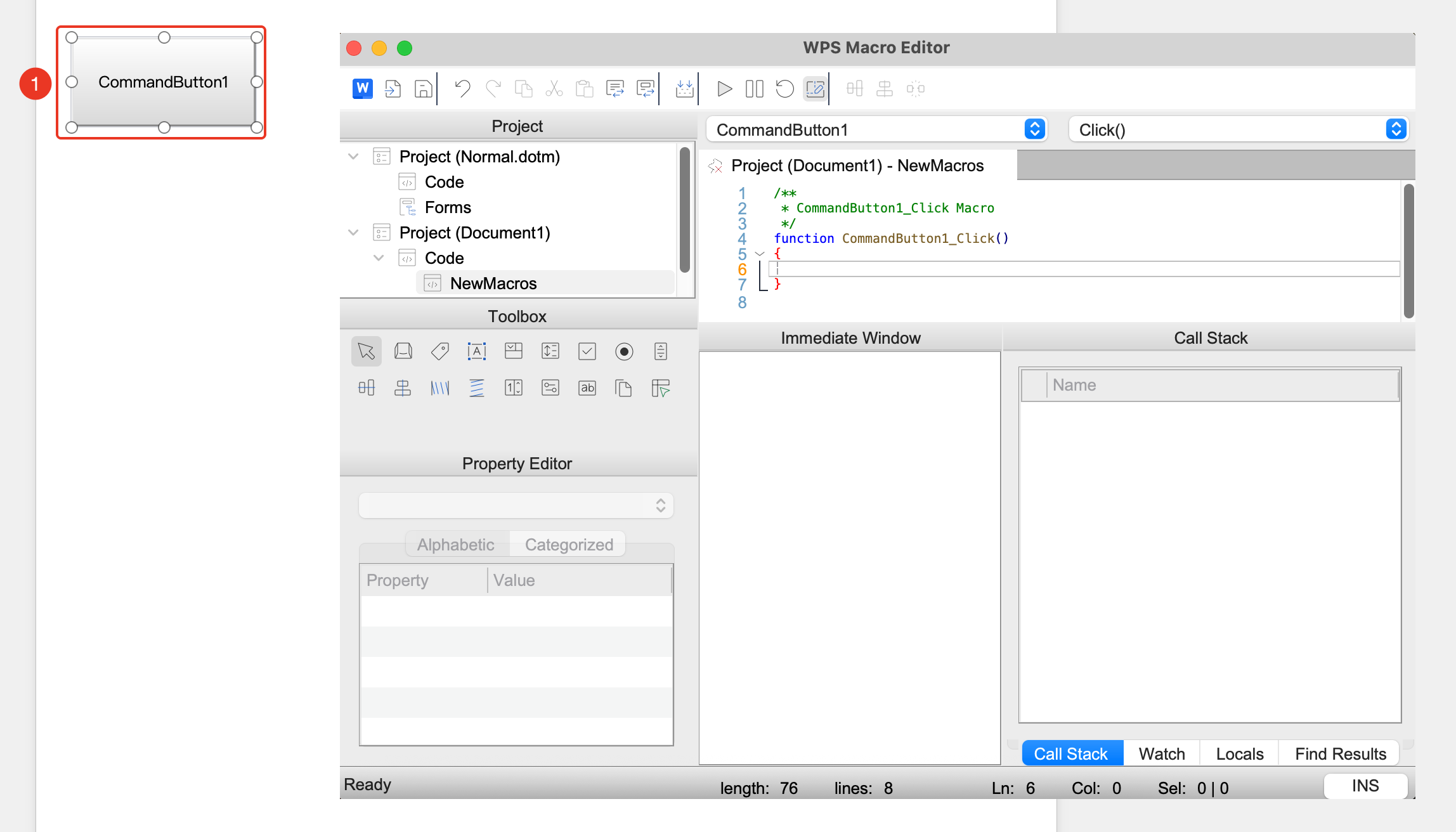
Double-click the control or select the control and click "Developer Tools" tab → "View Code"
- Enter Design Mode
- Double-click the ActiveX control
- The system will open the WPS Macro Editor
- Write code for the control events
FAQ
Q1: ActiveX controls are not working?
- Solution: Ensure that macros are enabled for the document and the target device.
Notes
- ActiveX controls require macros to be enabled to function properly
- Compatibility of ActiveX controls may vary across different devices
- It is recommended to test control functionality before publishing the document