Feature Summary
The ActiveX control feature supports inserting interactive controls into documents, such as buttons, check boxes, list boxes, etc., for creating feature-rich forms and interactive documents.
Feature Description
| Feature Dimension | Description |
|---|---|
| Membership Restriction | No membership restriction; available to all users |
| Version Restriction | Some ActiveX controls are only supported on Windows computers |
Operation Steps
Insert ActiveX Controls
Feature Entry
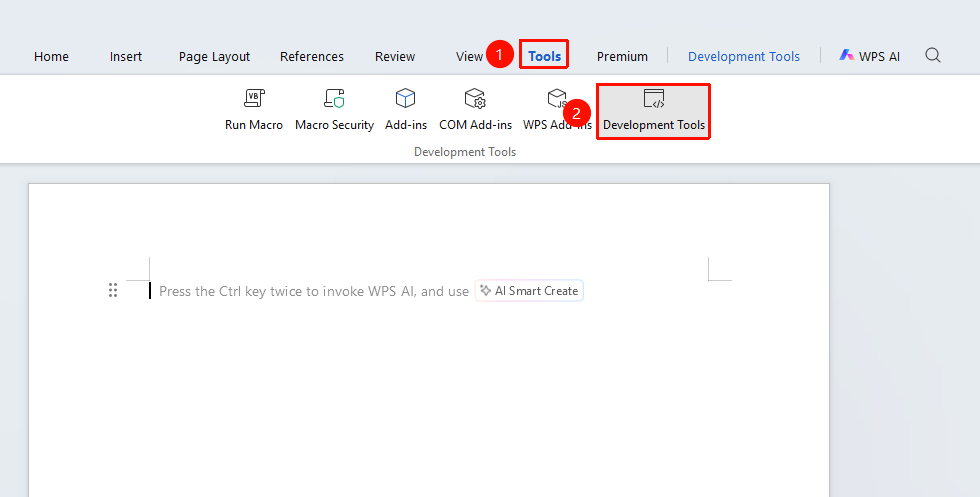
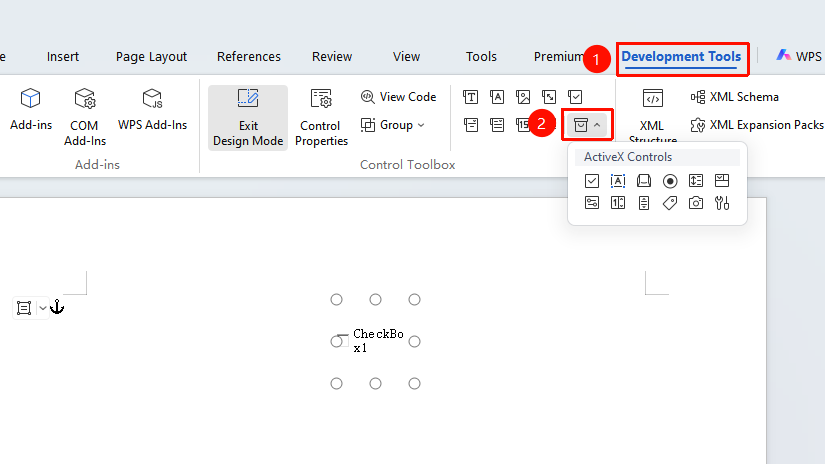
"Tools" tab → "Developer Tools" button → "Developer Tools" tab → "ActiveX Controls"
- Click the "Tools" tab at the top, locate and click the "Developer Tools" button to bring up the "Developer Tools" tab at the top
- Click the "Developer Tools" tab
- Select the desired control from the "ActiveX Controls" group
- Click in the document to insert the control
Common ActiveX Control Types
- Command Button: Click to trigger an event
- Text Box: Enter text content
- Check Box: Check an option
- Option Button: Single selection functionality
- List Box: Display a list of options
- Combo Box: Drop-down selection list
- Toggle Button: Switch state toggle
- Scroll Bar: Value adjustment
Set ActiveX Control Properties
Feature Entry
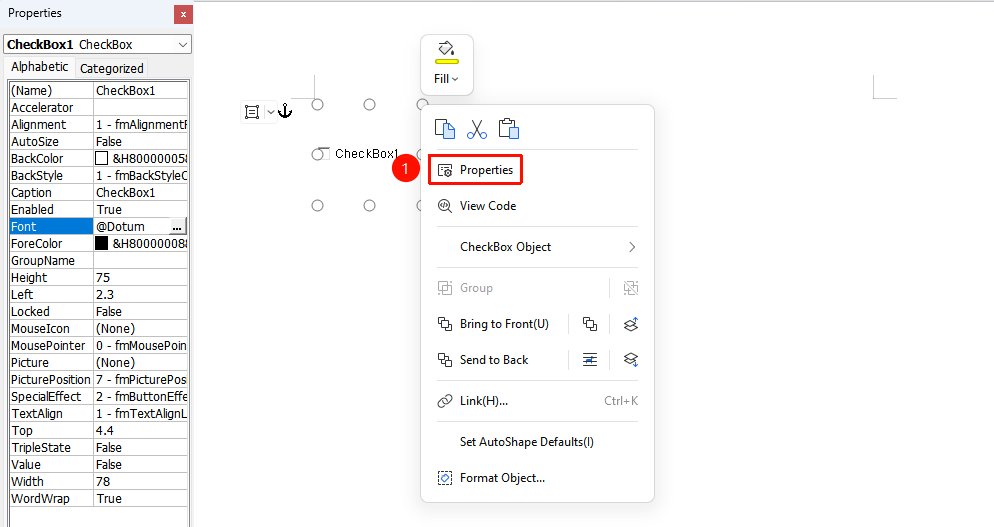
"Developer Tools" tab → "Design Mode" → Right-click the control → "Properties"
- Click "Design Mode" from "Developer Tools" tab to enter Design Mode
- Right-click the ActiveX control
- Select the "Properties" option
- Set the control's various parameters in the properties window
Write Code for Controls
Feature Entry
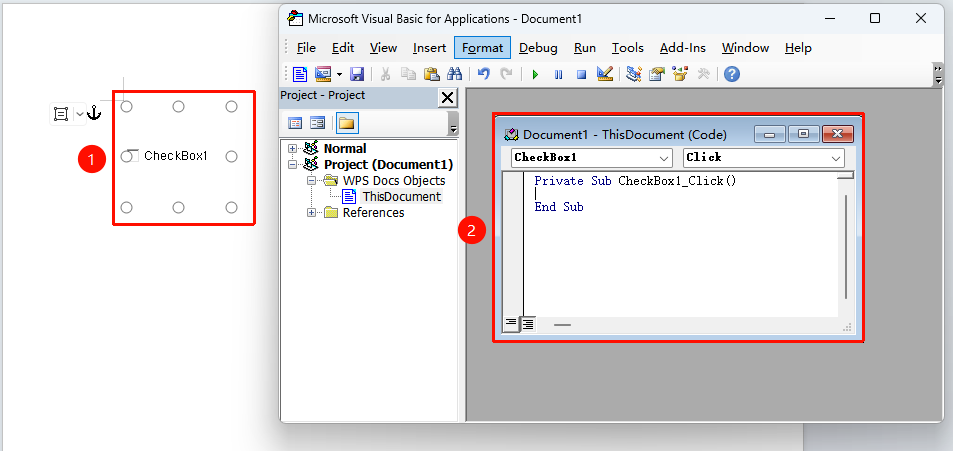
"Developer Tools" tab → "Design Mode" → Double-click the control
- Click "Design Mode" from "Developer Tools" tab to enter Design Mode
- Double-click the ActiveX control
- The system will open the VBA editor
- Write code for the control event
Frequently Asked Questions
Question 1: ActiveX controls cannot be used?
- Solution: Ensure that macros are enabled in the document and operate the controls in Design Mode.
Question 2: The control displays as a red cross?
- Solution: This may be due to control registration failure. Try re-inserting the control or check system security settings.
Notes
- ActiveX controls require macros to be enabled to function properly
- Compatibility of ActiveX controls may vary across different devices
- It is recommended to test control functionality before publishing the document