Feature Summary
The WPSArt feature provides a variety of preset flowchart styles, allowing you to quickly insert professional flowcharts, hierarchy diagrams, and more, with support for text editing and style enhancement.
Feature Description
| Feature Dimension | Description |
|---|---|
| Membership Restriction | No membership restriction; available to all users |
| Version Restriction | No version restriction; supported in all versions of WPS Writer |
Operation Steps
Insert a WPSArt
Feature Entry
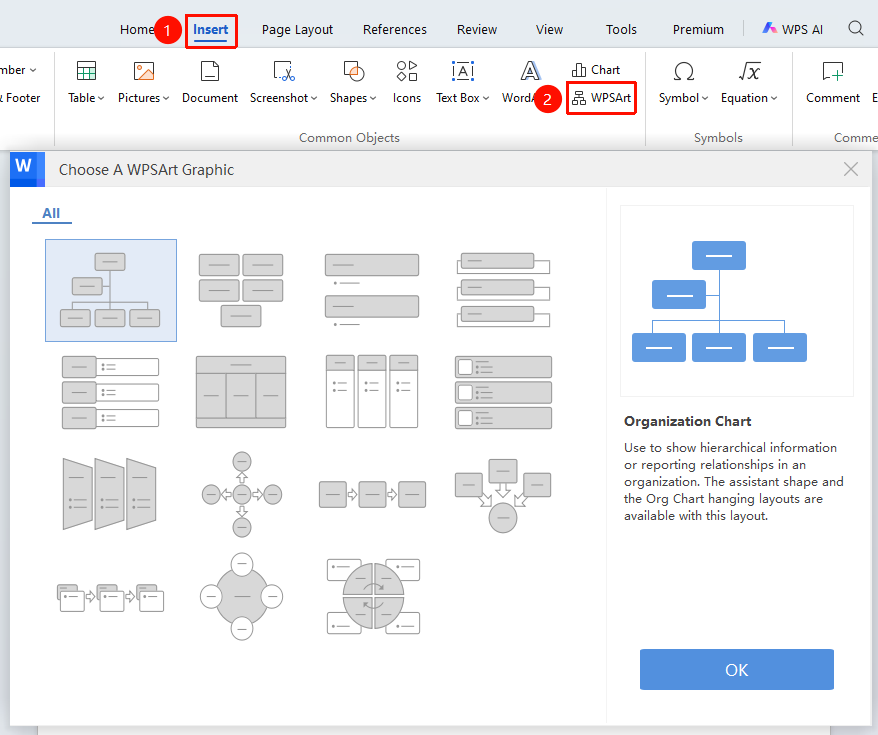
"Insert" tab → "WPSArt" option
- Click the "WPSArt" button in the Insert tab
- Select a specific style template on the right side
- Click OK to insert it into the document
Modify Flowchart Style
Feature Entry
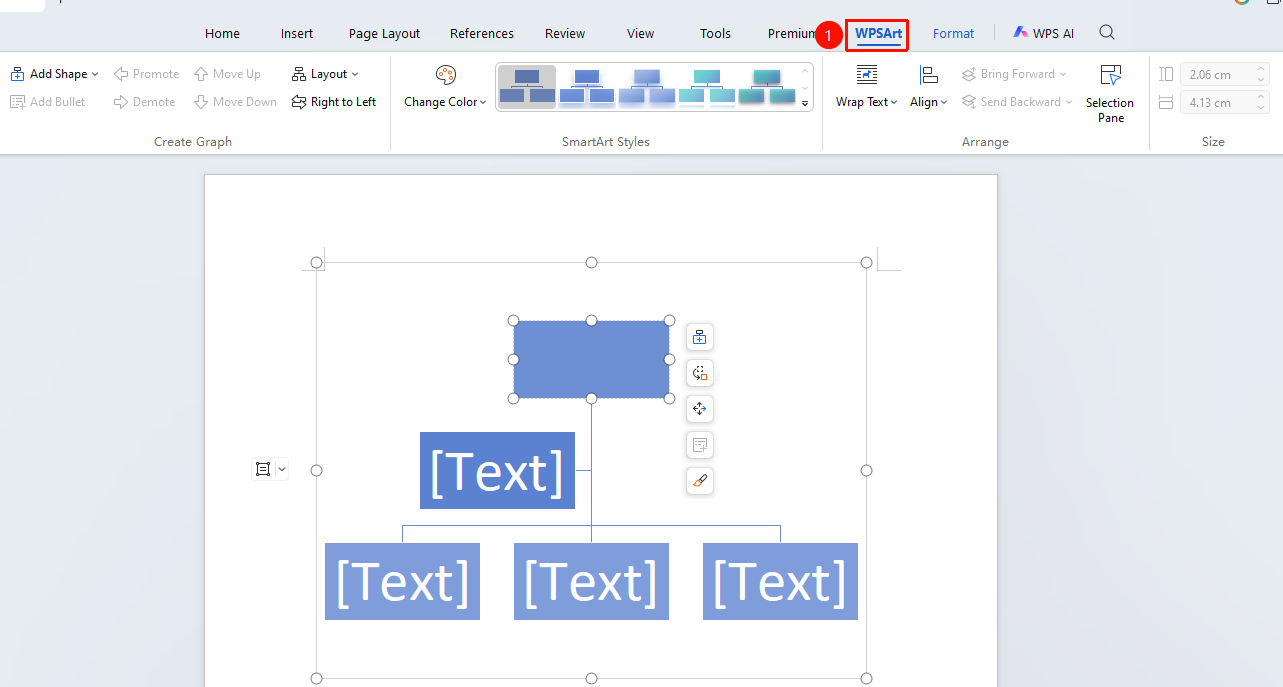
Select the flowchart, then click the "WPSArt" tab
- Select the flowchart, then click the "WPSArt" tab at the top
- Configure the style in options such as color schemes and layouts