Guide to Switching Between VB Macro/JS Macro Environments in WPS Docs
Feature Summary
WPS Docs supports two macro development environments: VBA (VB Macro) and JS (JavaScript Macro). Users can switch the default macro environment as needed, flexibly choosing the appropriate programming language to automate document processing.
Feature Description
| Feature Dimension | Description |
|---|---|
| Version Restriction - VBA Macro | Windows systems require the VBA plugin to be installed. MAC systems, Linux systems, and mobile versions are not supported. |
Operation Steps
Setting the Default JS Development Environment
Feature Entry
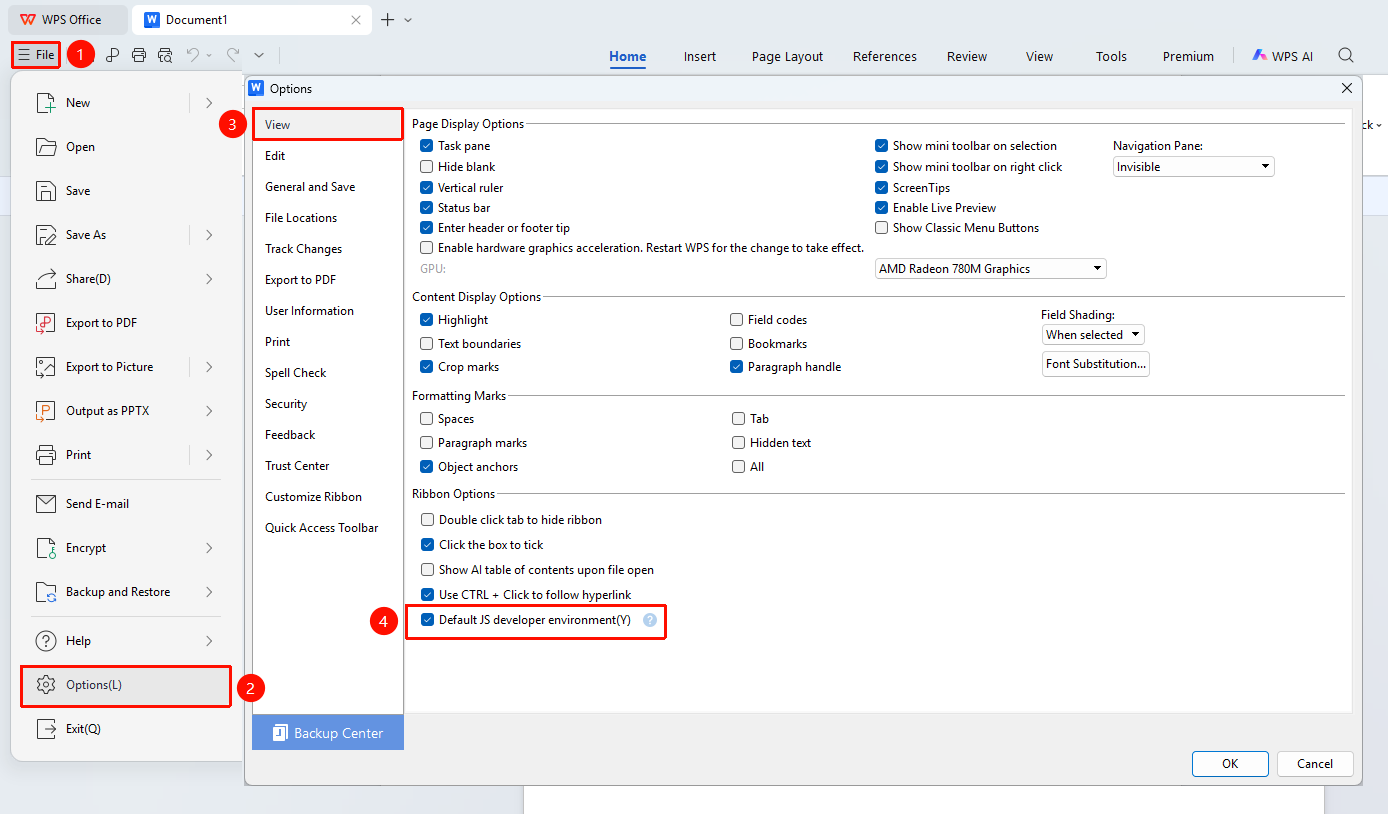
"File" Menu → "Options" → "View" Tab → "Default JS Development Environment" Checkbox
- Click the File menu in the upper left corner
- Select Options to open the Options dialog box
- In the left navigation bar, select the View tab
- On the right side, find the "Default JS Development Environment" checkbox
- Check this option and click OK to save the settings
- The change takes effect after restarting WPS, and the WPS Macro Editor (JS environment) will open by default
Switching Back to the VB Environment
Feature Entry
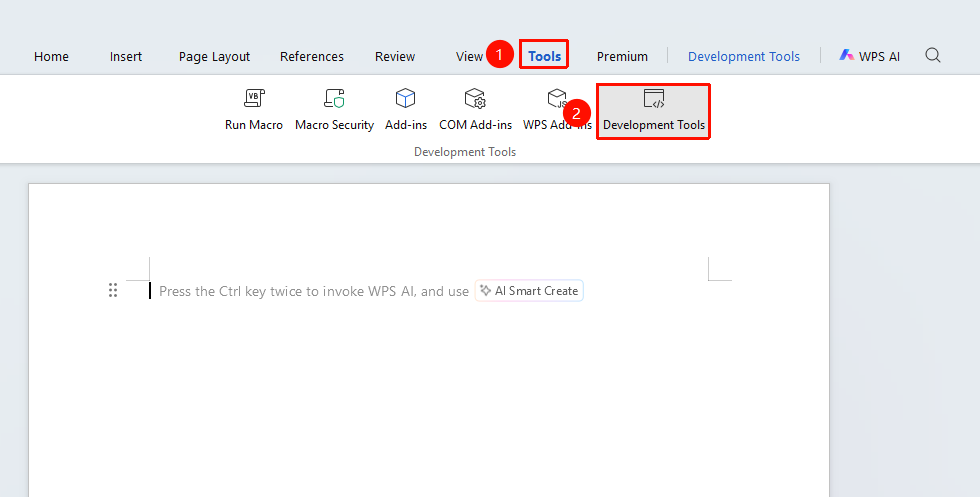
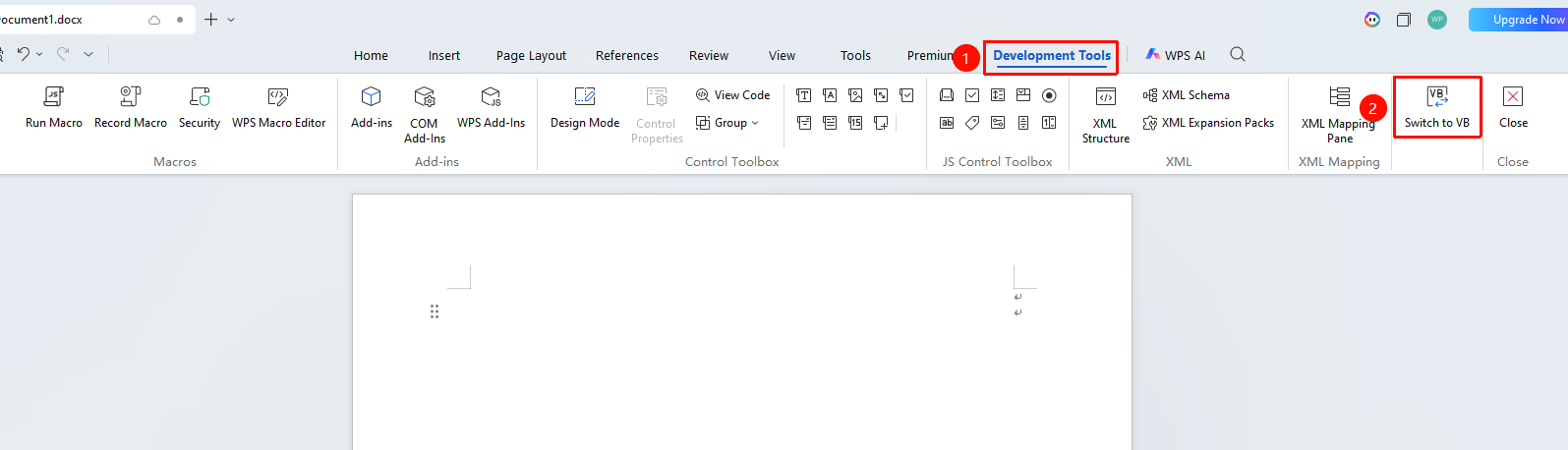
"Tools" Tab → "Developer Tools" Tab → "Switch to VB Environment"
- Click the Tools tab in the upper left corner
- Select the Developer Tools option to open the Developer Tools tab
- In the Developer Tools tab, click the "Switch to VB Environment" button
FAQ
Q1: I set the default JS environment, but the VB editor still opens
- Solution: You need to restart WPS for the setting to take effect. If it still does not work after restarting, check whether the "Default JS Development Environment" option under "File" → "Options" → "View" is correctly checked.
Q2: Can the original macro code still run after switching environments?
- Solution: Switching the macro environment does not affect saved macro code. Switching back to the original macro code environment will allow it to run normally.
Notes
- Environment Independence: VBA and JS are two independent macro environments with different code syntax and operating mechanisms, and they are not compatible with each other.
- Cross-Platform Limitations: VBA macros are only supported on Windows systems, while JS macros support all platforms (Windows/MAC/Linux).
- File Format: Documents containing macros must be saved in the macro-enabled
.docmformat. - Security Advice: Before running macros, ensure the security of the macro file and do not run macro files from unknown sources.