Feature Summary
The tab stops feature is used to precisely control text alignment positions, supporting left alignment, center alignment, right alignment, decimal alignment, and other alignment methods. It is commonly used for creating tables of contents, aligning tabular data, and similar scenarios.
Feature Description
| Feature Dimension | Description |
|---|---|
| Membership Restriction | No membership restriction |
| Version Restriction | No version restriction |
Operation Steps
Setting Tab Stops
Feature Entry
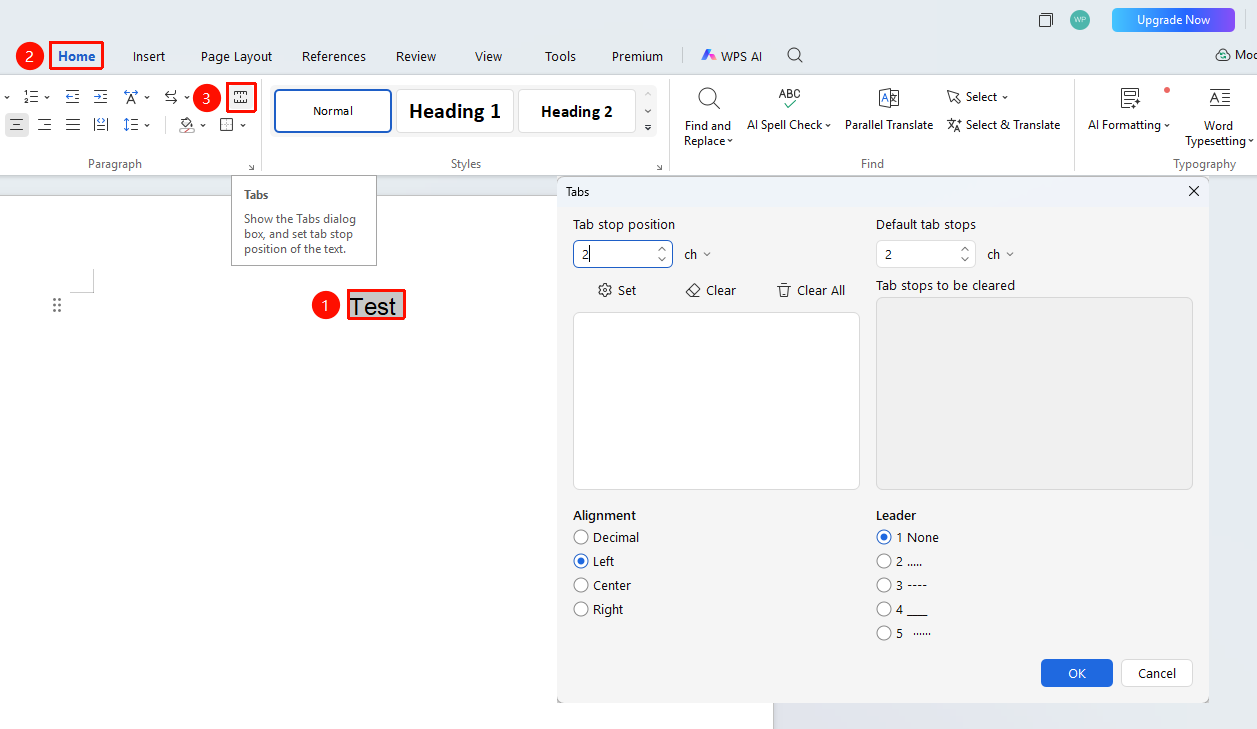
"Home" tab → "Tab Stop" button
- Select the paragraph for which you want to set tab stops
- Click the Home tab
- Click the "Tab Stop" button
- Enter the tab stop position, select the alignment method and leader
- Click the Set button to add the tab stop
- Click OK to complete the setup
Deleting Tab Stops
Feature Entry
"Home" tab → "Tab Stop" button
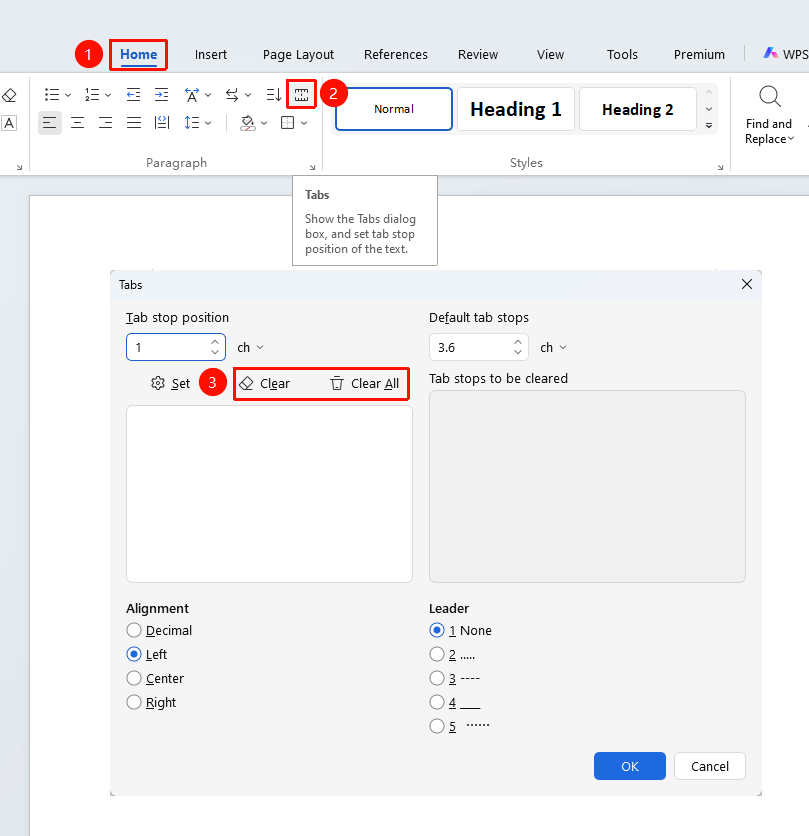
- Open the Tab Stop dialog box
- Select the tab stop to be deleted
- Click the "Clear" or "Clear All" button
- Click OK to save the changes