Feature Summary
The alignment feature is used to set the horizontal alignment of paragraph text, including left align, center, right align, justify, and distributed align, making document layout neater and more aesthetically pleasing.
Feature Description
| Feature Dimension | Description |
|---|---|
| Membership Restriction | No membership restriction, available to all users |
| Version Restriction | No version restriction, ensure sufficient cloud storage space |
Operation Steps
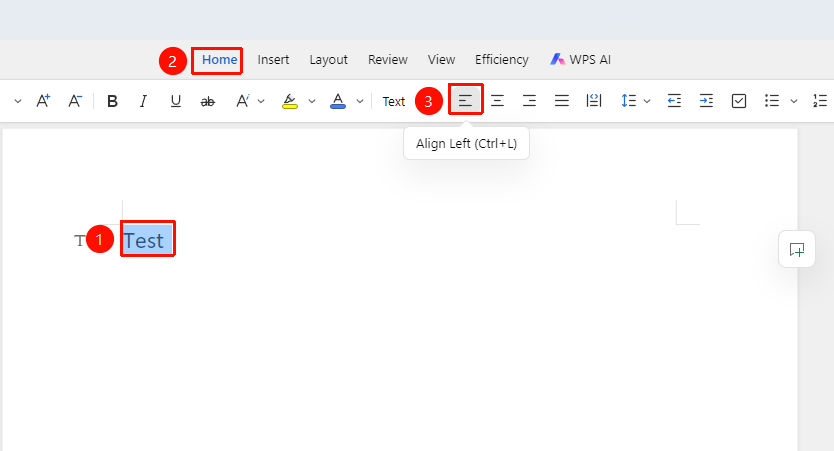
Left Align
Feature Entry
"Home" tab → "Left Align" option
- Select the paragraph to set (or place the cursor in the paragraph)
- Click the "Left Align" button on the Home tab
Center Align
Feature Entry
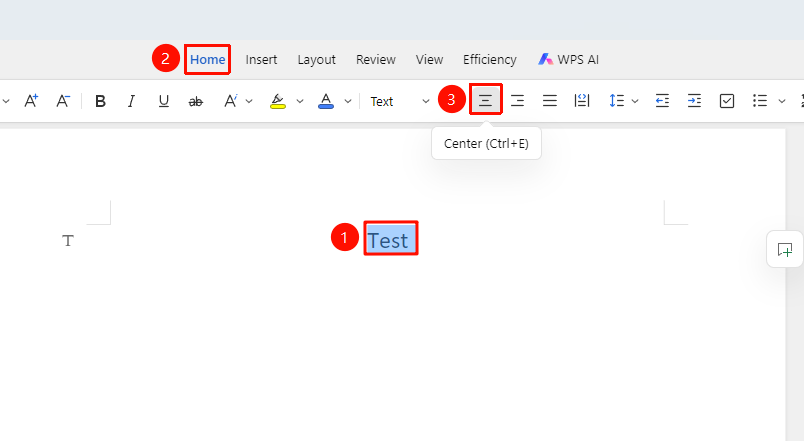
"Home" tab → "Center Align" option
- Select the paragraph to set (or place the cursor in the paragraph)
- Click the "Center Align" button on the Home tab
Right Align
Feature Entry
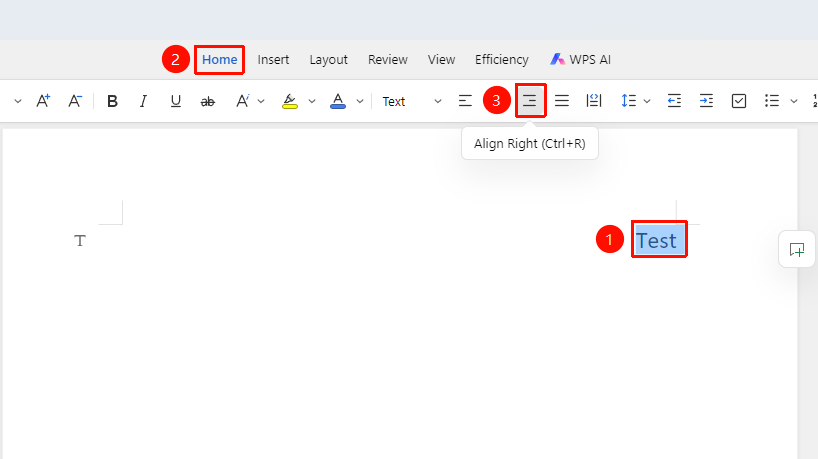
"Home" tab → "Right Align" option
- Select the paragraph to set (or place the cursor in the paragraph)
- Click the "Right Align" button on the Home tab
Justify
Feature Entry
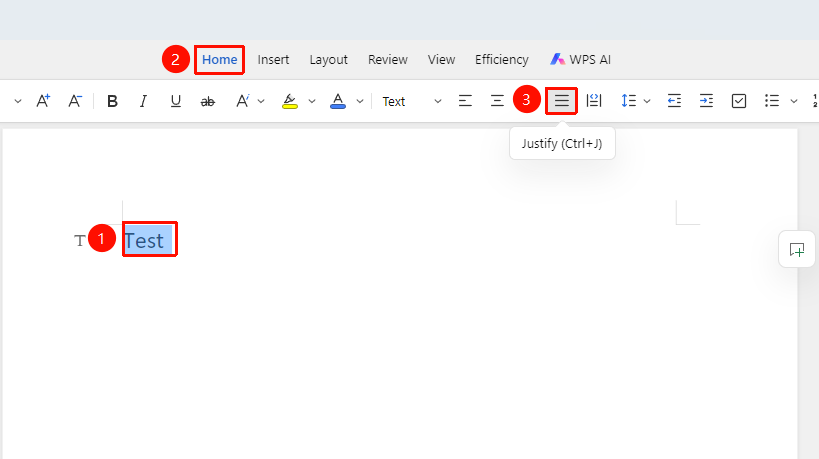
"Home" tab → "Justify" option
- Select the paragraph to set (or place the cursor in the paragraph)
- Click the "Justify" button on the Home tab
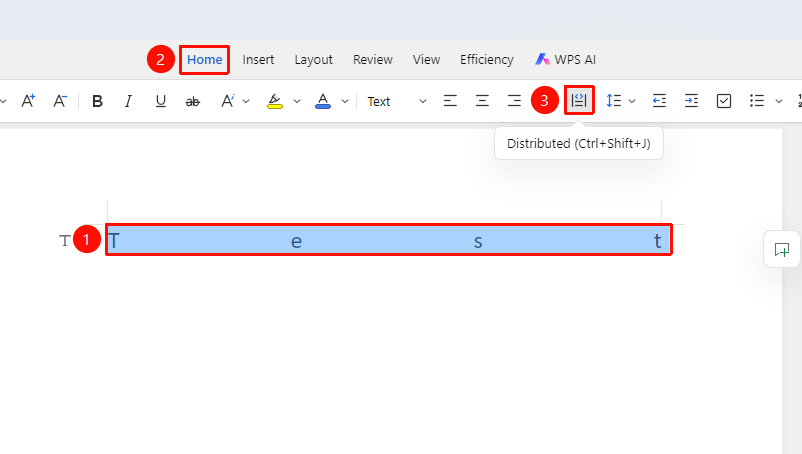
Distributed Align
Feature Entry
"Home" tab → "Distributed Align" option
- Select the paragraph to set (or place the cursor in the paragraph)
- Click the "Distributed Align" button on the Home tab
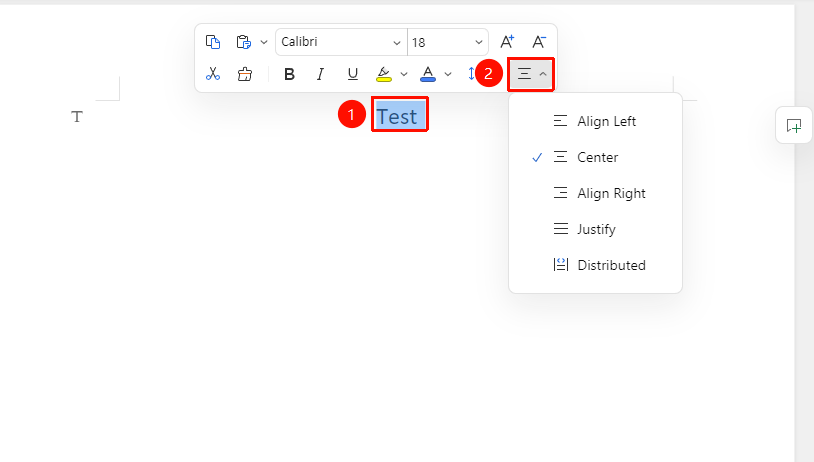
Set Alignment via Floating Toolbar
Feature Entry
Select the text content to align → "Floating Toolbar" menu → "Alignment" option
- Select the text content to set
- Click "Alignment" on the Floating Toolbar and choose the alignment method
Alignment Shortcut Keys:
- Ctrl+L: Left Align
- Ctrl+E: Center
- Ctrl+R: Right Align
- Ctrl+J: Justify
Frequently Asked Questions
Question 1: What is the difference between Justify and Distributed Align?
- Solution: Justify automatically adjusts word spacing to align both left and right edges; Distributed Align forcibly stretches text to fill the entire line.
Question 2: Why is the text not centered after setting center alignment?
- Solution: Check if there are paragraph indent settings, as indentation can affect the alignment effect.