Feature Summary
The spell check feature is used to automatically detect spelling and grammar errors in documents, helping users improve document quality and reduce errors.
Feature Description
| Feature Dimension | Description |
|---|---|
| Membership Restriction | No membership restriction |
| Version Restriction | No version restriction |
Operation Steps
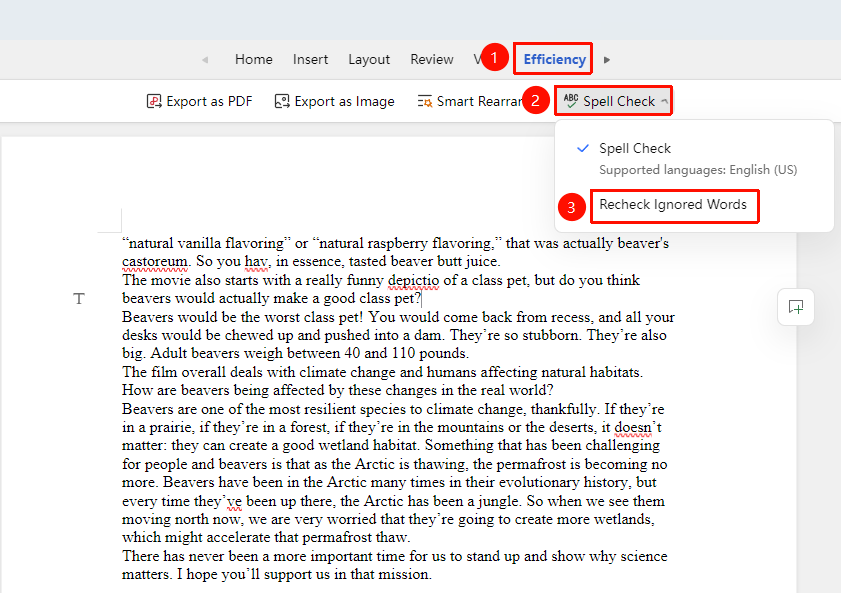
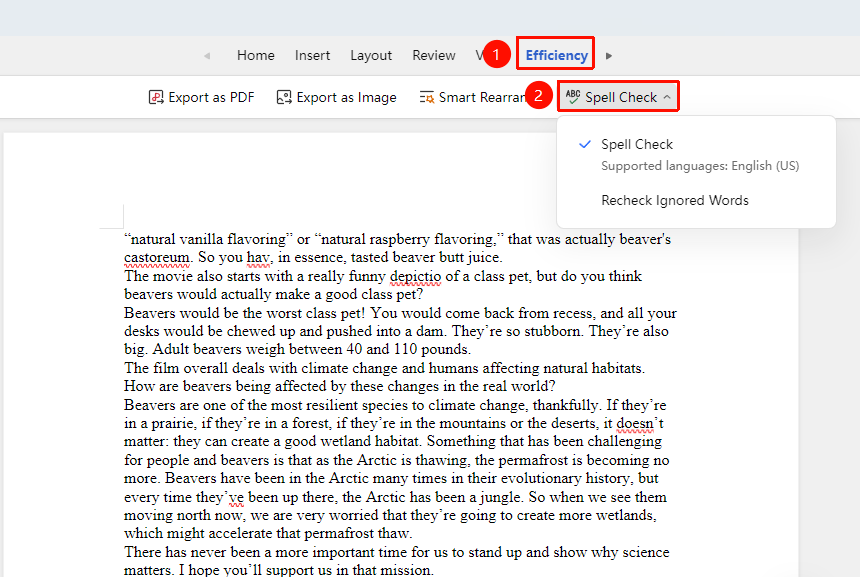
Enable Spell Check
Feature Entry
"Review" Tab → "Spell Check"
- Click the "Review" tab
- Click the "Spell Check" button
- The system will automatically check for spelling errors in the document
- Errors will be marked with a red wavy underline
Correct Spelling Errors
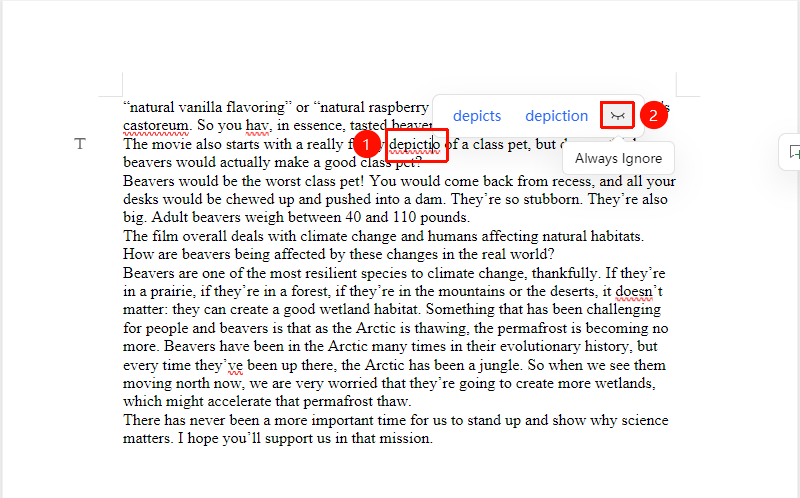
Feature Entry
Left-click on the misspelled word
- Left-click on a word with a red wavy underline
- View the correction suggestions provided by the system
- Click the correct spelling to replace it
- You can select "Always Ignore" to ignore certain specific words
Recheck Ignored Words
Feature Entry
"Review" Tab → "Recheck Ignored Words"
- Click the "Review" tab
- Click the "Spell Check" button
- The system will automatically check the words in the document that have been set to "Always Ignore"
- The previously ignored errors will be marked again with a red wavy underline