Feature Summary
Insert formatted text controls and drop-down selection controls into documents to create interactive forms and document templates.
Feature Description
| Feature Dimension | Description |
|---|---|
| Membership Restriction | No membership restriction, available to all users |
| Version Restriction | No version restriction |
Operation Steps
Inserting a Formatted Text Control
Feature Entry
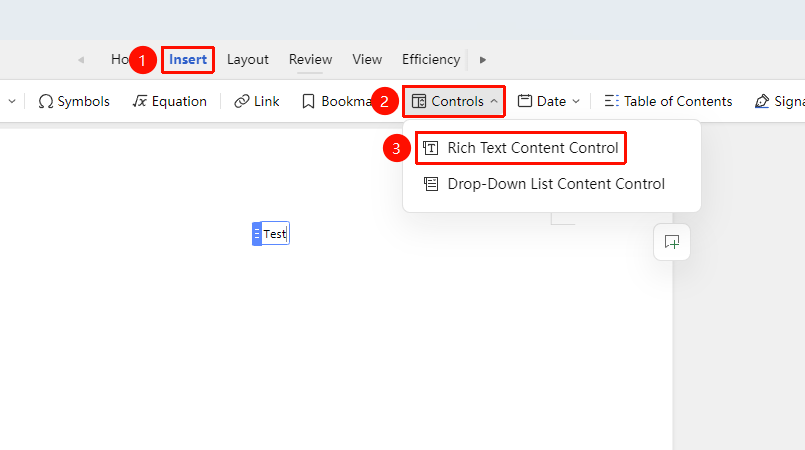
"Insert" Tab → "Controls" → "Formatted Text Control"
- Click the "Insert" Tab → "Controls"
- In the "Controls" group, click "Formatted Text Control" to insert
- Click the control to edit text and other content
Inserting a Drop-Down Selection Control
Feature Entry
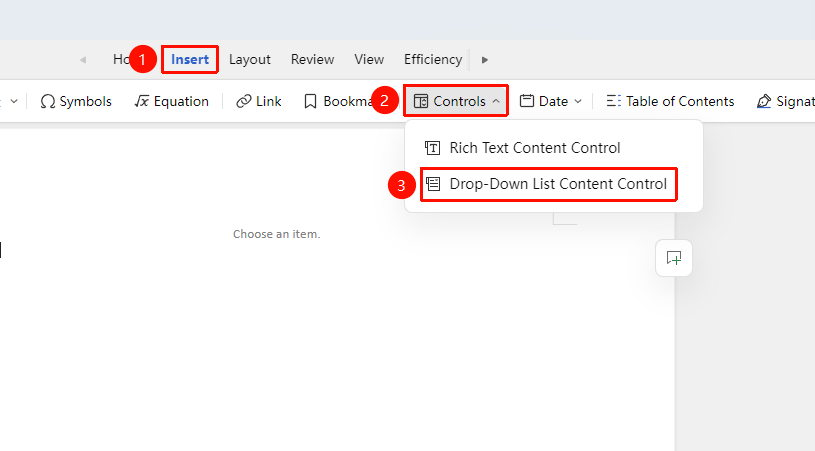
"Insert" Tab → "Controls" → "Drop-Down Selection Control"
- Click the "Insert" Tab → "Controls"
- In the "Controls" group, click "Formatted Text Control" to insert
- Click the arrow on the right side of the drop-down selection control "Please create options" to enter the editing menu
- In the editing menu, set "Title" and "Drop-down option settings"
Inserting from the "Home" Tab
Feature Entry
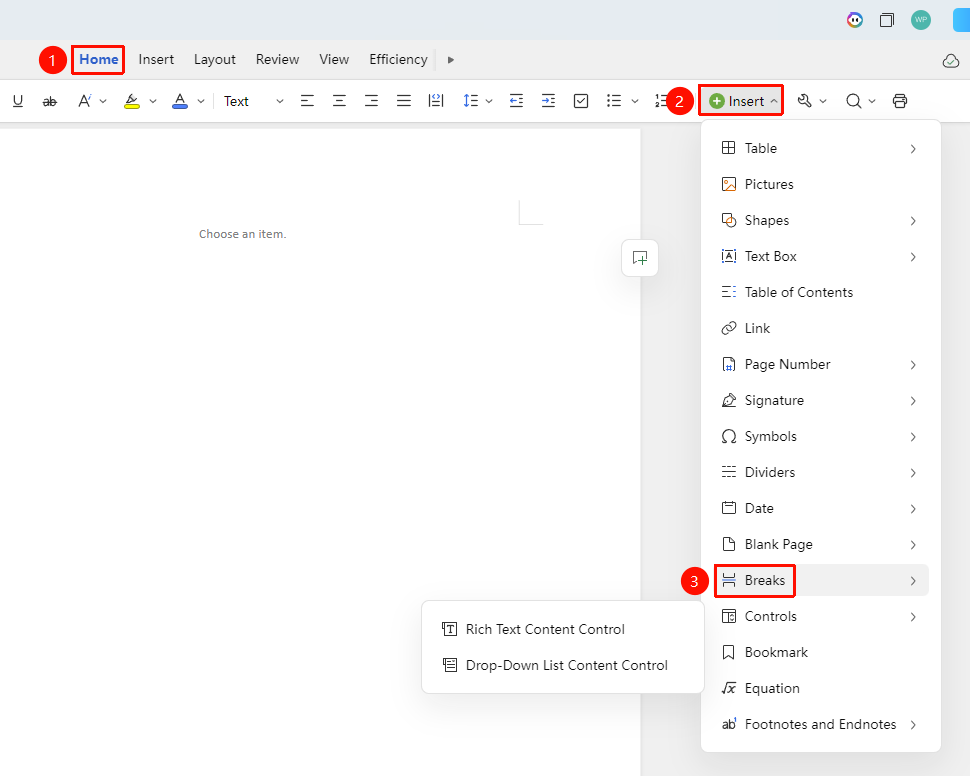
"Home" Tab → "Insert" → "Controls"
- In the "Home" tab, click "Insert" → "Controls"
- Select "Formatted Text Control" or "Formatted Text Control" to insert
Setting Control Properties
Feature Entry
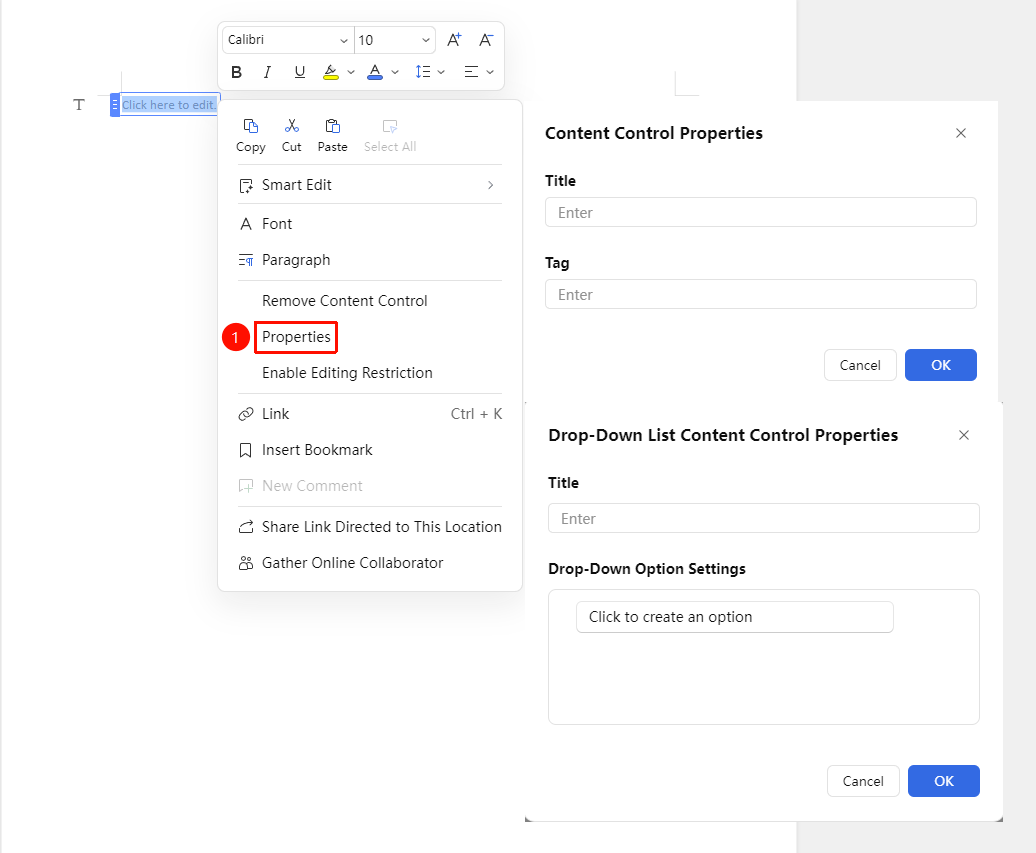
Right-click the inserted control → "Property Settings"
- Right-click the inserted control
- In the right-click menu, click "Property Settings"
- Set the control title and tag
Deleting a Control
Feature Entry
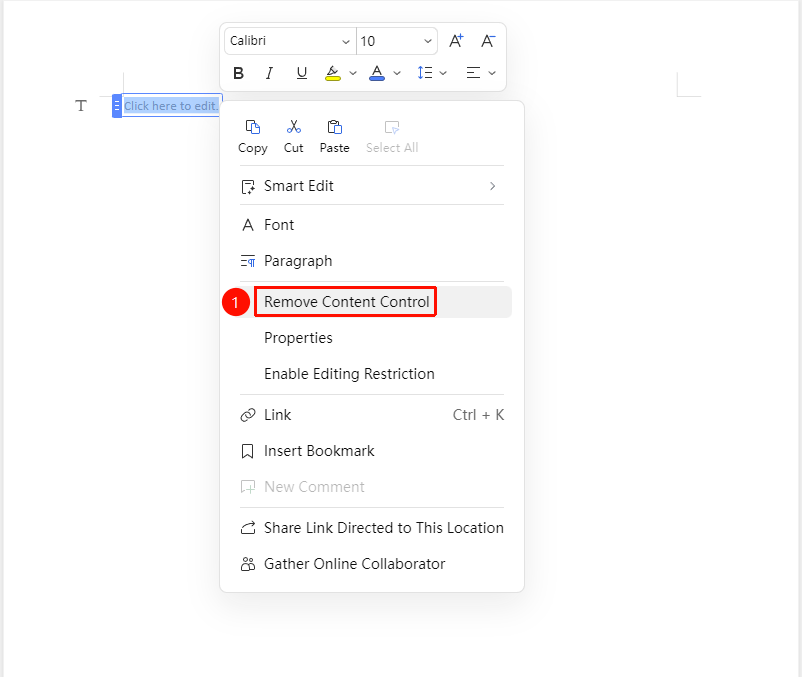
Right-click the inserted control → "Delete Control"
- Right-click the inserted control
- In the right-click menu, click "Delete Control"
- The inserted control will be deleted
Frequently Asked Questions
Question 1: What if I can't find the control I need?
- Solution: You can switch back to WPS local editing mode, insert more ActiveX controls in the "Developer Tools", then re-enable collaboration mode for the edited file.
Question 2: What if the control cannot be edited?
- Solution: Check if "Restrict Editing" is enabled; enter the correct password or disable "Restrict Editing".
Notes
- In collaboration mode, formatted text controls and drop-down selection controls are supported
- More ActiveX controls require local editing support from the WPS client
- Controls are commonly used to create fillable form templates