Feature Summary
The Undo and Redo features are used to revert or restore recent operations. They are also applicable in collaboration mode, helping users quickly correct mistakes and improve editing efficiency.
Feature Description
| Feature Dimension | Description |
|---|---|
| Membership Restriction | No membership restriction |
| Version Restriction | No version restriction |
Operation Steps
Using the Undo Feature
Feature Entry
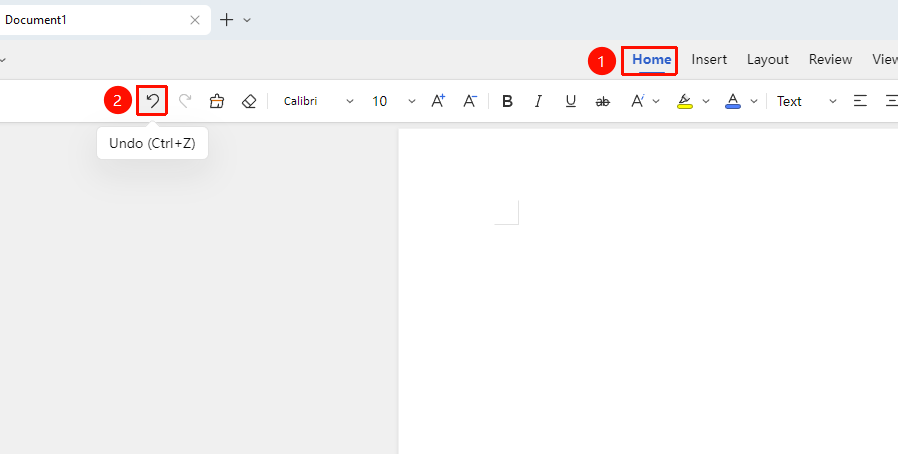
"Home" tab → "Undo" button
- Click the "Undo" button in the "Home" tab
- The previous operation will be undone
- You can click Undo multiple times to undo several operations
Shortcut: Ctrl+Z
Using the Redo Feature
Feature Entry
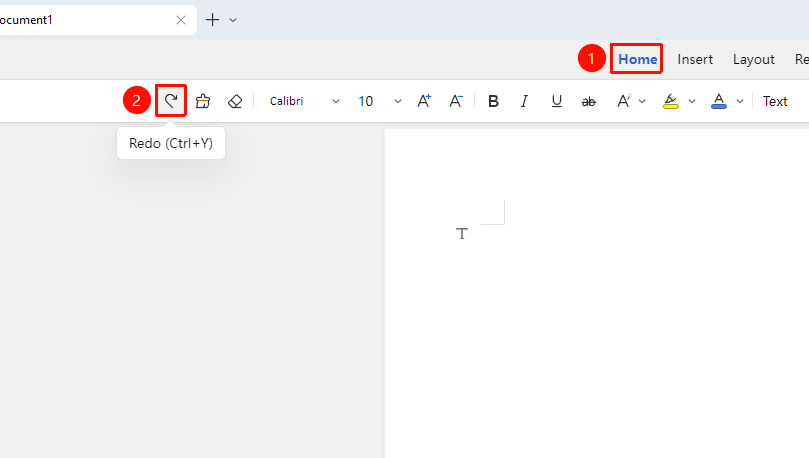
"Home" tab → "Redo" button
- Click the "Redo" button in the "Home" tab
- The undone operation will be restored
- You can click Redo multiple times to restore several operations
Shortcut: Ctrl+Y
Frequently Asked Questions
Question 1: Does undoing in collaboration mode affect others?
- Solution: Undoing only affects your own current operations and will not affect content edited by other collaborators.