WPS Docs Collaboration Mode Footnote/Endnote Usage Guide
Feature Summary
Add footnotes (at the bottom of the page) and endnotes (at the end of the document) for annotations, source citations, and supplementary information.
Feature Description
| Feature Dimension | Description |
|---|---|
| Membership Restriction | No membership restriction |
| Version Restriction | No version restriction |
Operation Steps
Inserting Footnotes/Endnotes
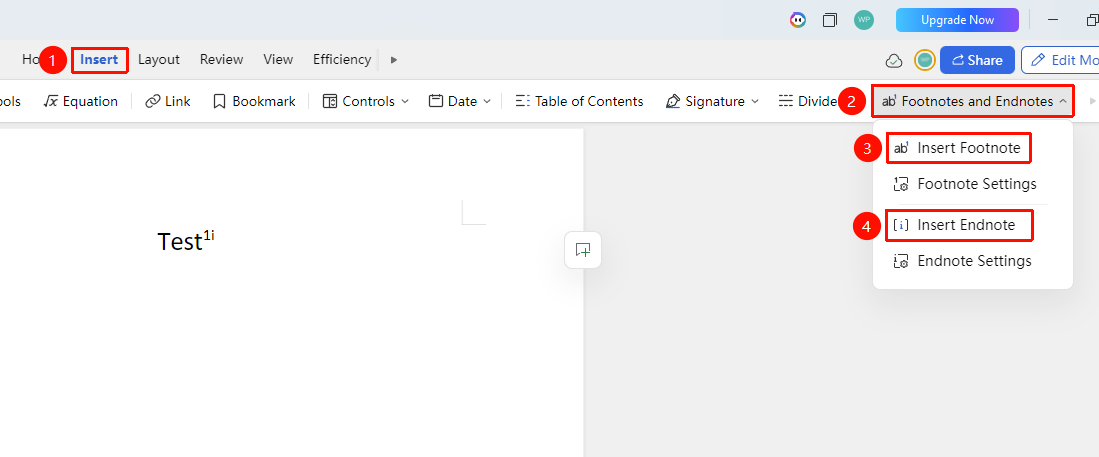
Function Entry ①
"Insert" Tab → "Footnote & Endnote"
- Place the cursor after the text that needs annotation
- Click the "Insert" tab and select "Footnote & Endnote"
- Select "Add Footnote" (footnote content appears at the bottom of the page)
- Select "Add Endnote" (endnote content appears at the end of the document)
- Enter the footnote/endnote content
Function Entry ②
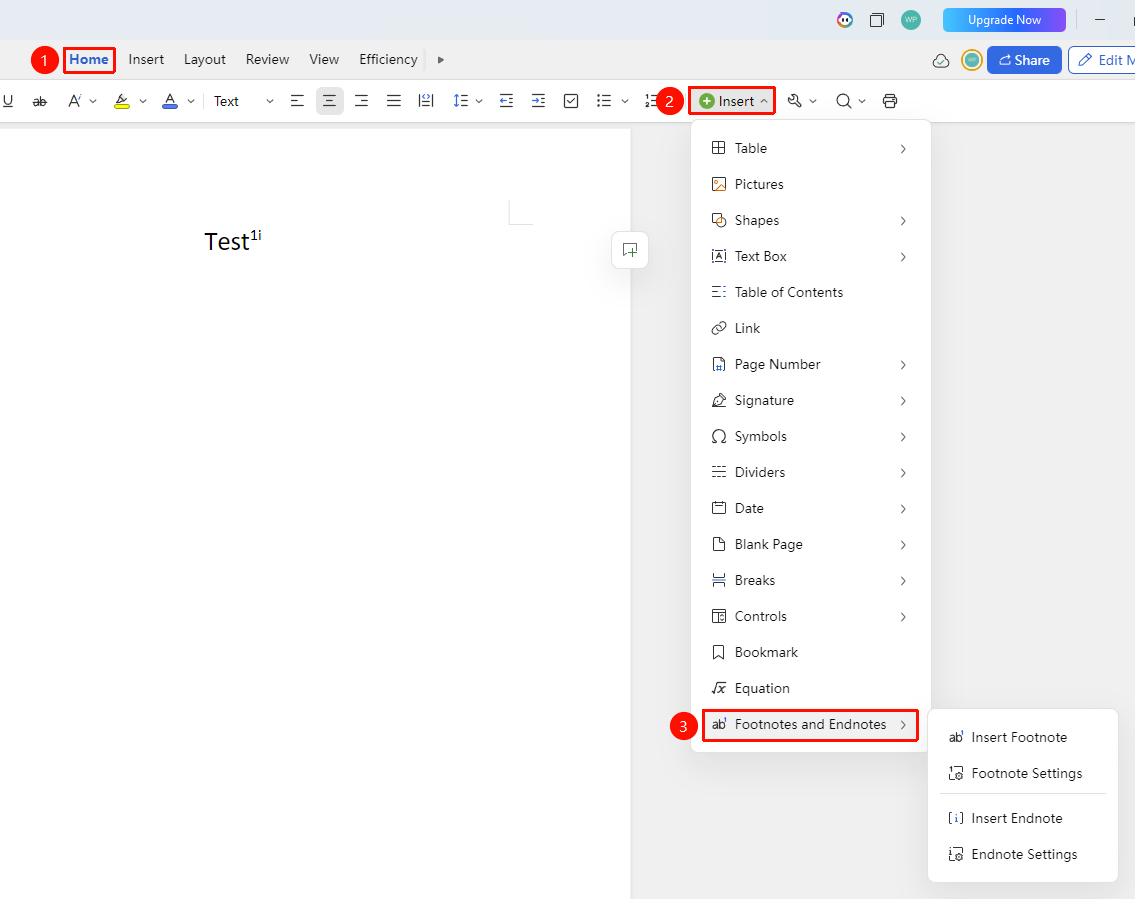
"Home" Tab → "Insert" → "Footnote & Endnote"
- Place the cursor after the text that needs annotation
- In the "Home" tab, sequentially select Insert → "Footnote & Endnote"
- Select "Add Footnote" / "Add Endnote"
- Enter the footnote/endnote content
Setting Footnote/Endnote Format
Function Entry
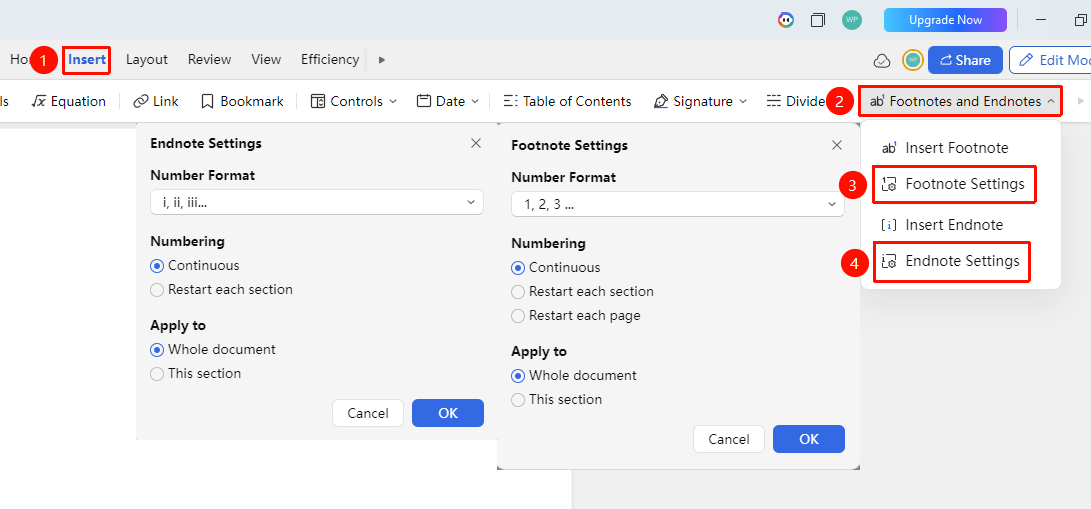
"Insert" Tab → "Footnote & Endnote" → "Footnote/Endnote Settings"
- In the "Insert" tab, click "Footnote & Endnote" to expand the dropdown menu
- Select the "Footnote Settings" / "Endnote Settings" to edit
- Set the numbering format (1,2,3 or a,b,c, etc.)
- Set the numbering method: "Continuous" / "Restart each section" / "Restart each page"
- Choose to apply to the whole document or the current section
Deleting Footnotes/Endnotes
- Position the cursor after the footnote/endnote number in the main text
- Press the Delete key to remove the footnote/endnote number
- The annotation content at the bottom of the page/end of the document will be automatically deleted.
Frequently Asked Questions
Question 1: What if footnote numbering is not continuous?
- Solution: Check if section breaks are used, and select the "Continuous" numbering method in the footnote settings.
Question 2: How to delete footnotes/endnotes?
- Solution: Delete the footnote/endnote number in the main text, and the annotation content at the bottom of the page/end of the document will be automatically deleted.
Notes
- Footnotes are displayed at the bottom of the current page, endnotes at the end of the document
- Deleting the annotation marker in the main text will also delete the annotation content