Feature Summary
Add repeating content, such as titles, dates, company names, and so on, at the top (header) and bottom (footer) of document pages.
Feature Description
| Feature Dimension | Description |
|---|---|
| Membership Restriction | No membership restriction |
| Version Restriction | No version restriction |
Operation Steps
Setting Headers and Footers
Feature Entry ①
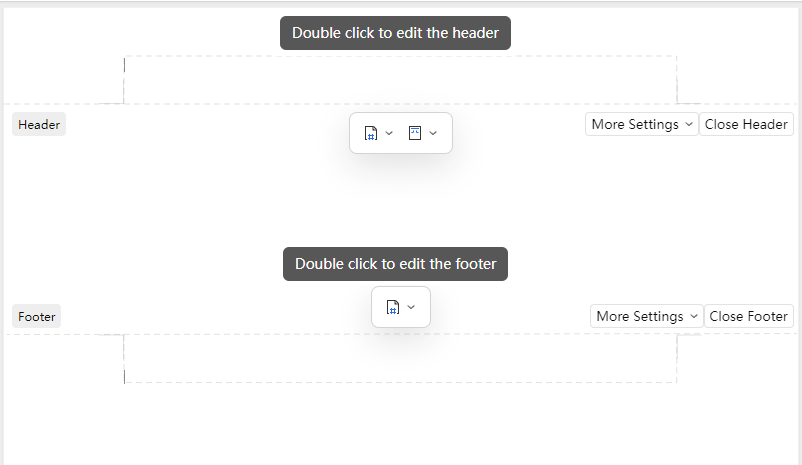
Double-click the header/footer area
- Double-click the header or footer area at the top or bottom of the page
- After entering edit mode, you can perform operations such as "Page Number Settings", "Delete Page Number", and "Set Header/Footer Margins"
- After editing, click the body area to exit
Feature Entry ②
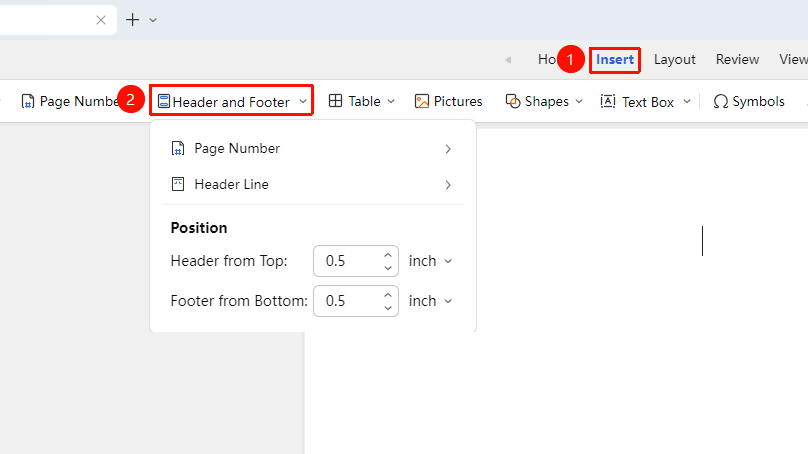
"Insert" tab → "Header & Footer" right-side dropdown menu
- Find "Header & Footer" in the "Insert" tab, click the right-side dropdown menu to expand header and footer settings
- You can choose to add "Page Number", "Page Number Settings", "Add Header Line", "Delete Page Number", "Set Header/Footer Margins", and other operations
Feature Entry ③
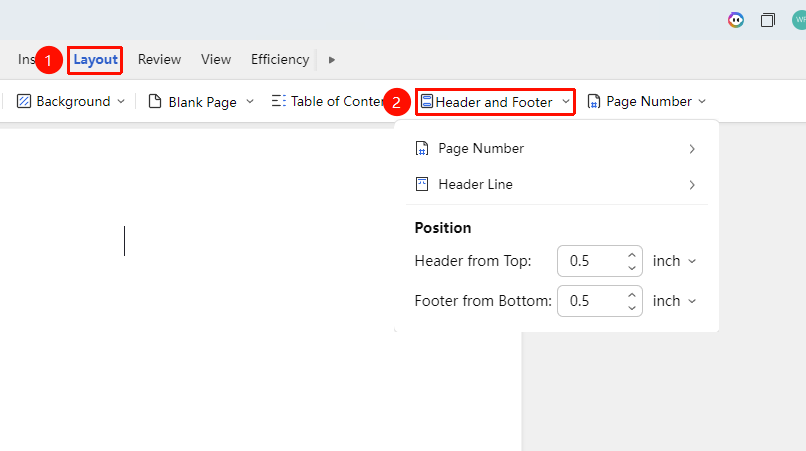
"Page" tab → "Header & Footer" right-side dropdown menu
- Find "Header & Footer" in the "Page" tab, click the right-side dropdown menu to expand header and footer settings
- You can choose to add "Page Number", "Page Number Settings", "Add Header Line", "Delete Page Number", "Set Header/Footer Margins", and other operations
Adding/Deleting Header Line
Feature Entry
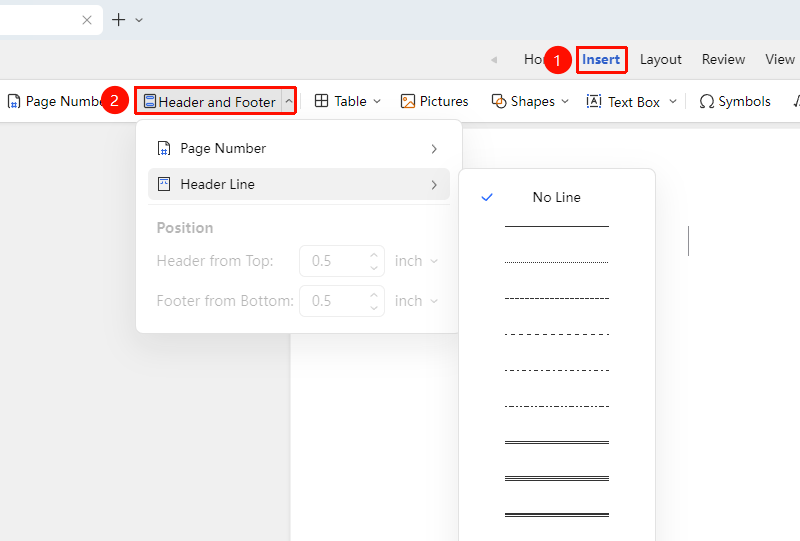
"Insert" → "Header & Footer" → "Header Line"
- Find "Header & Footer" in the "Insert" tab, click the right-side dropdown menu to expand header and footer settings
- Click "Header Line", in the expanded menu you can choose a header line style, delete the line, and set "Header Line Color"
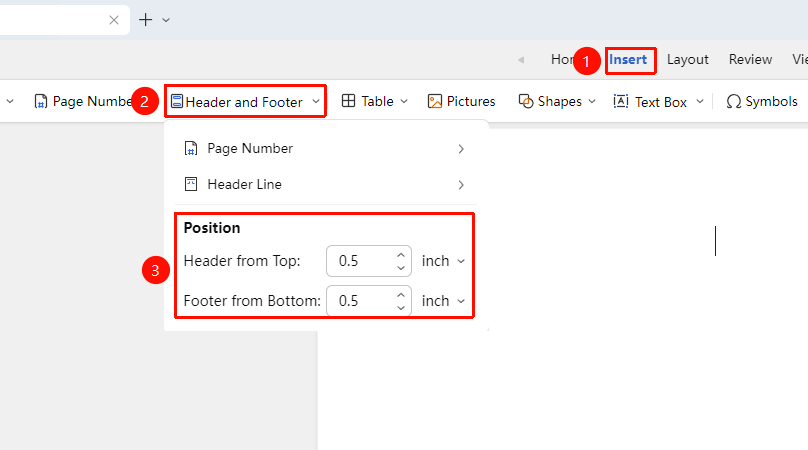
Setting Header/Footer Margins
Feature Entry
"Insert" → "Header & Footer" → "Header Line"
- Find "Header & Footer" in the "Insert" tab, click the right-side dropdown menu to expand header and footer settings
- You can set "Header Top Margin" and "Footer Bottom Margin"
- Change header and footer margins by manual input or adjustment buttons
Notes
- Headers and footers are displayed repeatedly at the same position on each page
- Different headers and footers for different chapters can be achieved through section breaks