Function Summary
The margin function is used to set the distance between page content and the edge of the paper, controlling the document layout and printing effect.
Function Description
| Function Dimension | Description |
|---|---|
| Membership Restriction | No membership restriction |
| Version Restriction | No version restriction |
Operation Steps
Setting Preset Margins
Function Entry
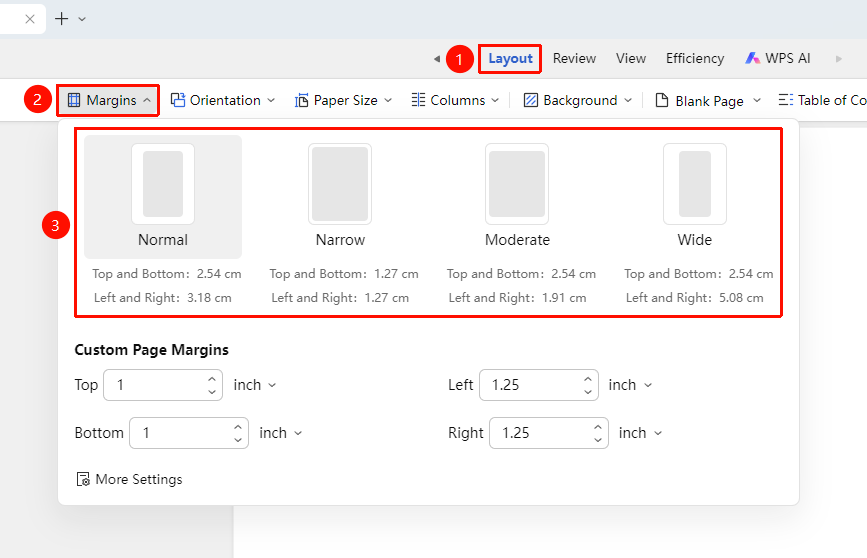
"Page" Tab → "Margins"
- Click the "Page" tab
- Click the "Margins" button
- Select from preset options (Normal, Narrow, Moderate, Wide, etc.)
- The margins will be automatically applied to the document
Custom Margins
Function Entry
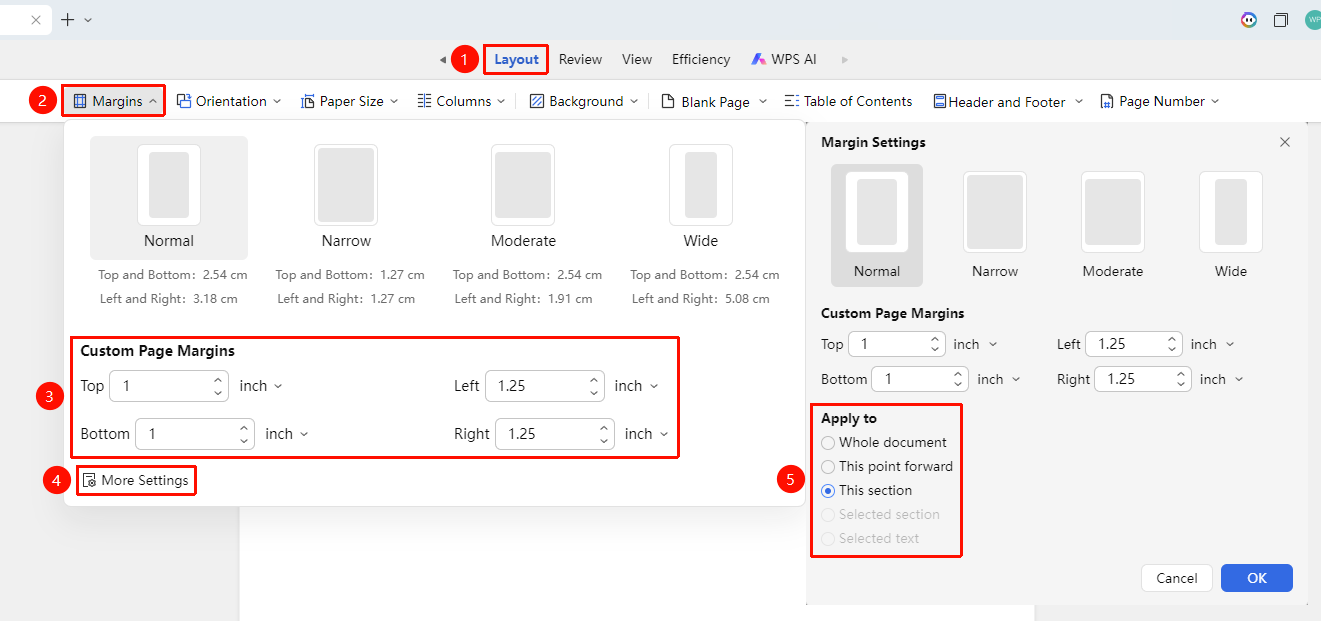
"Page" Tab → "Margins" → "Custom Margins"
- Click the "Page" tab
- Click the "Margins" button
- Select "Custom Margins"
- In the pop-up dialog, set the top, bottom, left, and right margin values
- Click "More" to change the application scope of the margin settings (This section, From insertion point onward, Whole document)
- Click "OK" to apply
Frequently Asked Questions
Question 1: Margin settings cannot be applied to the entire document
- Solution: Check if a section break has been inserted. Delete the section break or change the application scope of the margins in "Page" Tab → "Margins" → "Custom Margins" → "More Settings".
Notes
- Margin settings will affect the overall layout of the document
- In collaboration mode, margin settings will be synced to all collaborators
- When printing, ensure the margins are not smaller than the printer's minimum margin requirement