Feature Summary
The font color feature is used to change the display color of text in a document, helping users highlight key content, distinguish different information levels, and improve document readability and aesthetics.
- Highlight key information or important content in the document
- Color-code different categories of text for distinction
- Create teaching materials or report documents that require color differentiation
Feature Description
| Feature Dimension | Description |
|---|---|
| Membership Restriction | No membership restriction; available to all users |
| Version Restriction | No version restriction; supported in all versions of WPS Docs |
Operation Steps
Set Font Color
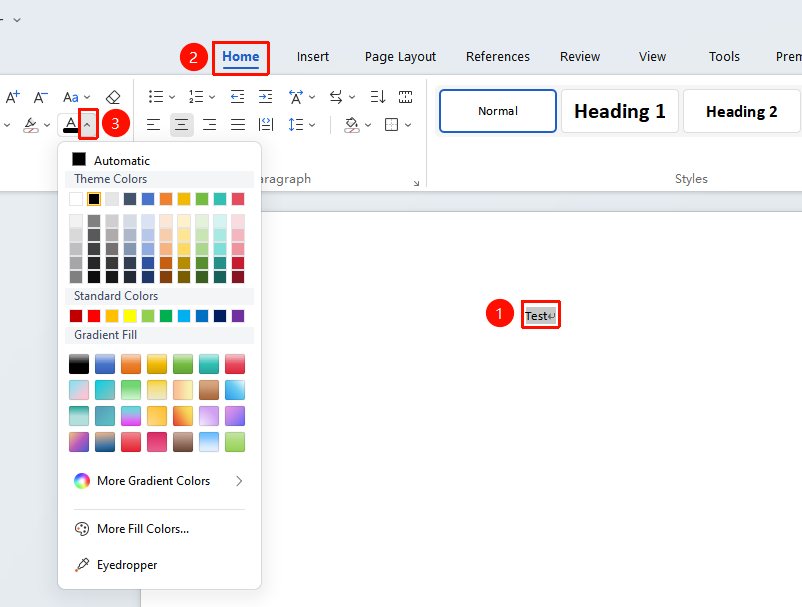
Feature Entry: "Home" tab → "Font Color"
- Select the text you want to change the color of
- Click the "Home" tab
- In the "Font" group, click the drop-down arrow next to the "Font Color" button
- Choose the desired color from the pop-up color panel
- After clicking a color, the selected text will change to that color
Custom Color
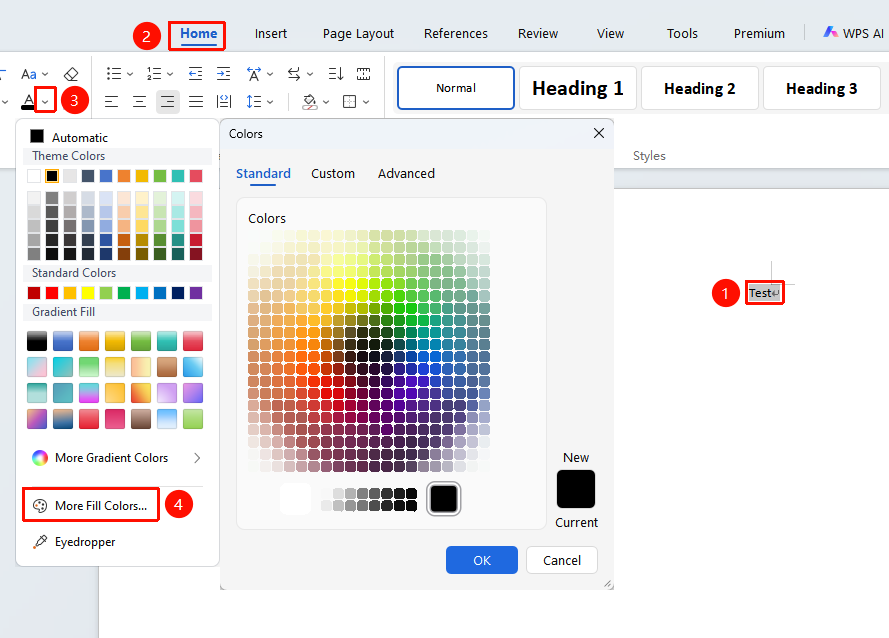
Feature Entry: "Home" tab → "Font Color" → "More Font Colors"
- After selecting text, click the "Font Color" drop-down arrow
- Click "More Font Colors" at the bottom of the color panel
- Select a color in the color dialog box:
- Click to select from the standard color palette
- Enter precise RGB values in the Custom tab
- Click "OK" to apply the custom color
Use the Eyedropper
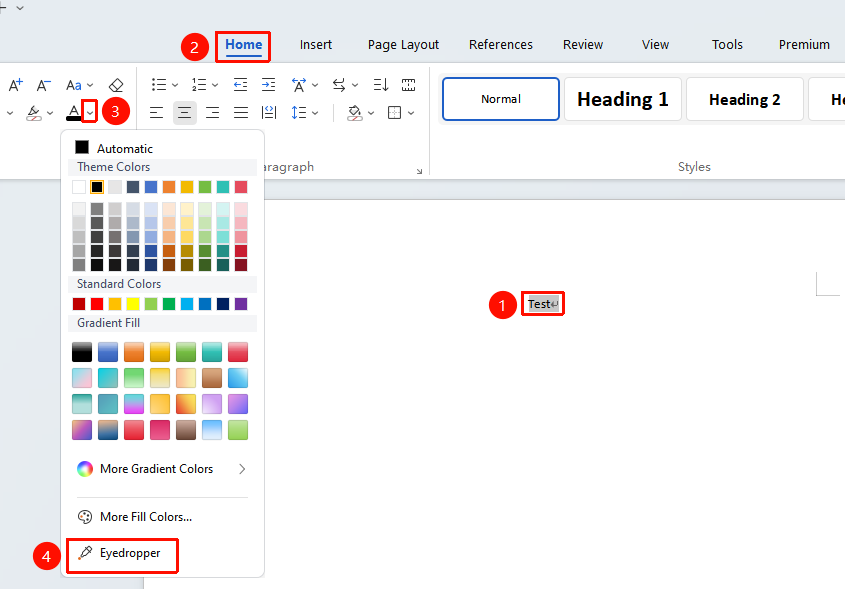
Feature Entry: "Home" tab → "Font Color" → "Eyedropper"
- Select the target text
- Click the "Font Color" drop-down arrow
- Select the "Eyedropper" tool
- Move the mouse to any position on the screen and click to pick up the color at that position
- The text automatically applies the picked color
Frequently Asked Questions
Q1: The font color is set but prints in black and white?
- Solution: Please check whether the printer settings have "Grayscale Printing" selected; switch to color printing to resolve this.
Q2: How to restore the default font color?
- Solution: Select the text, click the "Font Color" button, and choose "Automatic" (usually black) to restore it.
Q3: What is the difference between font color and text highlighting?
- Solution: Font color changes the color of the text itself; text highlighting (highlighter effect) changes the background color behind the text. The two can be used together.
Notes
- It is recommended to avoid using overly light colors, as they may be difficult to read when printed or projected
- Some special colors may appear differently on different device screens due to color variation
- It is recommended to use standard colors or corporate brand colors in formal documents