Feature Summary
The sorting feature allows you to arrange selected text or lists in ascending or descending order based on rules such as alphabetical, numerical, or date order, helping you quickly organize document content.
Feature Description
| Feature Dimension | Description |
|---|---|
| Membership Restriction | No membership restriction |
| Version Restriction | No version restriction |
Operation Steps
Sorting Paragraph Text
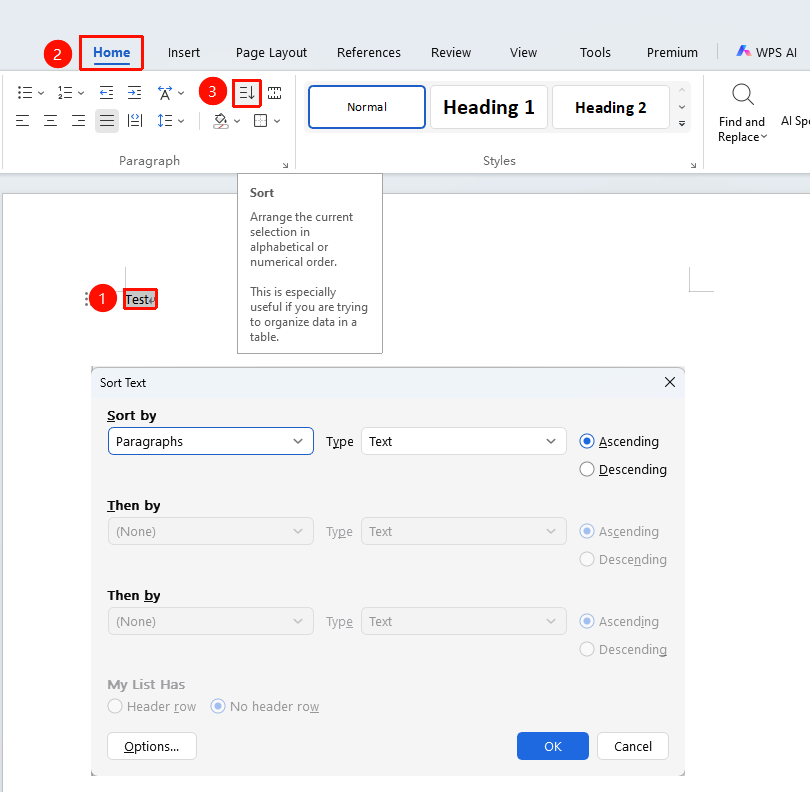
Feature Entry
"Home" tab → "Sort" button
- Select the paragraph text you want to sort
- Click the Sort button in the Home tab
- In the Sort Text dialog box, select the sorting criteria:
- Key: Primary key, Secondary key, Tertiary key
- Type: Stroke, Number, Date, Pinyin
- Select the sort order: Ascending or Descending
- Click the OK button to complete sorting
Sorting Table Content
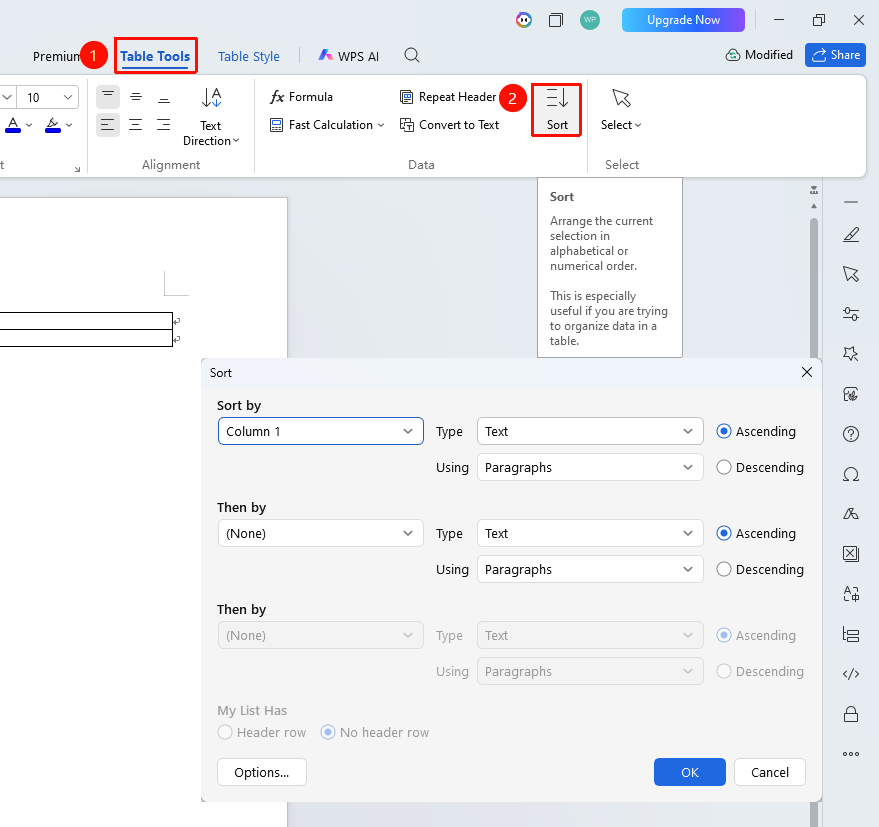
Feature Entry
"Table Tools" tab → "Sort" button
- Place the cursor inside the table
- Click the Sort button in the Table Tools tab
- Select the primary key and sort type
- If multi-level sorting is needed, set a secondary key
- Select Ascending or Descending
- Click OK to complete sorting