Feature Summary
The Text Outline feature allows you to add a stroke effect to text, enhancing visual hierarchy and design appeal. By configuring the outline color, width, and line style, you can create special text effects such as creative outlined text and stroked text.
Feature Description
| Feature Dimension | Description |
|---|---|
| Membership Restriction | Basic outline effects are free; some advanced gradient outline effects require a membership |
| Version Restriction | WPS Office 2019 and later versions |
Steps
Quick Setup via Text Tools
Feature Entry
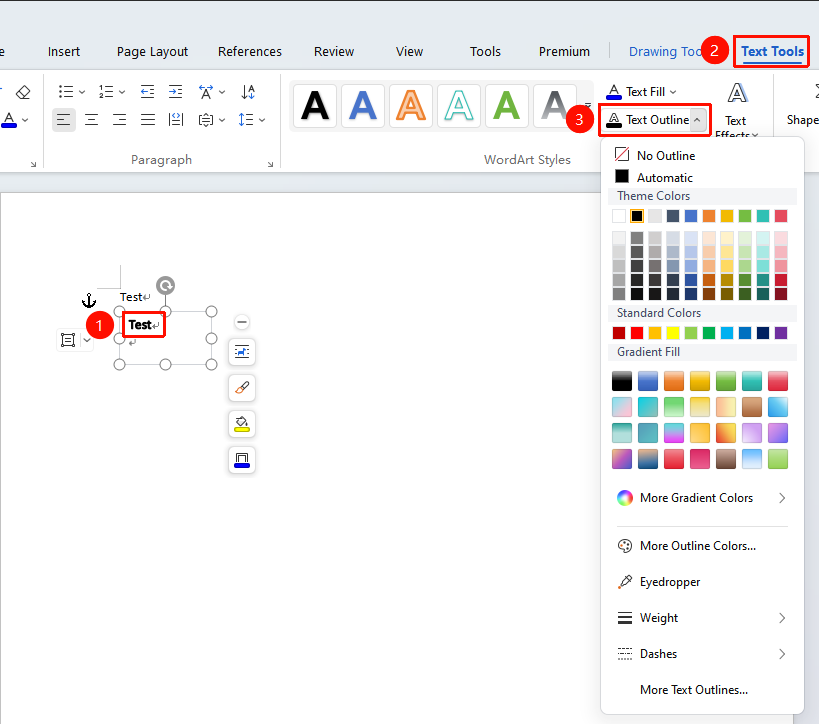
Select the text within a text box, then go to the "Text Tools" tab → "Text Outline" button
- Open a WPS Docs and select the target text within the text box you want to fill
- Click the Text Tools tab that appears in the top menu bar
- Locate and click the "Text Outline" button
- In the pop-up color panel, choose the desired color
Setup via Task Pane
Feature Entry
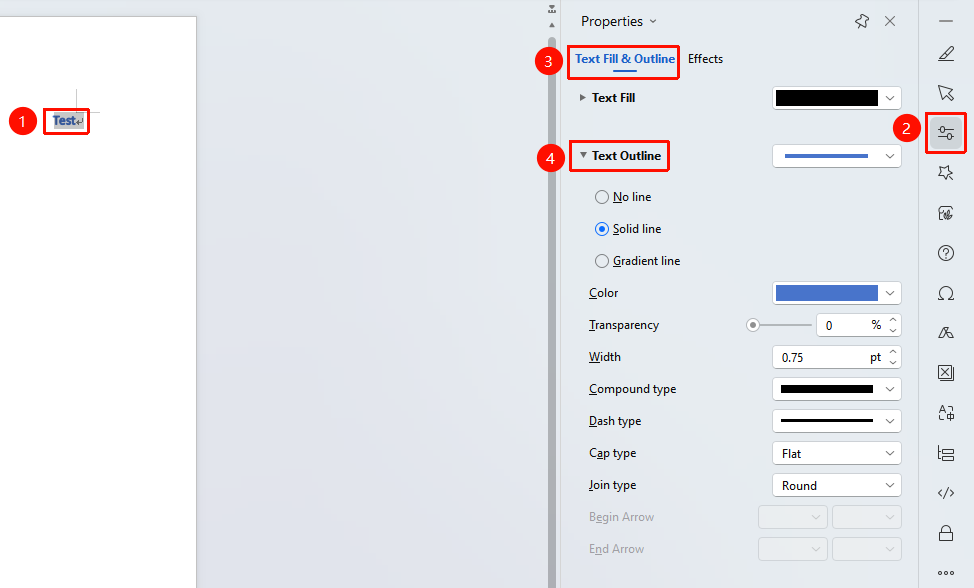
Select the text you want to outline, then go to "Task Pane" → "Properties" button → "Fill & Outline" tab
- Select the target text
- Open a WPS Docs and select the text you want to fill
- Click the Properties button in the Task Pane
- In the "Fill & Outline" tab, find the Text Outline option
- Choose the desired color
- Click to complete the text outline setting
- Options available:
- Solid Outline: Set color, transparency, width, and line type
- Gradient Outline: Set gradient stops, gradient type, angle, etc.
- The settings take effect immediately upon completion
Setup via Right-Click Font Menu
Feature Entry
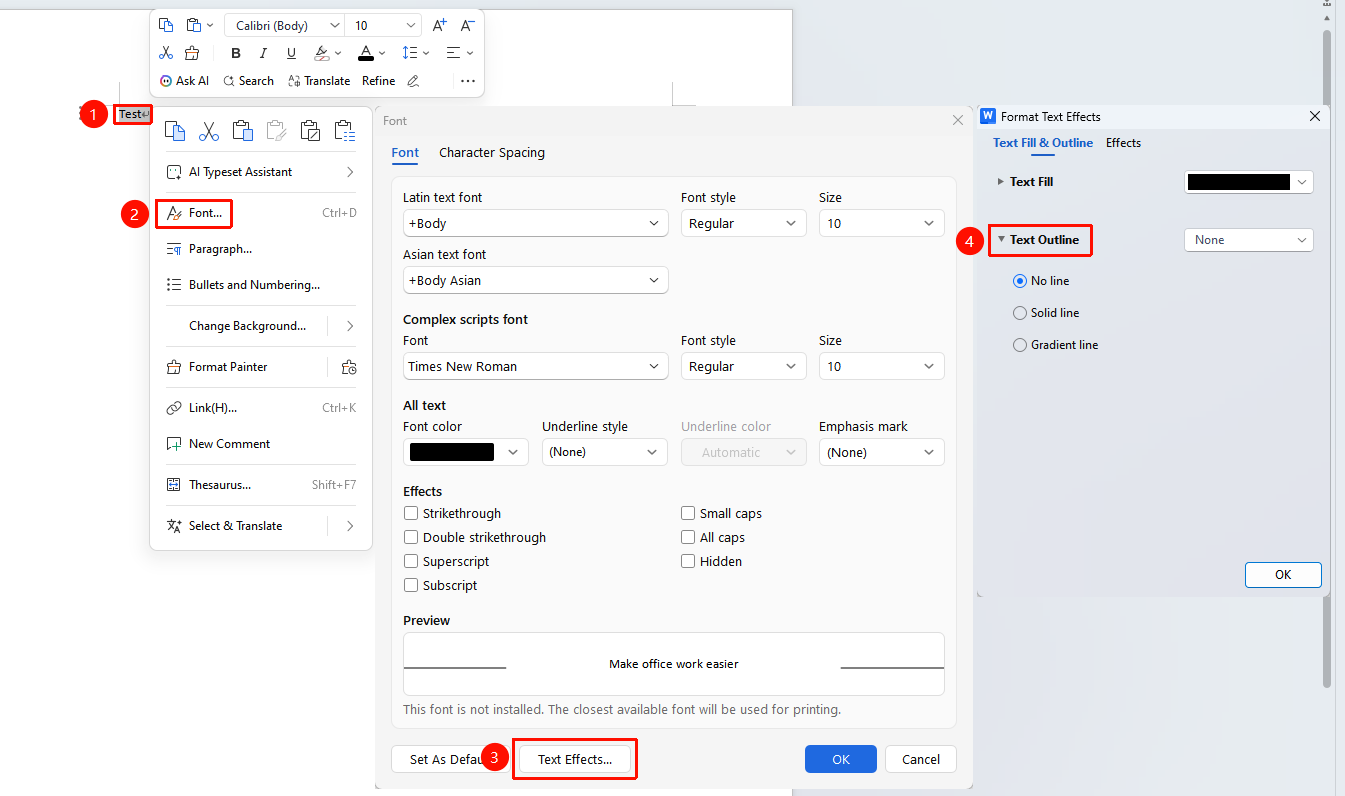
Select the text you want to outline, then right-click menu → "Font" button → "Text Effects" option → "Fill & Outline" tab
- Select the text you want to set
- Right-click and choose the Font option
- In the pop-up Font dialog box, click Text Effects
- In the "Fill & Outline" tab, open the Text Outline option
- Choose Solid Line or Gradient Line, and adjust the corresponding color, transparency, and line width
- Click OK to complete the setting
FAQ
Q1: How do I remove a text outline that has been set?
- Solution: In the text outline settings, select the "No Line" option to remove the outline effect.
Q2: What is the difference between Text Outline and Character Border?
- Solution: Text Outline is a stroke effect applied directly to the text itself, following the shape of the characters; Character Border adds a rectangular frame around the outside of the text, with a fixed square shape.
Q3: What should I do if the text becomes illegible after applying an outline?
- Solution: You can simultaneously set the "Text Fill" to a color that contrasts clearly with the outline, or adjust the outline width so it is not too thick.
Notes
- After setting the outline, change the "Text Fill" to white or no fill to create a hollow text effect with only the outline visible.
- Text Outline and Text Fill can be used together to create rich text effects