Feature Summary
Paragraph marks are hidden formatting symbols that indicate the end of a paragraph, displayed as the ¶ symbol. By showing or hiding paragraph marks, you can better view the document's formatting structure, making layout adjustments easier.
Feature Description
| Feature Dimension | Description |
|---|---|
| Membership Restriction | No membership restriction |
| Version Restriction | No version restriction |
Operation Steps
Show/Hide Paragraph Marks
Feature Entry
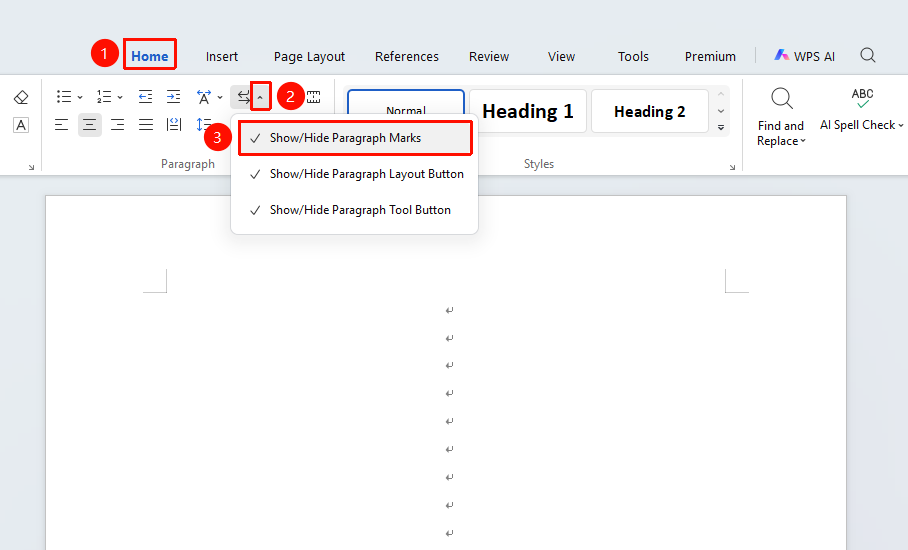
"Home" tab → "Show/Hide Editing Marks" drop-down menu → "Show/Hide Paragraph Marks" option
- Click the Home tab
- Click the Show/Hide Editing Marks drop-down menu
- Click the "Show/Hide Paragraph Marks" option
- When a check mark (√) appears in front of the button, paragraph marks are displayed
- Click again to hide formatting marks
Show/Hide Paragraph Layout Button
Feature Entry
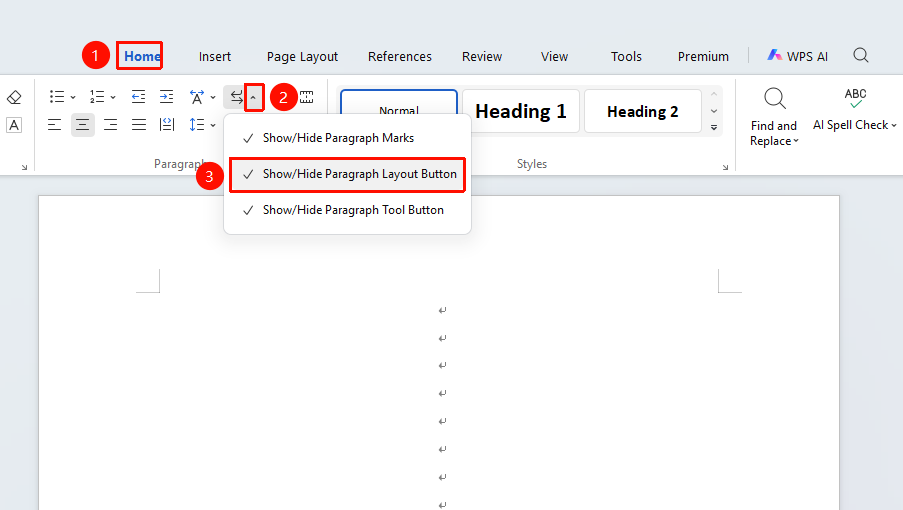
"Home" tab → "Show/Hide Editing Marks" drop-down menu → "Show/Hide Paragraph Layout Button" option
- Click the Home tab
- Click the Show/Hide Editing Marks drop-down menu
- Click the 「Show/Hide Paragraph Layout Button」 option
- When a check mark (√) appears in front of the button, the paragraph layout button is displayed
- Click again to hide the paragraph layout button
Show/Hide Paragraph Handle Button
Feature Entry
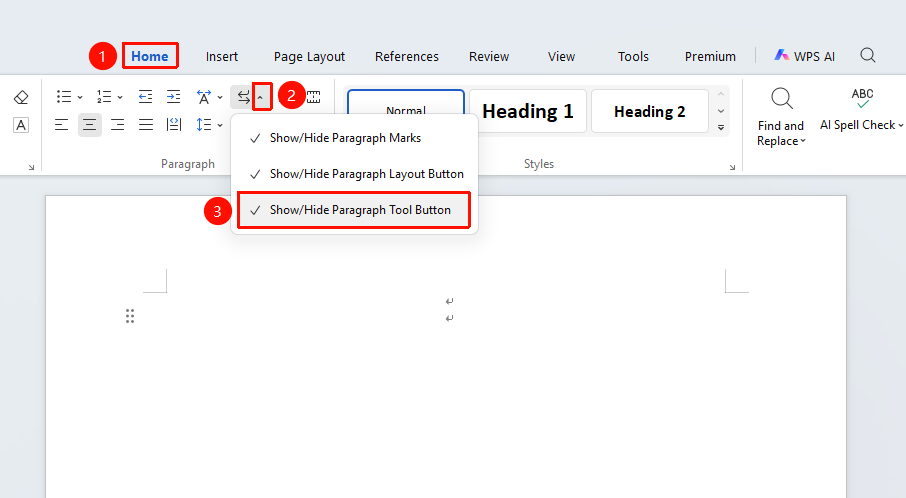
"Home" tab → "Show/Hide Editing Marks" drop-down menu → "Show/Hide Paragraph Handle Button" option
- Click the Home tab
- Click the Show/Hide Editing Marks drop-down menu
- Click the "Show/Hide Paragraph Handle Button" option
- When a check mark (√) appears in front of the button, the paragraph handle button is displayed
- Click again to hide the paragraph handle button
Customize Displayed Mark Types
Feature Entry
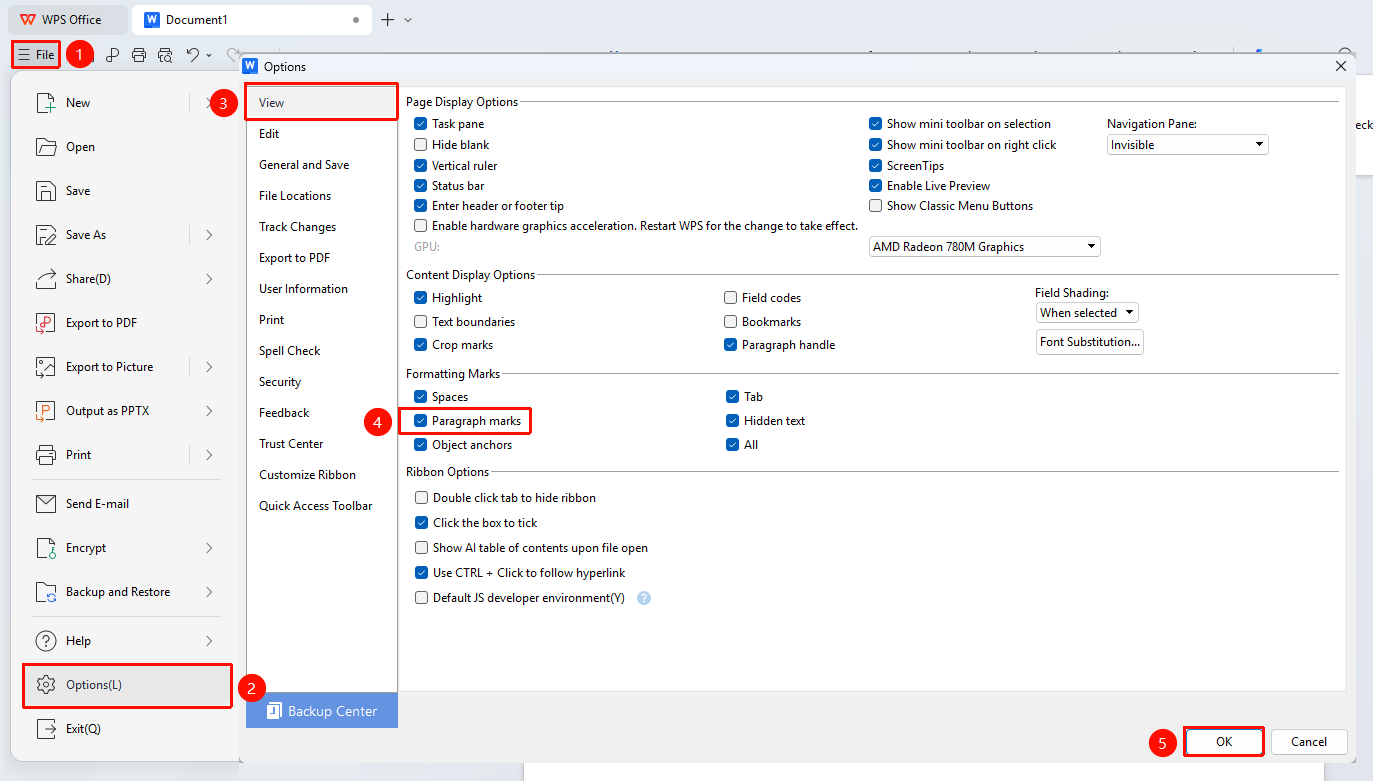
"File" menu → "Options" button → "View" tab
- Click the File menu in the upper left corner, then click the Options button
- Select the "View" tab
- In the "Formatting marks" area, check the mark types you want to display:
- Tab characters
- Spaces
- Paragraph marks
- Hidden text
- Optional hyphens
- Object anchors
- Click OK to save the settings