Feature Summary
The theme feature provides a unified document styling solution, including settings for colors, fonts, and effects, allowing you to quickly beautify documents while maintaining a consistent style.
Feature Description
| Feature Dimension | Description |
|---|---|
| Membership Restrictions | No membership restrictions; available to all users |
| Version Restrictions | No version restrictions; supported in all versions of WPS Docs |
Operation Steps
Apply a Theme
Feature Entry
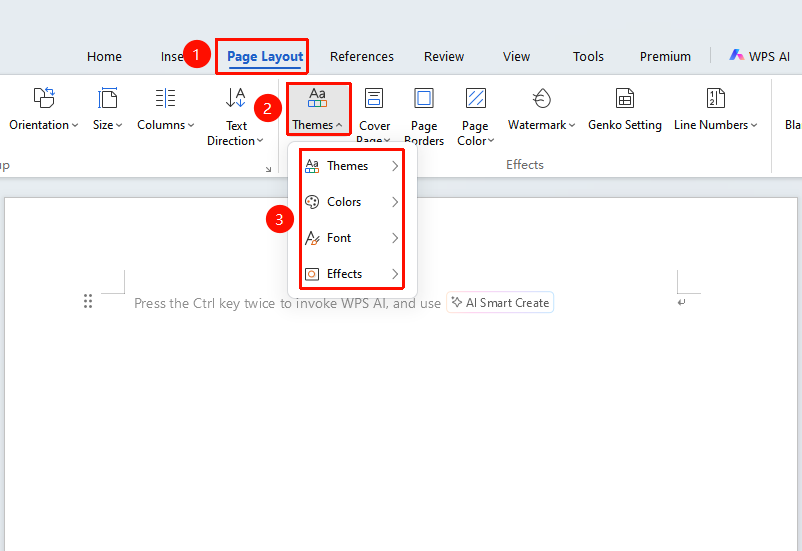
"Page" tab → "Theme" dropdown menu → "Theme" dropdown menu
- Click the "Theme" dropdown menu in the Page tab
- In the dropdown menu, you can apply a theme and set theme colors, fonts, and effects
Notes
- Changing the theme will affect the styling of the entire document
- Custom themes can be saved for use in other documents
- Theme colors will be applied to elements such as charts and shapes