Feature Summary
The Task Pane is an auxiliary feature panel on the right side of WPS Writer, providing various functional tools such as styles, properties, selection, and navigation, allowing users to quickly access common functions and view document information.
Feature Description
| Feature Dimension | Description |
|---|---|
| Membership Restriction | No membership restriction; available to all users |
| Version Restriction | No version restriction; supported on all WPS client versions |
Operation Steps
Show/Hide Task Pane
Feature Entry
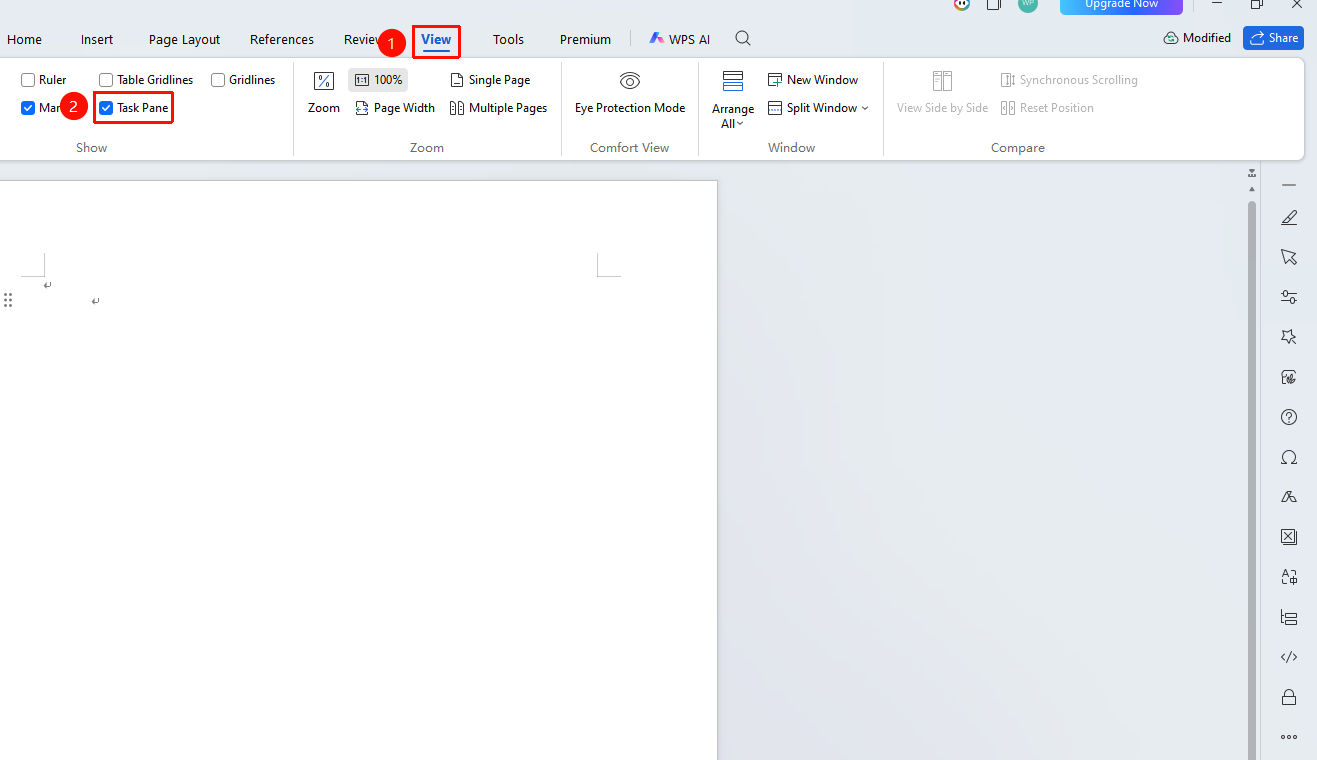
"View" tab → "Show" → "Task Pane"
- Open a WPS Writer document
- Click the "View" tab in the top menu bar
- Check the "Task Pane" checkbox to display the Task Pane
- Uncheck it to hide the Task Pane
Display via Options Settings
Feature Entry
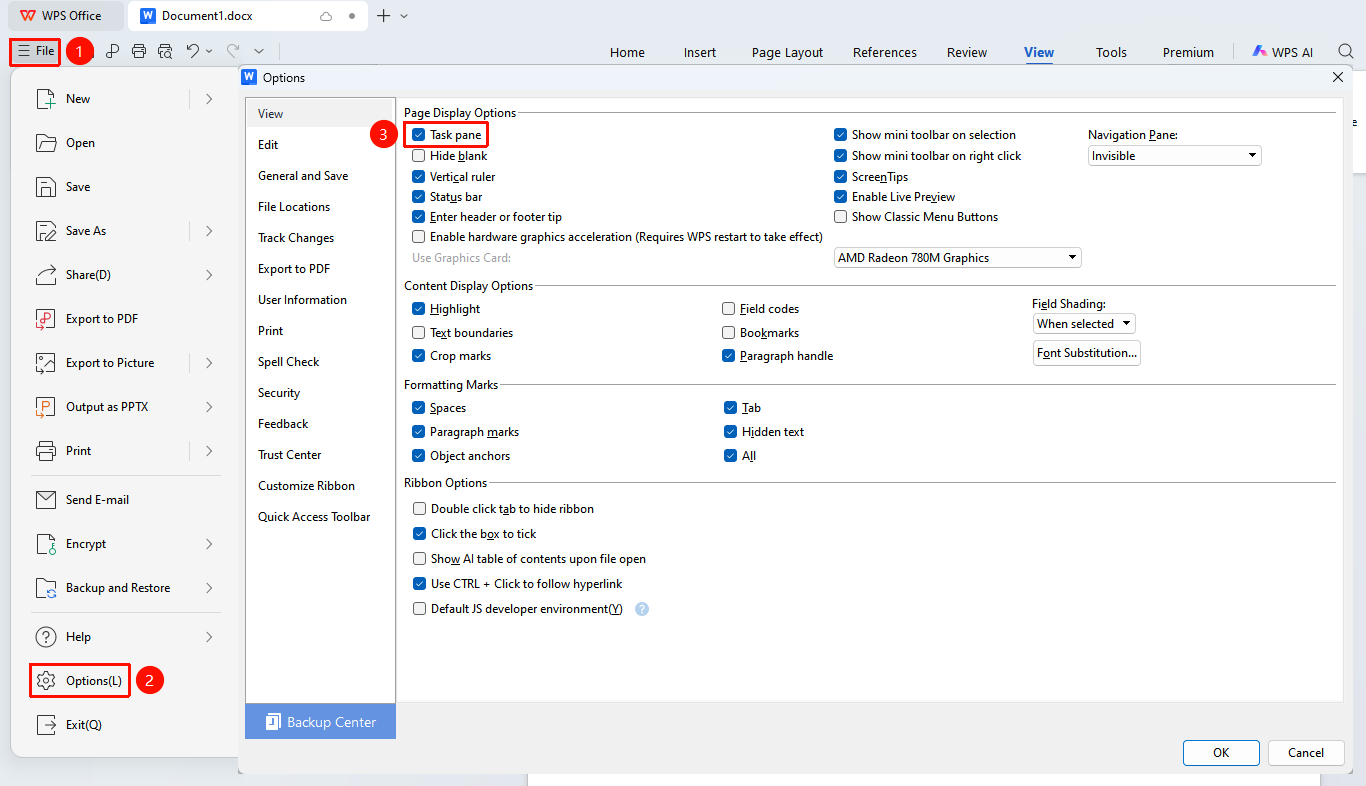
"File" → "Options" → "View" → "Task Pane"
- Click "File" → "Options"
- Select the "View" tab
- Check the "Task Pane" checkbox
- Click "OK" to save the settings
Select Task Pane Functions
Feature Entry
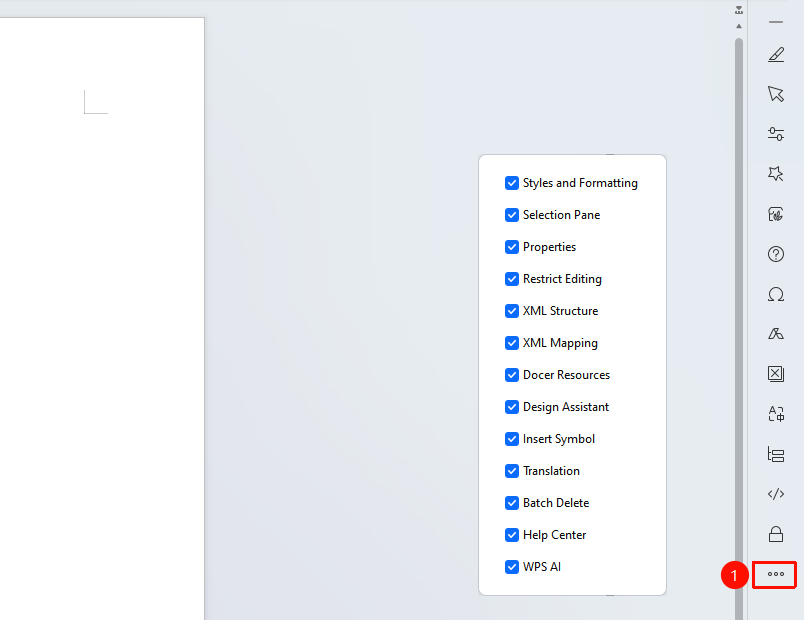
Task Pane menu
- After displaying the Task Pane, click the corresponding function in the pane
- Different function panels can be selected:
- Styles and Formatting
- Selection Pane
- Properties
- Beautification Assistant
- Help Center, etc.
- Click Manage Task Pane to customize the function display in the Task Pane
FAQ
Q1: What should I do if the Task Pane does not display?
- Solution: Click the "View" tab and check "Task Pane". If it still does not display, try clicking "File" → "Options" → "View", check "Task Pane", and then confirm.
Q2: How do I close the Task Pane on the right side?
- Solution: Click the "Close" button in the upper right corner of the Task Pane, or uncheck "Task Pane" in the "View" tab.
Q3: What should I do if clicking on Docer resources in the Task Pane yields no response or fails to load?
- Solution: Docer resources are online resources and require an internet connection to use.
- Check if the local network connection is normal;
- Try going to "Global Settings" → "Configuration and Repair Tool" → "Detect and Repair" on the WPS home page to repair the client and check for errors.
Notes
- The Task Pane can be shown or hidden as needed
- Different function options provide different tools and information