Problem Description:
How to enable Eye Protection Mode in a Word Document
Solution:
Hello. Thank you for using our product and sharing your feedback.
You can follow these steps to find the Eye Protection Mode feature in a Word Document:
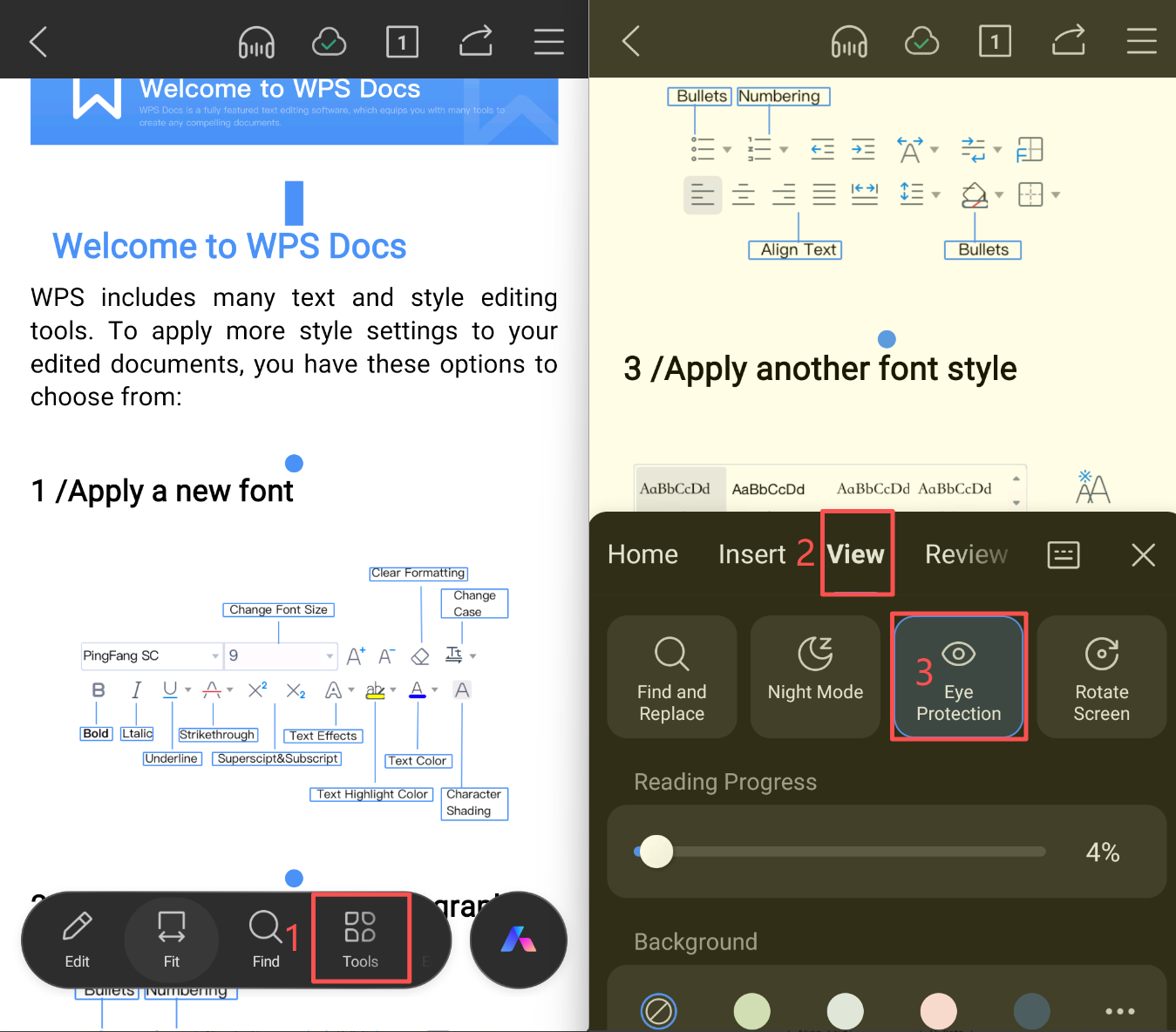
- Open a Word Document and tap Tools at the bottom of the screen;
- In the Tools panel, find View > Eye Protection Mode, and tap Eye Protection Mode to enable it.
Refer to the image below for the steps:
We hope this helps. If you have any other questions, feel free to reach out at any time.