Feature Summary
The Review feature is an entry point in WPS Text for quickly browsing comments and revisions made to a document, improving document quality and collaboration efficiency.
Feature Description
| Feature Dimension | Description |
|---|---|
| Membership Restriction | No membership restriction |
| Version Restriction | No version restriction |
Operation Steps
Feature Entry
"Review" Tab → "Review"
- Click the "Review" tab → "Review"
- Quickly open the review pane on the right to view all reviewers' revisions and comments on the document
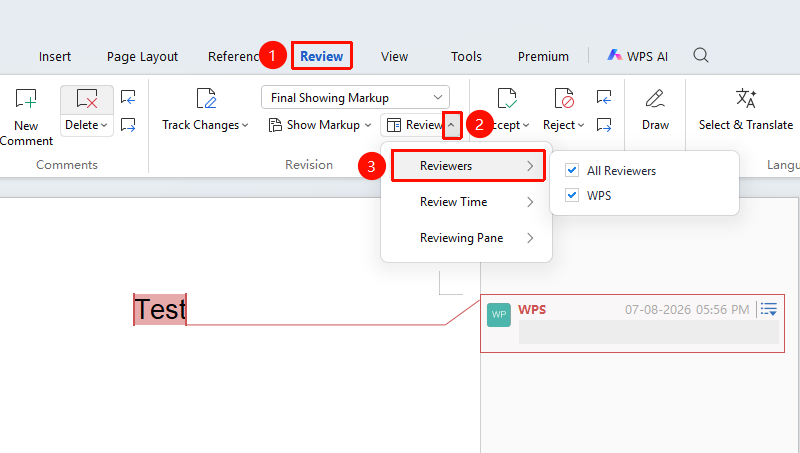
Select Reviewer
Feature Entry
"Review" Tab → "Review" Dropdown Menu → "Reviewer"
- Click the "Review" tab → "Review Pane" dropdown menu → "Reviewer"
- Select the reviewer you want to view or "All Reviewers"
Review Time
Feature Entry
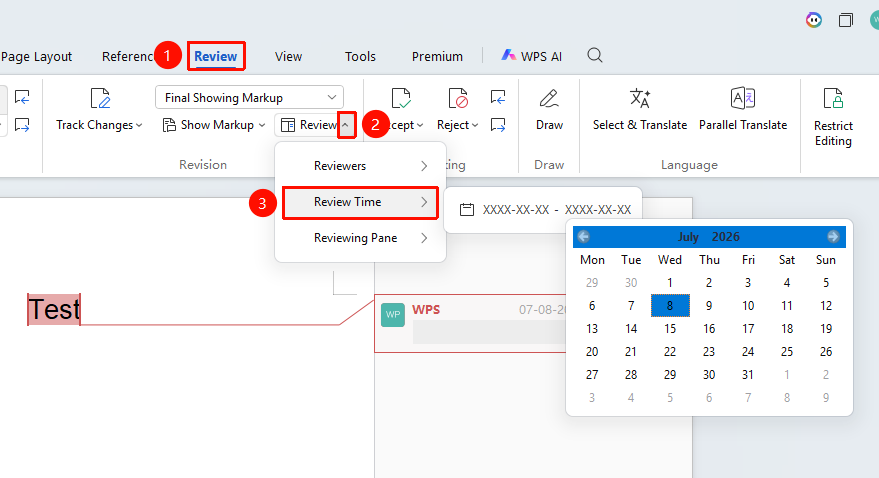
"Review" Tab → "Review" Dropdown Menu → "Review Time"
- Click the "Review" tab → "Review Pane" dropdown menu → "Review Time"
- Select the "Start Review Time" and "End Review Time" you want to view
- Click the document body again to filter
Review Pane
Feature Entry
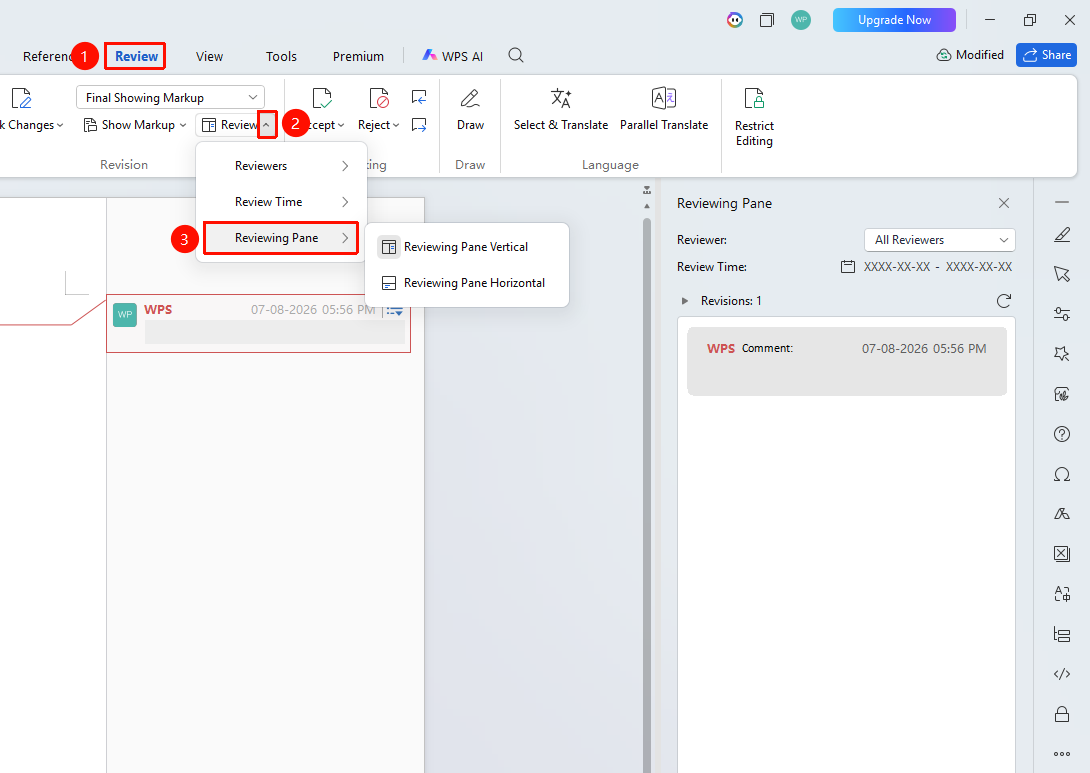
"Review" Tab → "Review" Dropdown Menu → "Review Pane"
- Click the "Review" tab → "Review Pane" dropdown menu → "Review Pane"
- Select "Vertical Review Pane" or "Horizontal Review Pane"
- The review pane will display content on the right or bottom of the screen
Frequently Asked Questions
Question 1: The Review function area is grayed out and unavailable?
- Solution: The document may be in a protected state and needs to be unprotected first. Or the document format may not support certain features.
Question 2: Why can't I see the desired review content after selecting the review time?
- Solution: You may have selected the wrong time, resulting in incomplete content. Try reopening the file, opening the 「Review Pane」 to view all review times, and then filtering again.
Notes
- It is recommended to save a backup of the document before reviewing
- Comments and revisions can be filtered and displayed by reviewer
- Some advanced features require membership permissions