Feature Summary
The comment feature allows users to add comments and notes to a document without affecting the main content. It is suitable for document review, collaborative communication, and feedback scenarios.
Feature Description
| Feature Dimension | Description |
|---|---|
| Membership Restriction | No membership restriction |
| Version Restriction | No version restriction |
Operation Steps
Insert a Comment
Feature Entry
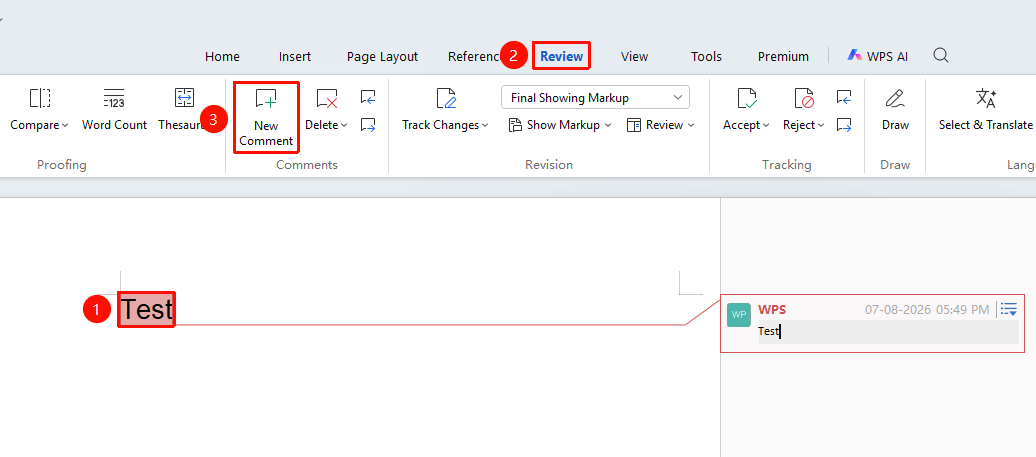
"Review" tab → "Comment" → "Insert Comment"
- Select the text you want to comment on
- Click the "Review" tab
- Click the "Insert Comment" button
- Enter the comment content in the comment box on the right
Reply to a Comment
Feature Entry
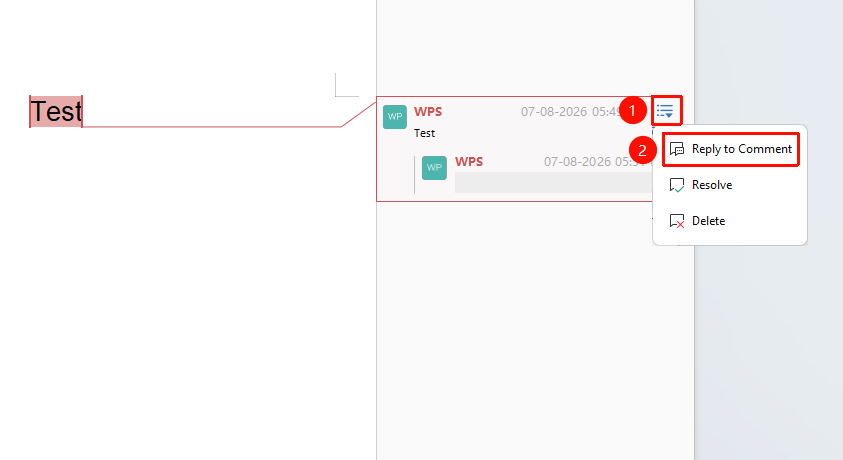
Side dropdown button on the comment box (☰)
- Click the side dropdown button (☰) on an existing comment box
- Click "Reply"
- Enter the reply content to form a comment thread
Resolve a Comment
Feature Entry
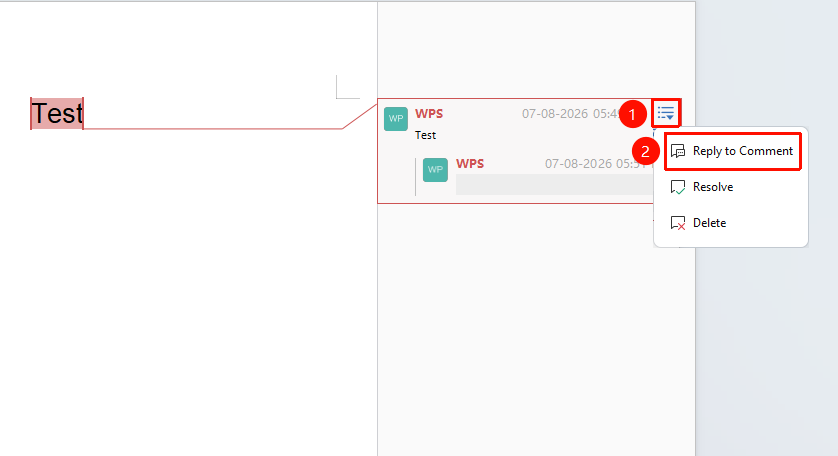
Side dropdown button on the comment box (☰)
- Click the side dropdown button (☰) on an existing comment box
- Click "Resolve"
- The comment will be marked as resolved; click again to cancel the resolved status
Delete a Comment
Feature Entry
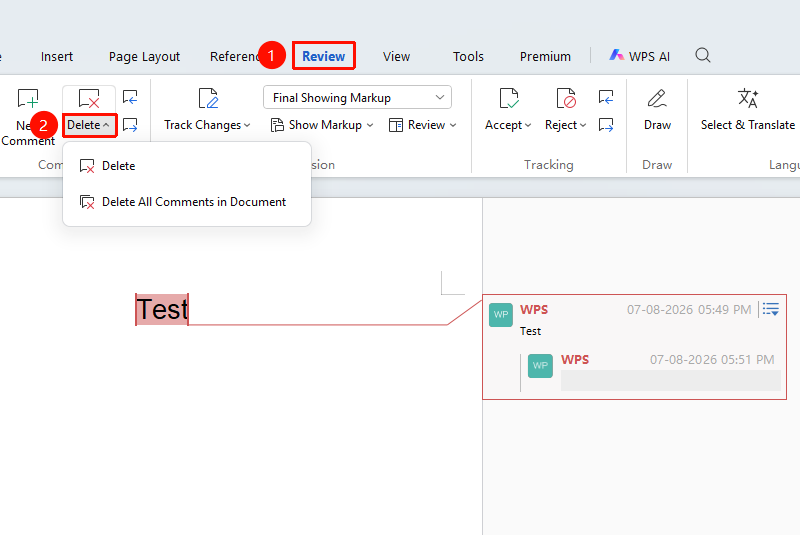
"Review" tab → "Comment" → "Delete Comment"
- Click the comment you want to delete
- Click the "Delete Comment" button to delete the current comment
- Click the dropdown arrow of "Delete Comment" to select:
- Delete the current comment
- Delete all comments in the document
Show/Hide Comments
Feature Entry
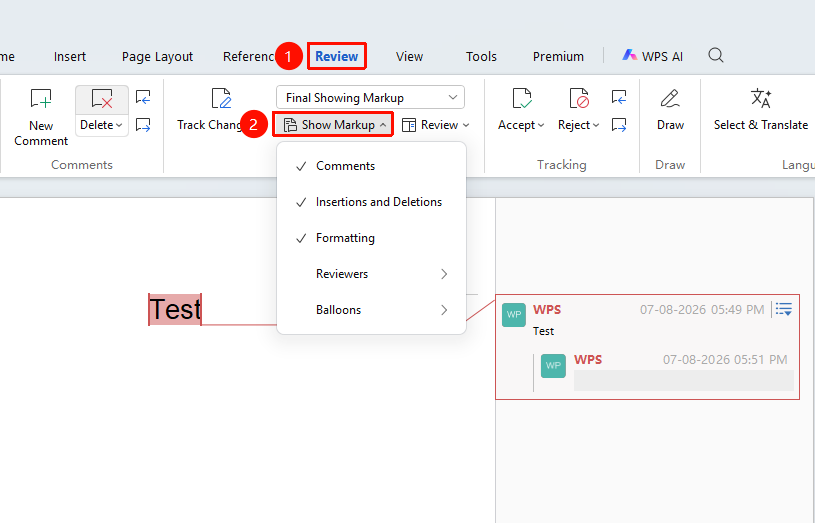
"Review" tab → "Show Markup" → "Comments"
- Click the "Show Markup" dropdown menu
- Check or uncheck the "Comments" option
- Control the display or hiding of comments
Frequently Asked Questions
Question 1: What if comments are not displayed?
- Solution: Click the "Review" tab → "Show Markup" and ensure the "Comments" option is checked.
Question 2: How to change the comment author name?
- Solution: Click "File" → "Options" → "General", modify the "User name" to change the author name displayed in comments.
Notes
- Comments will not be printed (unless print markup is set)
- Comments can be filtered by author for display
- The reply function is suitable for multi-person collaborative discussions
- Click "Previous/Next Comment" in the "Review" tab to quickly jump between comments