Feature Summary
The Accept/Reject Changes feature is used to handle revision marks in a document. Users can choose to accept or reject each suggested change to finalize the document's modifications.
Feature Description
| Feature Dimension | Description |
|---|---|
| Membership Restriction | No membership restriction |
| Version Restriction | No version restriction |
Operation Steps
Accept a Single Change
Feature Entry:
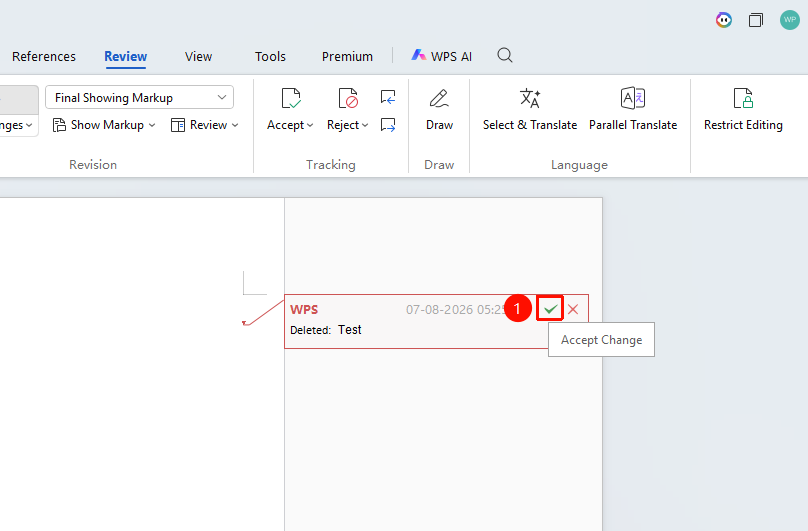
- Click or select the revision mark to be processed
- Click the "Accept" button on the revision box
- The change will be accepted and applied to the document
- The cursor automatically jumps to the next change
Accept All Changes
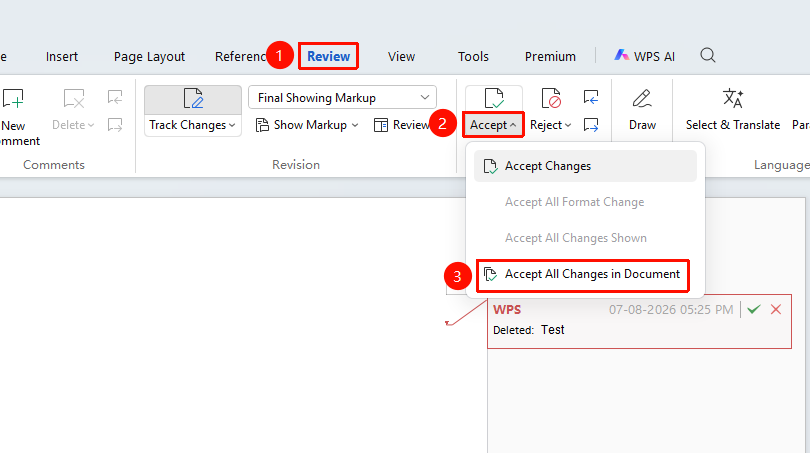
Feature Entry: "Review" → "Accept" dropdown menu
- Click the dropdown arrow of the "Accept" button
- Select "Accept All Changes in Document"
- All changes in the document will be accepted at once
Reject a Single Change
Feature Entry:
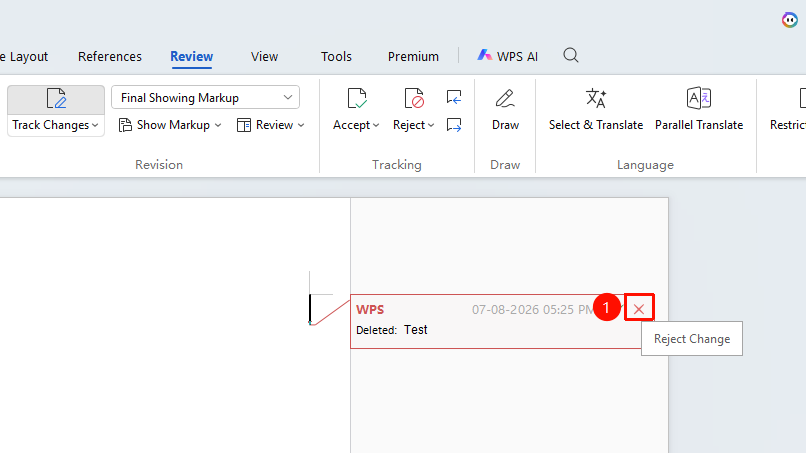
- Click or select the revision mark to be processed
- Click the "Reject" button on the revision box
- The change will be rejected and the original content restored
- The cursor automatically jumps to the next change
Reject All Changes
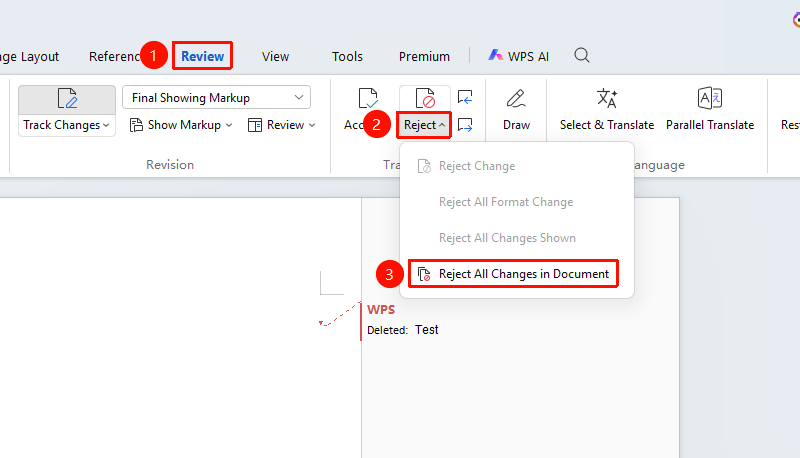
Feature Entry: "Review" → "Changes" → "Reject" dropdown menu
- Click the dropdown arrow of the "Reject" button
- Select "Reject All Changes in Document"
- All changes in the document will be rejected at once
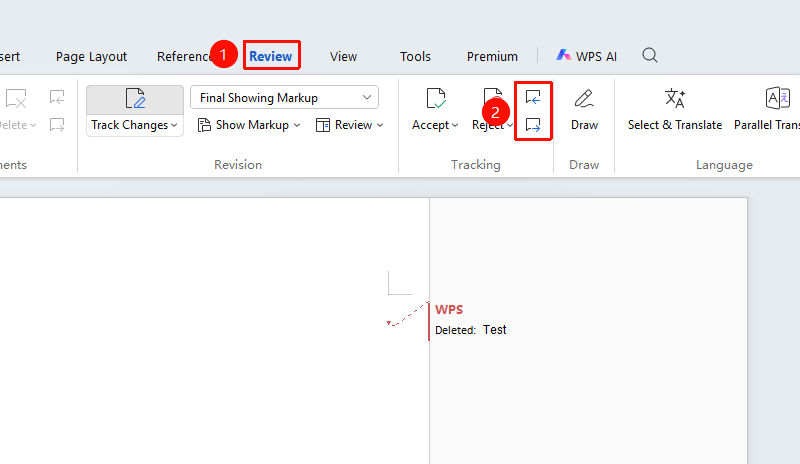
Review Changes One by One
Feature Entry
"Review" → "Previous/Next Change"
- Click the "Previous Change" or "Next Change" button
- Navigate to each change in sequence
- Decide to accept or reject each one
Frequently Asked Questions
Question 1: How to undo after accepting a change?
- Solution: Use
Ctrl + Zto undo the operation, or re-edit in revision mode.
Question 2: How to quickly locate a specific change?
- Solution: Use the "Previous" and "Next" buttons to browse one by one, or view the change list in the Reviewing Pane.
Notes
- Changes cannot be directly restored after acceptance or deletion; it is recommended to save a backup first
- You can selectively accept or reject some changes
- Carefully review changes before batch operations