Feature Summary
The document properties feature is used to view and edit metadata information of a document, including title, author, subject, keywords, etc., facilitating document management and retrieval.
Feature Description
| Feature Dimension | Description |
|---|---|
| Membership Restriction | No membership restriction |
| Version Restriction | No version restriction |
Operation Steps
Edit Document Properties
Feature Entry
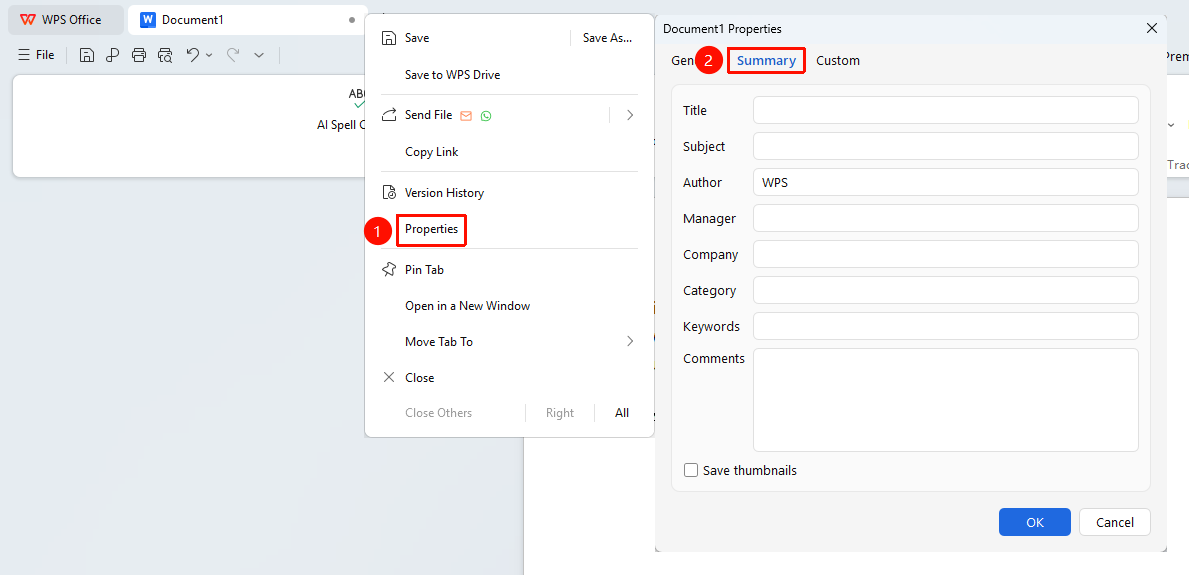
Right-click file name tab → "Properties" option → "Summary" tab
- Right-click the file name on the top tab bar
- Select the "Properties" option from the right-click menu
- Click the "Summary" tab
- In the dialog box, you can edit:
- Title
- Subject
- Author
- Manager
- Company
- Category
- Keywords
- Comments
- Click OK to save changes
Add Custom Properties
Feature Entry
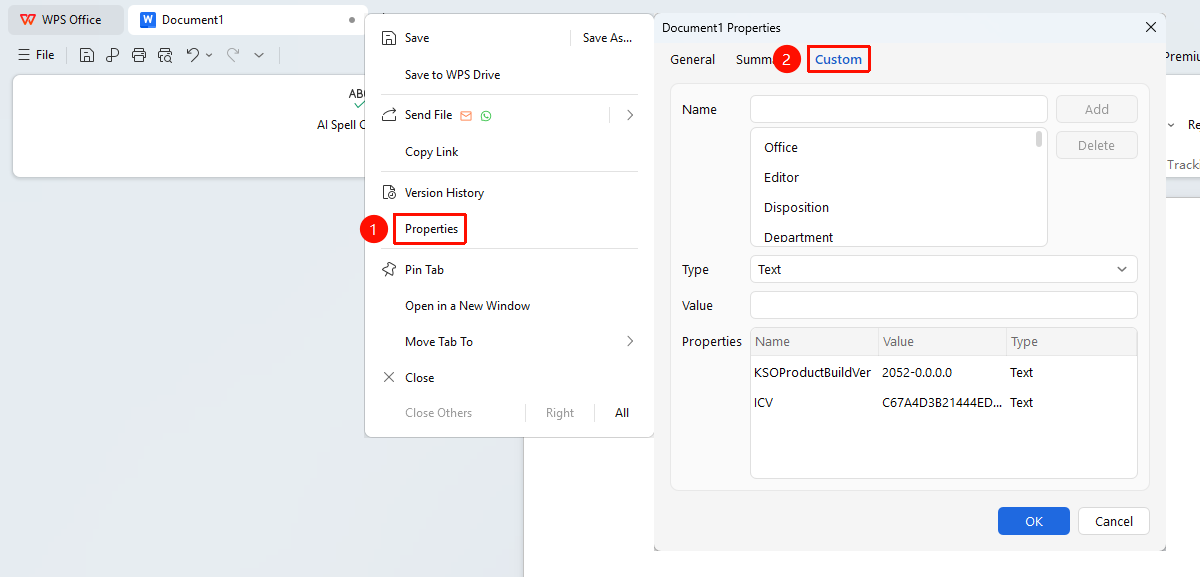
Right-click file name tab → "Properties" option → "Custom" tab
- Right-click the file name on the top tab bar
- Select the "Properties" option from the right-click menu
- Click the "Custom" tab
- Enter the property name in the Name input box
- Enter the property value in the Value input box
- Click the Add button
- Click OK to complete the addition
Notes
- Document properties are saved together with the document; pay attention to privacy information when sharing the document
- Basic document information can be quickly understood through the property information