Feature Summary
Encrypt PDF documents using digital certificates to provide a higher level of security.
Feature Description
| Feature Dimension | Description |
|---|---|
| Subscription Limit | Requires subscribing to a membership |
| Version Limit | No version limit |
Steps
Certificate Encryption Feature
Feature Entry
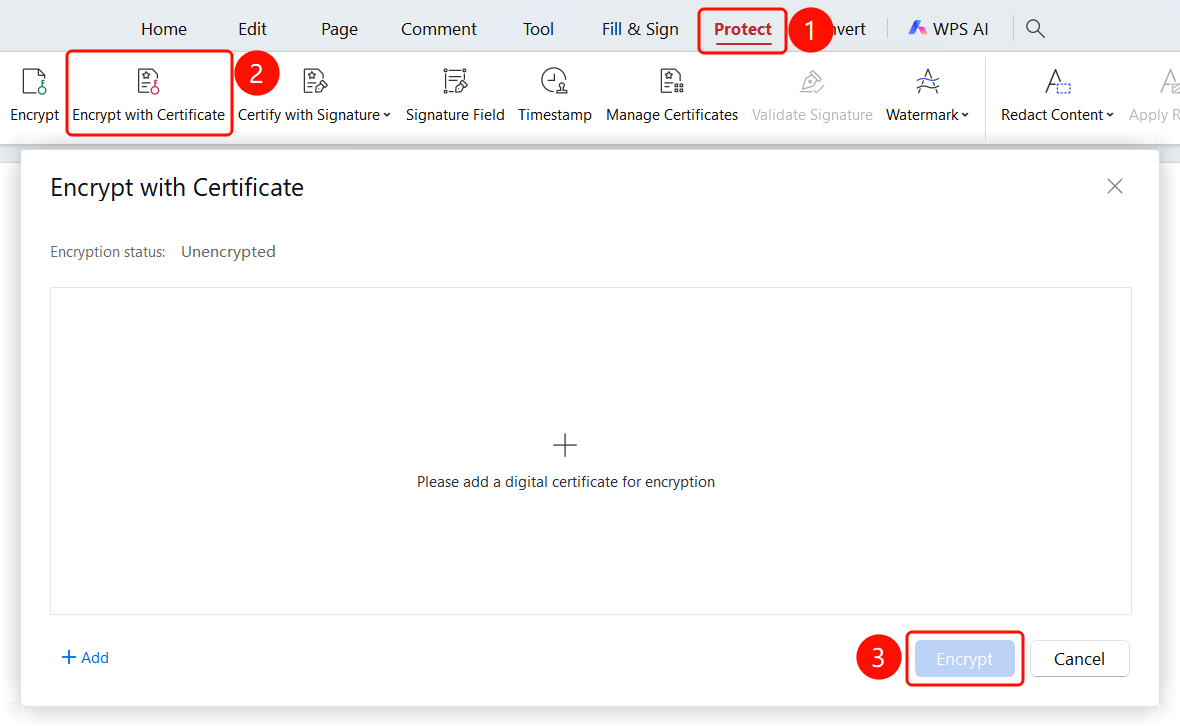
Protect tab > Certificate Encryption button
- Open the PDF file that you want to encrypt.
- Click the Protect tab in the top ribbon.
- Click the Certificate Encryption button in the ribbon.
- Select a certificate and click the Encrypt button to complete the encryption.
Add Digital Certificate from Local Storage
Feature Entry
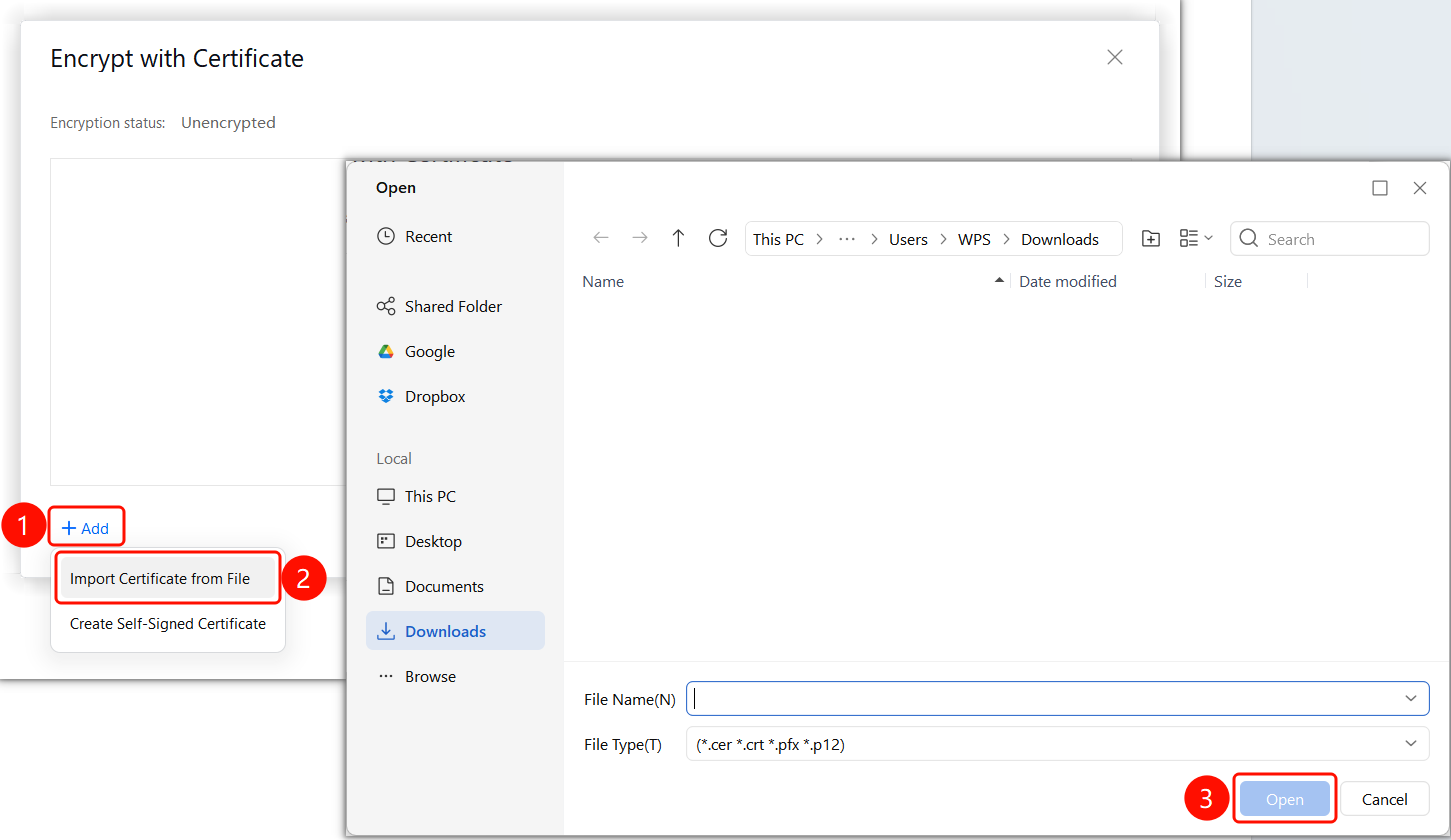
Certificate Encryption dialog box > + Add Certificate button > Add Certificate from Local Storage button
- The Certificate Encryption dialog box appears.
- View the current encryption status: Unencrypted.
- Click the + Add Certificate button.
- Click the Add Certificate from Local Storage button.
- Select the digital certificate file to be used for encryption.
- Click the Open button to complete the addition.
Create Self-Signed Certificate
Feature Entry
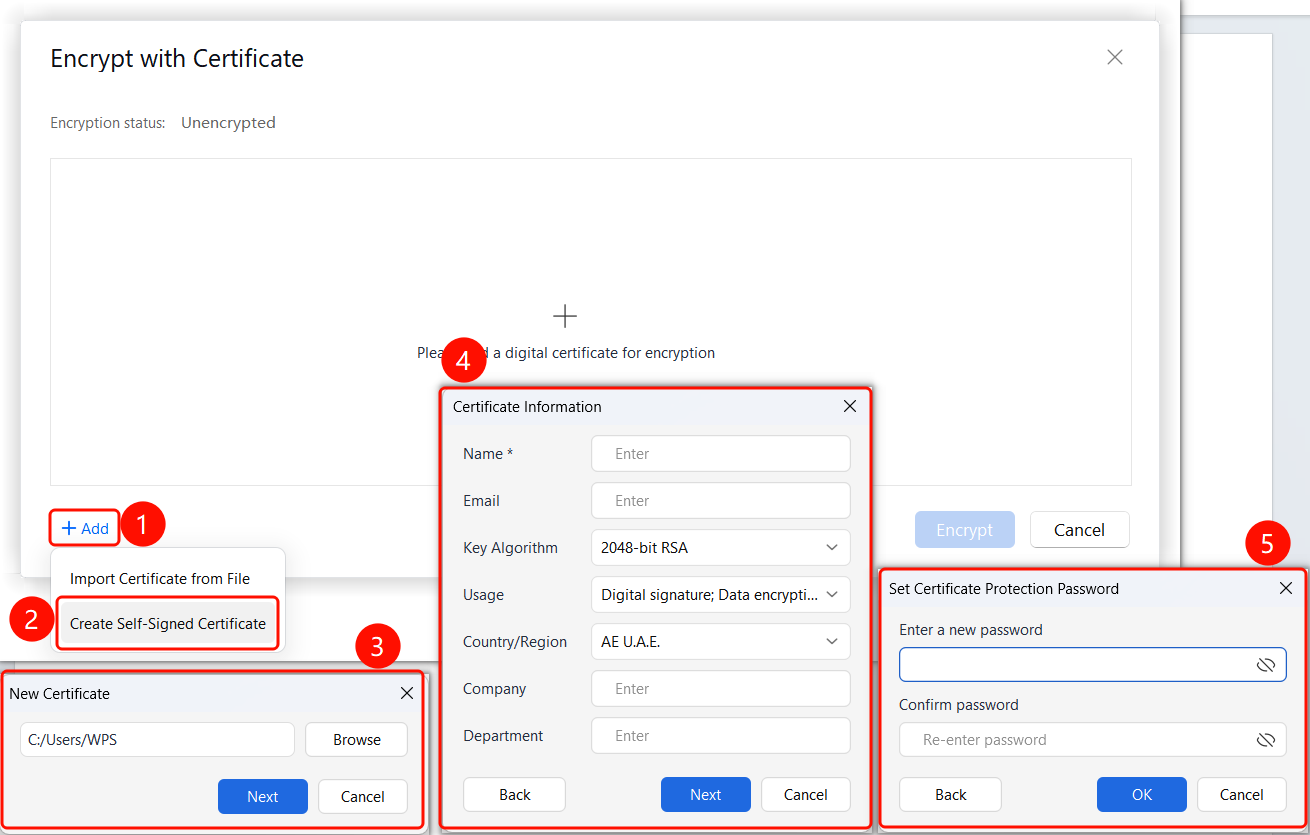
Certificate Encryption dialog box > + Add Certificate button > Create Self-Signed Certificate button
- The Certificate Encryption dialog box appears.
- View the current encryption status: Unencrypted.
- Click the + Add Certificate button.
- Click the Create Self-Signed Certificate button.
- Set the certificate storage location, certificate information, and certificate password.
- Click the OK button to complete the creation.
FAQ
Question 1: How do I obtain a digital certificate?
- Solution: You can apply for a digital certificate from a certificate authority (CA), or use a self-signed certificate.
Question 2: Can certificate encryption be revoked?
- Solution: Yes. You can decrypt the document using the corresponding digital certificate.
Notes
- Certificate encryption requires a valid digital certificate.
- Keep your certificate and password safe.
- You must renew the certificate after it expires.