Feature Summary
Verify electronic signatures in PDF documents to confirm their authenticity and validity.
Feature Description
| Feature Dimension | Description |
|---|---|
| Subscription Limit | Subscription required |
| Version Limit | No version limit |
Steps
Accessing the Verify Signature Feature
Feature Entry
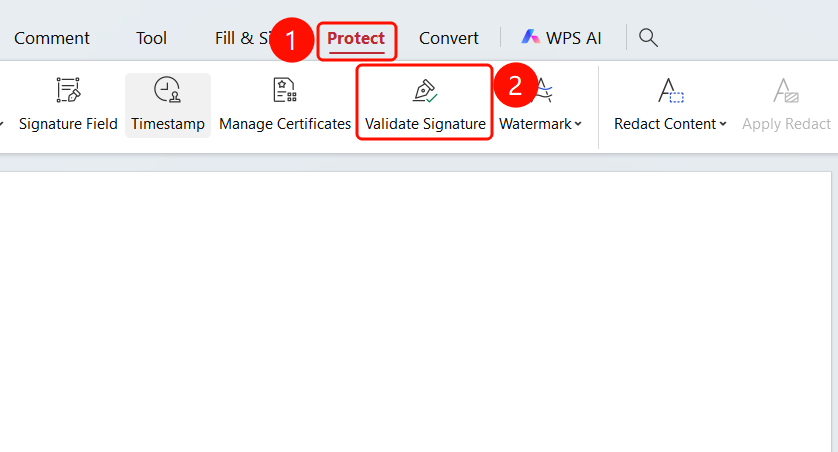
Protect tab > Verify Signature button
- Open the PDF file containing the signature you want to verify.
- Click the Protect tab in the top menu bar.
- Click the Verify Signature button.
- The system will automatically verify the signatures in the document.
FAQs
Issue 1: What should I do if signature verification fails?
- Solution: Check if the signature certificate is valid and if the document has been modified.
Notes
- We recommend that you do not modify the document after signing it.
- Ensure that the signature certificate remains valid.
- The trusted certificate list affects signature verification results.