Feature Summary
Import or export comment data to or from PDF documents for easy backup and sharing.
Feature Description
| Feature Dimension | Description |
|---|---|
| Subscription Limit | Requires subscribing to Premium |
| Version Limit | No version limit |
Steps
Import Comments
Feature Entry
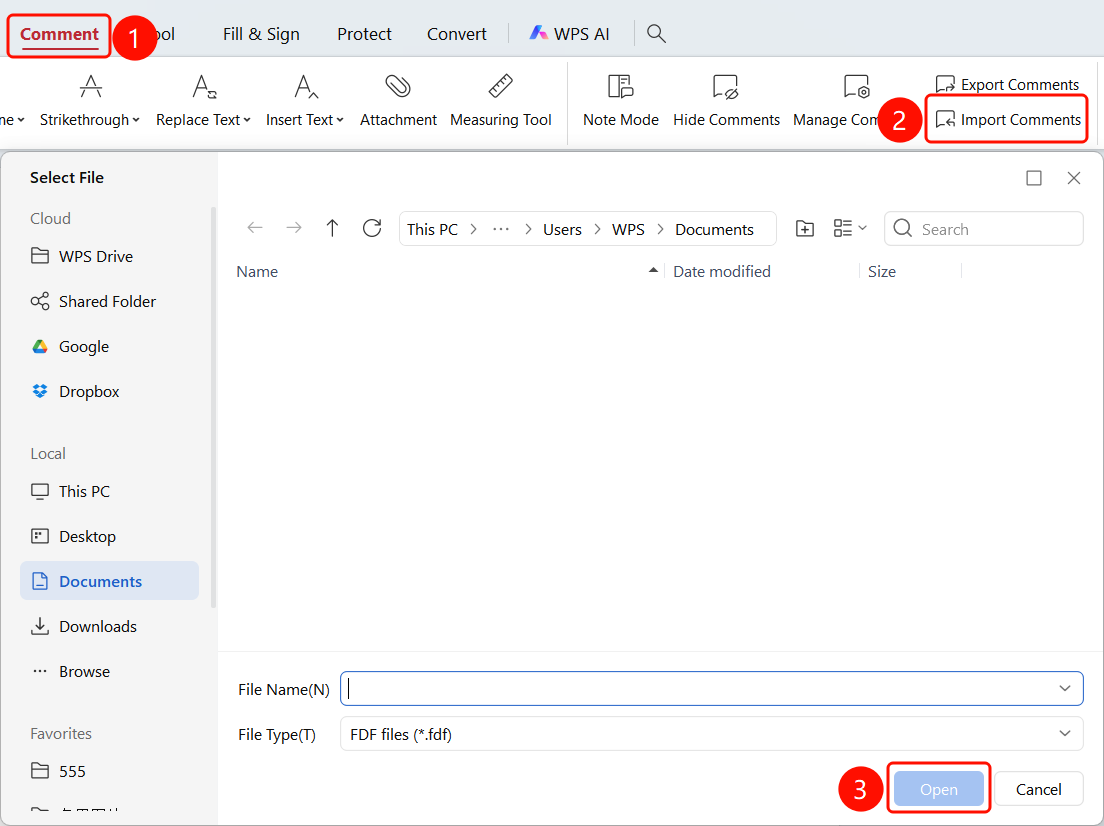
Comment tab -> Import Comments button
- Open the PDF file where you want to import comments.
- Click the Comment tab in the top ribbon.
- Click the Import Comments button in the ribbon.
- Select the comment data file to import.
Export Comments
Feature Entry
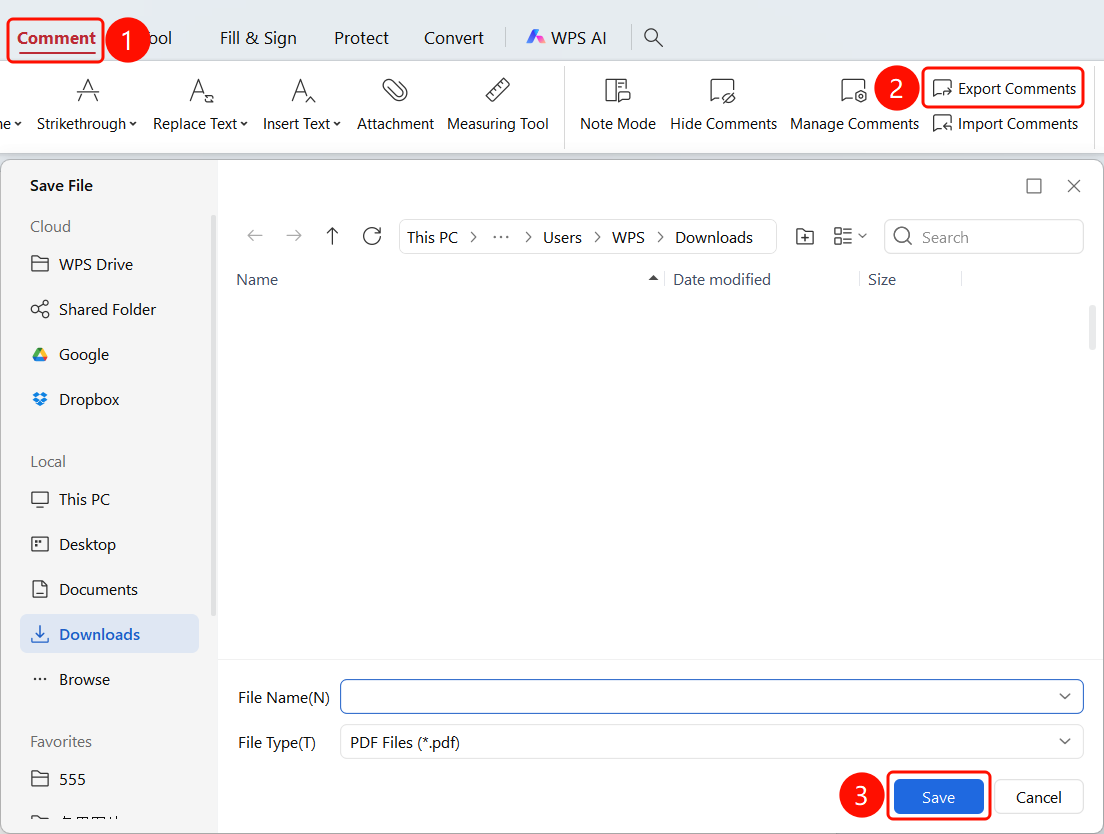
Comment tab -> Export Comments button
- Click the Export Comments button in the ribbon.
- Choose a location to save the file.
- The comment data will be exported as a PDF file.
FAQ
Q1: What format is the comment data?
- Solution: Comment data is typically in XFDF or FDF format.
Q2: Will importing comments overwrite existing comments?
- Solution: No. Imported comments will be merged with existing comments.