Feature Summary
Add sticky notes to a PDF document for markup and explanation.
Feature Details
| Feature Dimension | Description |
|---|---|
| Subscription Limit | Subscription required |
| Version Limit | No version limit |
Steps
Accessing the Sticky Note Feature
Feature Entry
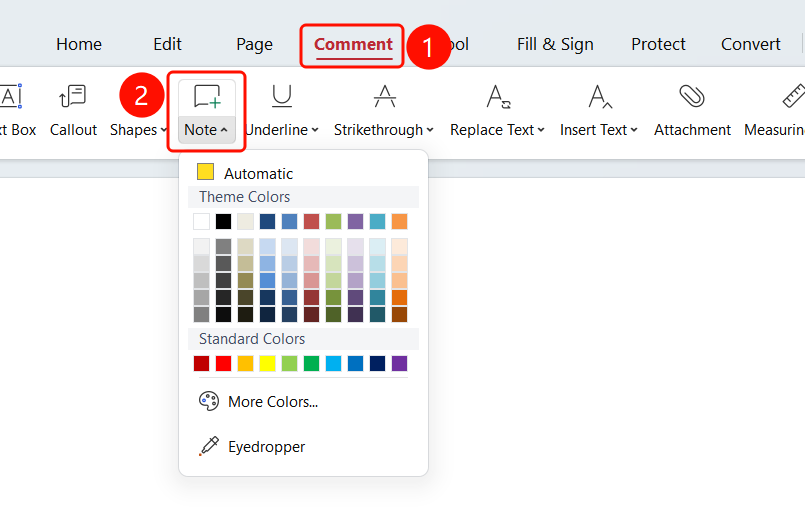
Comment tab > Sticky Note drop-down menu
- Open the PDF file where you want to add a sticky note.
- Click the Comment tab in the top toolbar.
- Click the Sticky Note button in the toolbar.
- Click anywhere in the PDF to add a sticky note.
FAQ
Q1: What is the purpose of sticky notes?
- Solution: Sticky notes allow you to add note-like descriptions in PDFs for markup and review.
Q2: How do I change the color of a sticky note?
- Solution: You can choose different colors from the drop-down menu of the Sticky Note button.