Feature Summary
Convert PDF files to plain text (TXT) format to quickly extract text content from PDFs. Custom page ranges and save paths are supported.
Feature Description
| Feature Dimension | Description |
|---|---|
| Subscription Limit | Subscription required |
| Version Limit | No version limit |
Steps
Accessing the PDF to TXT Feature
Feature Entry
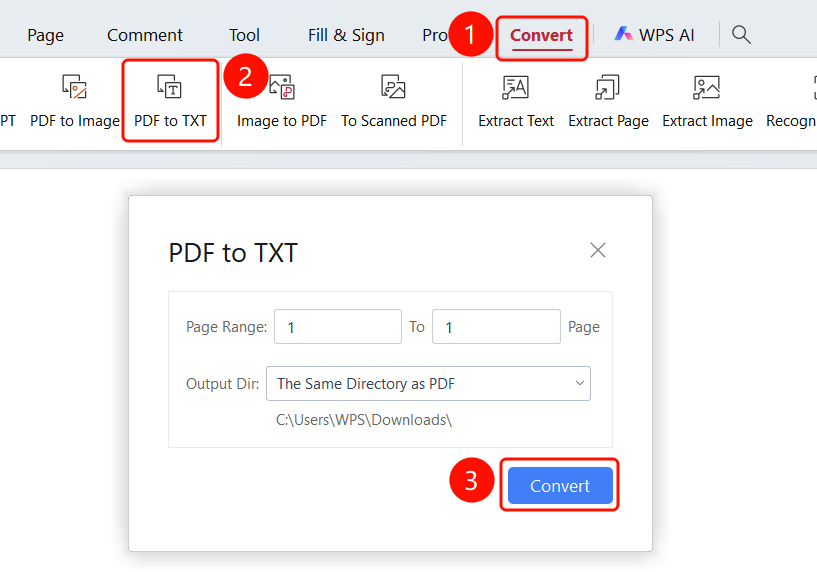
Convert tab → To TXT button → PDF to TXT dialog box → Convert button
Open the PDF file you want to convert.
Click the Convert tab in the top ribbon.
Click the To TXT button in the ribbon.
The PDF to TXT dialog box will appear.
Set Page Range: Enter the start page and end page for the conversion.
Select Output Folder:
- Same folder as the PDF: Save the converted file in the same folder as the source PDF file.
- Custom folder: Customize the folder where the file will be saved.
Click the Convert button to start the conversion.