Feature Summary
Insert audio files into PDF documents. This feature supports playing audio, adding covers, and setting playback conditions.
Feature Description
| Feature Dimension | Description |
|---|---|
| Membership Limit | Requires subscribing to WPS Premium |
| Version Limit | No version restrictions |
Steps
Insert Audio
Feature Entry
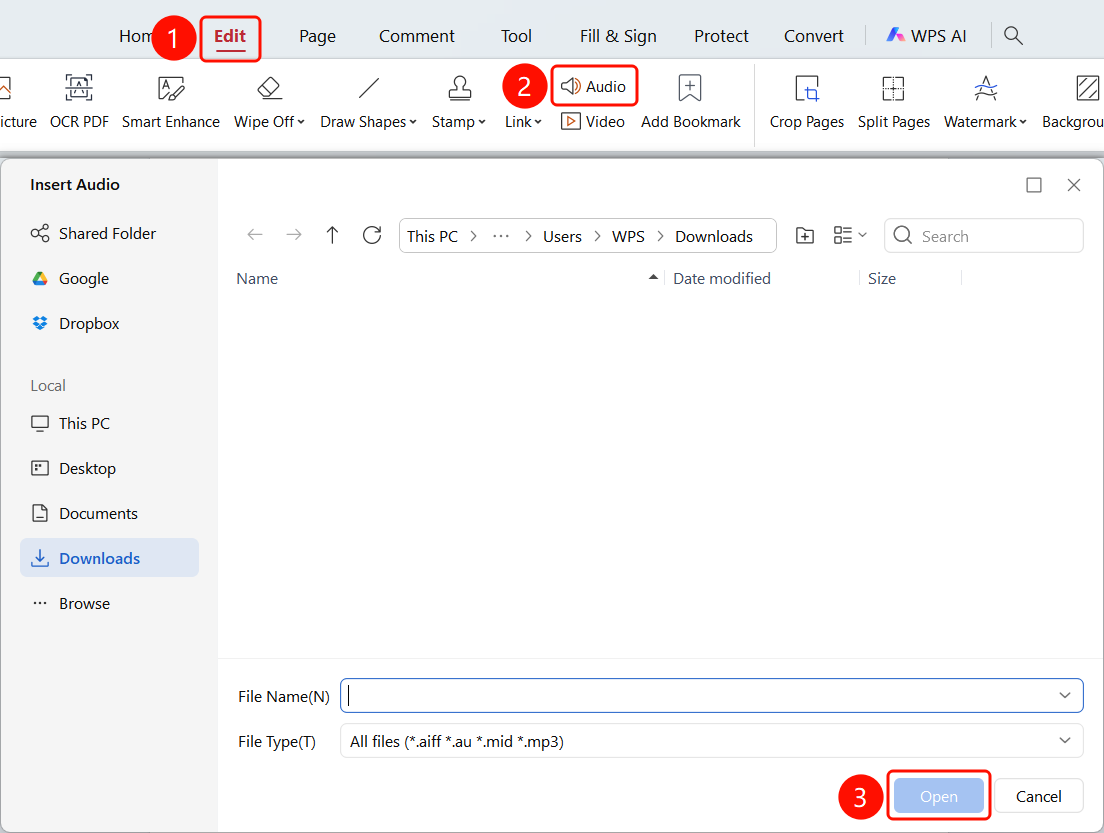
"Edit" tab > "Audio" button > "Insert Audio" file selection dialog box > select an audio file > click "Open"
- Open the PDF document in which you want to insert audio.
- Click the Edit tab in the top menu bar.
- Click the Audio button on the ribbon.
- The "Insert Audio" file selection dialog box will appear.
- Browse local folders to select an audio file.
- Supported formats: .aiff, .au, .mid, .mp3, etc.
- Select the file and click the Open (O) button.
- The audio will be inserted into the PDF page.
Edit Audio
Feature Entry
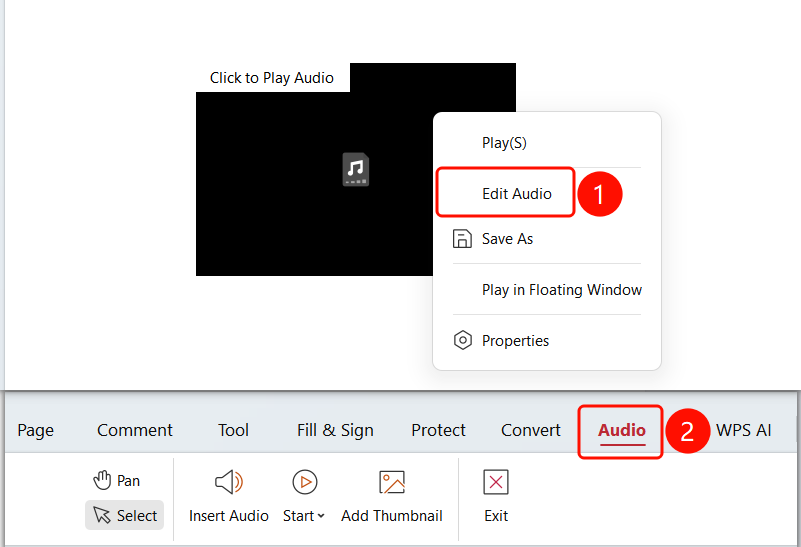
Right-click the audio > "Edit Audio" option > "Audio" tab
- Open the PDF document containing the audio you want to edit.
- Right-click the audio and click the Edit Audio option.
- The Audio tab will appear on the ribbon.
Set Audio Playback Conditions
Feature Entry
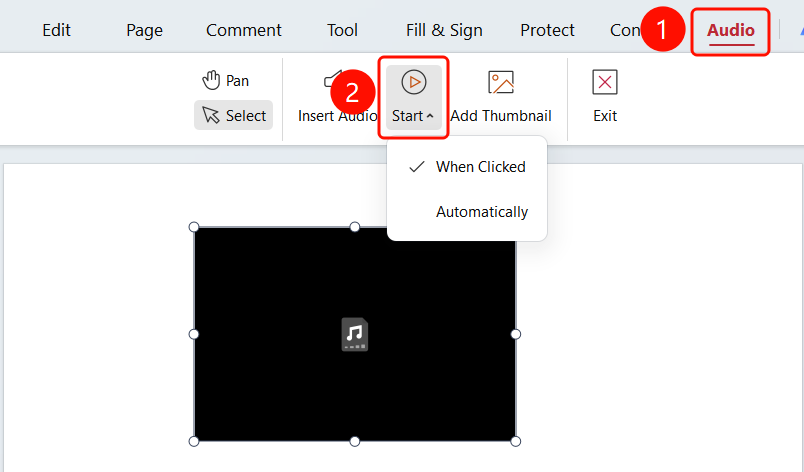
"Audio" tab > "Playback Conditions" drop-down menu
Select the inserted audio file, and click the Audio tab at the top.
Click the Playback Conditions drop-down menu.
Select a playback condition:
- Click to Play: The audio plays only when clicked.
- Auto Play: The audio plays automatically when the PDF is opened.
Add Audio Cover
Feature Entry
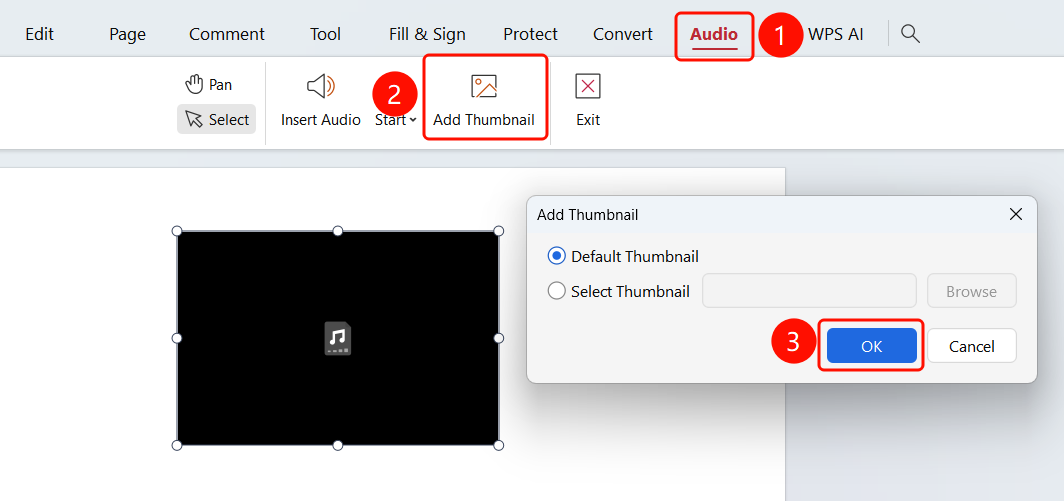
"Audio" tab > "Add Thumbnail" button
Select the inserted audio file, and click the Audio tab at the top.
Click the Add Thumbnail button.
In the "Add Cover" dialog box, select:
- Default Cover: Use the system default cover.
- Select Cover: Click Browse to select a local image.
Supported formats: .jpg, .jpeg, .png, .bmp, .gif, .tif
Click the OK button.
FAQ
Q1: Can I customize the audio cover?
- Solution: Yes. In the "Add Cover" dialog box, select "Select Cover", and browse to select a local image as the audio cover.
Notes
- Inserting audio will increase the PDF file size.
- Audio supports common formats such as .aiff, .au, .mid, and .mp3.
- Cover images support .jpg, .jpeg, .png, .bmp, .gif, and .tif formats.