Feature Summary
The WPS Macro Editor is used to open a dedicated macro code editing environment in WPS. You can write and manage JavaScript macro codes to automate presentations.
Feature Description
| Feature Dimension | Description |
|---|---|
| Membership Limit | No membership limit |
| Version Limit | No version limit |
Operating Steps
Open JS Macro Editor (WPS Macro Editor)
Feature Entry
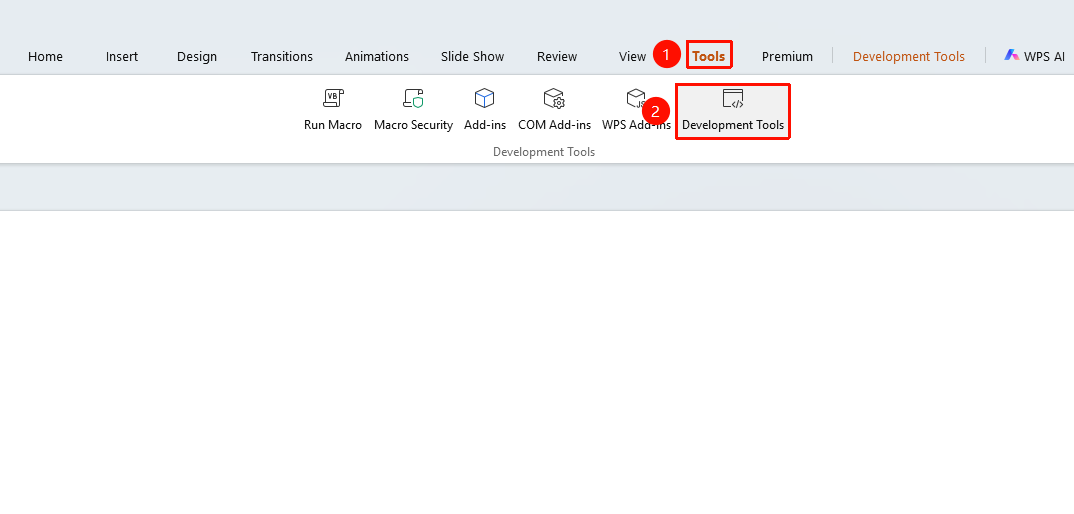
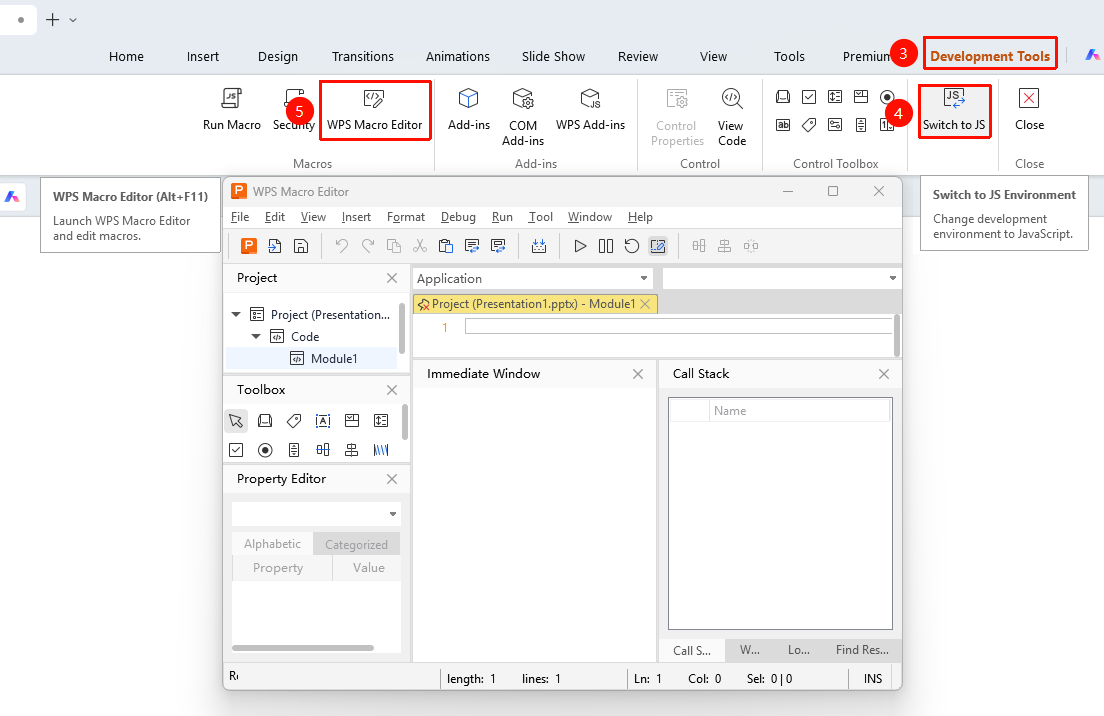
Tools tab > Developer tab > WPS Macro Editor button
- Click the Developer button on the Tools tab.
- Go to the Developer tab,click the "Switch to JS" button to switch to the JS development environment.
- Click the WPS Macro Editor button.
- In the macro editor, click Insert > Module at the top.
- Write JavaScript code in the JS module.
FAQs
Q1: What is the difference between WPS Macro Editor and VB Editor?
- Solution: WPS Macro Editor uses JavaScript, which offers better cross-platform compatibility. VB Editor uses VBA, which is limited to Windows.
Q2: VBA macros written on Windows cannot run on Linux and macOS.
- Solution: VBA macros and JS macros use different programming languages and are not directly compatible. You need to rewrite them using JS macros on Linux or macOS.
Notes
- Avoid running macro scripts from unknown sources to reduce security risks.
- JavaScript macros are incompatible with VBA macros.