Feature Summary
The VB Editor (VBA Editor) is used to view and edit macro source code, supporting the writing of automation scripts to implement complex spreadsheet operation logic.
Feature Description
| Feature Dimension | Description |
|---|---|
| Membership Restriction | No membership restriction |
| Version Restriction | No version restriction; VBA plugin installation required |
Operation Steps
Opening the VB Editor
Feature Entry
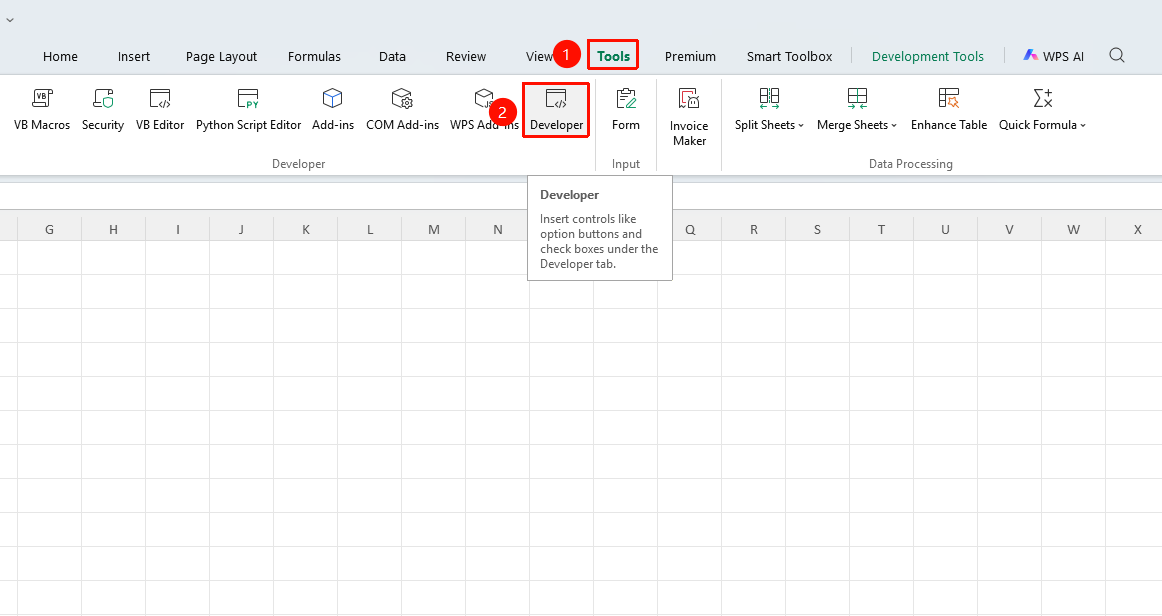
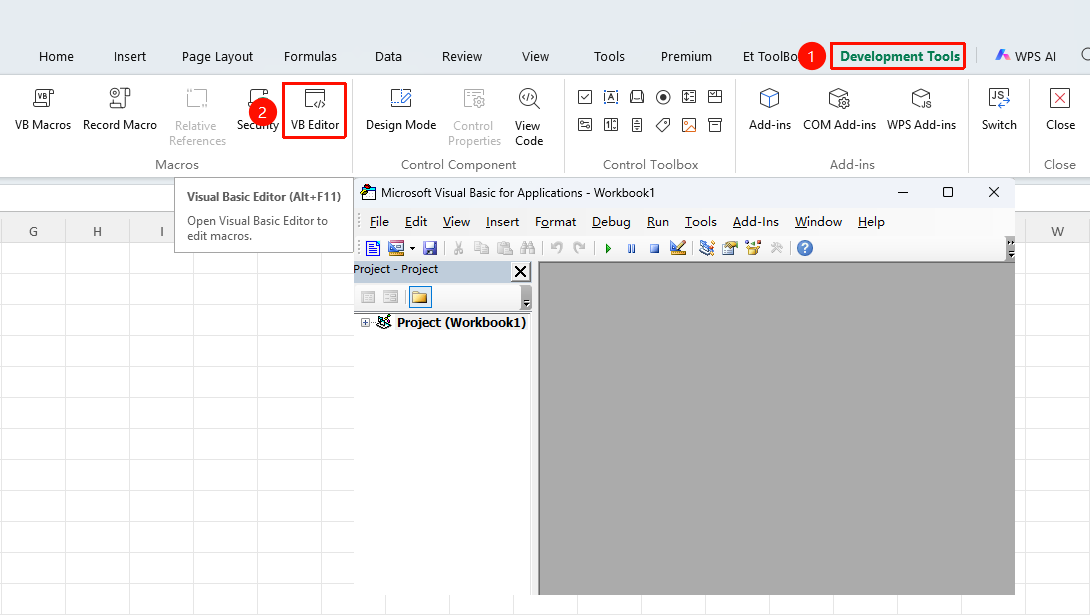
"Tools" tab → "Developer Tools" button → "Developer Tools" tab → "VB Editor" button
- Click the "Tools" tab at the top, locate and click the "Developer Tools" button to bring up the "Developer Tools" tab at the top
- Click the "VB Editor" button in the Developer Tools tab
- You can also use the shortcut key
Alt+F11to open it directly
FAQ
Q1: Prompt indicating macros are not supported when saving the file?
- Solution: Files containing VBA macros must be saved in the ".xlsm" format (macro-enabled workbook). The standard .xlsx format does not support saving macro code.
Notes
- Users unfamiliar with VBA code are advised to use the "Record Macro" feature to generate code automatically