Function Summary
The italic function is used to set cell text to an italic style, commonly used for emphasis, quotations, or distinguishing special content.
Function Description
| Function Dimension | Description |
|---|---|
| Membership Restriction | No membership restriction |
| Version Restriction | No version restriction |
Operation Steps
Setting Italic via Ribbon Button
Function Entry
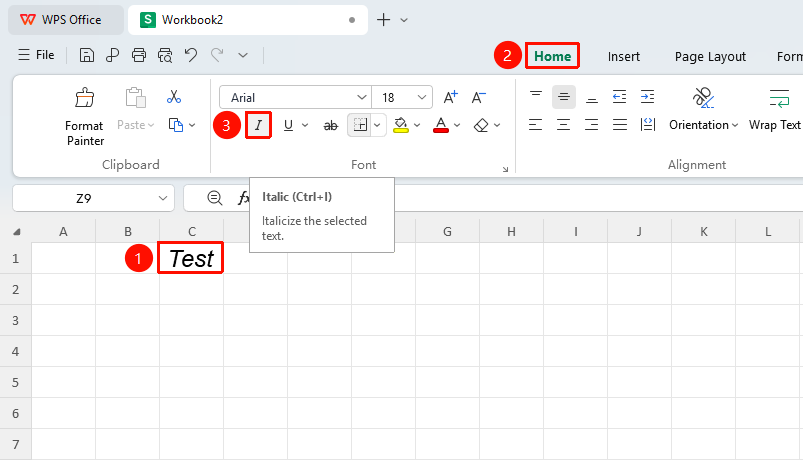
"Home" tab → "Italic" button
- Select the cell or part of the text within the cell that needs to be italicized
- Click the "Italic" button in the Font group on the Home tab
- Click again to cancel italic
Setting Italic via Format Cells Dialog
Function Entry
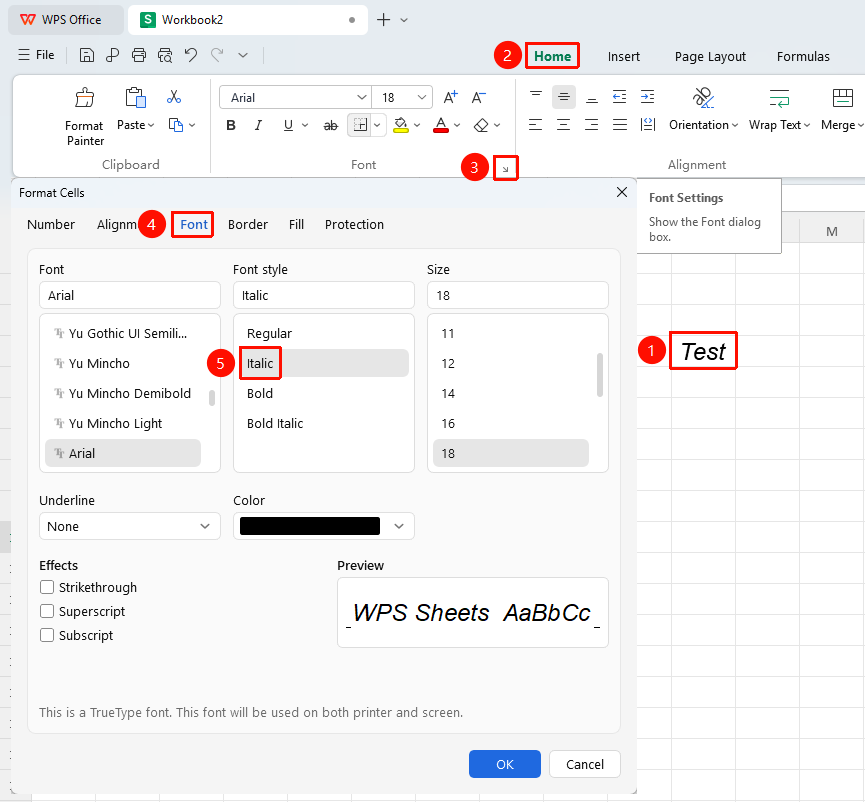
"Home" tab → "Font Settings" arrow icon → "Italic" button
- Select the cell or text within the cell that needs to be italicized
- Click the Font Settings arrow icon on the Home tab
- In the pop-up dialog, click the "Italic" button, then click OK
Setting Italic via Right-Click Format Cells
Function Entry
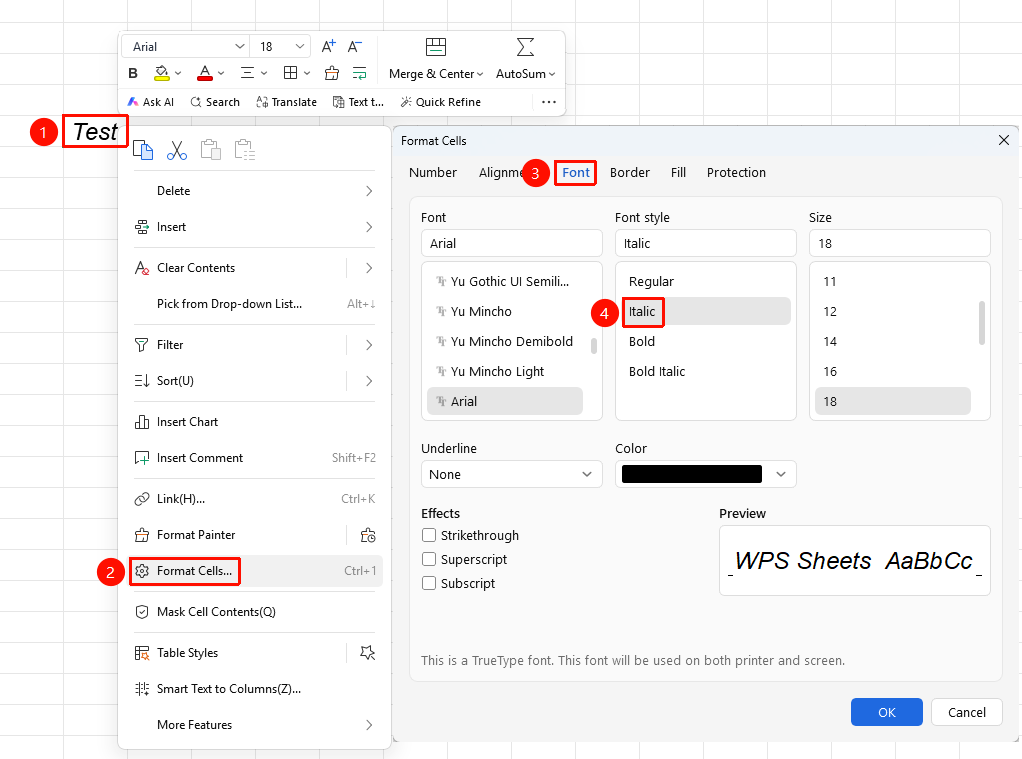
Right-click menu → "Format Cells" button → "Font" tab → "Italic" button
- Select the target cell, right-click and choose the Format Cells button
- Switch to the Font tab
- Click the "Italic" button, then click OK
Italic shortcut key:
Ctrl+I