Feature Summary
The Linked Collection Form is a data collection feature in WPS Sheets collaboration mode. It allows you to link a form within a spreadsheet, share the form link so team members or external users can submit data, and have the submission results automatically synced to the current spreadsheet.
Feature Description
| Feature Dimension | Description |
|---|---|
| Membership Restriction | No membership restriction |
| Version Restriction | No version restriction |
Operation Steps
Creating a Linked Collection Form
Feature Entry
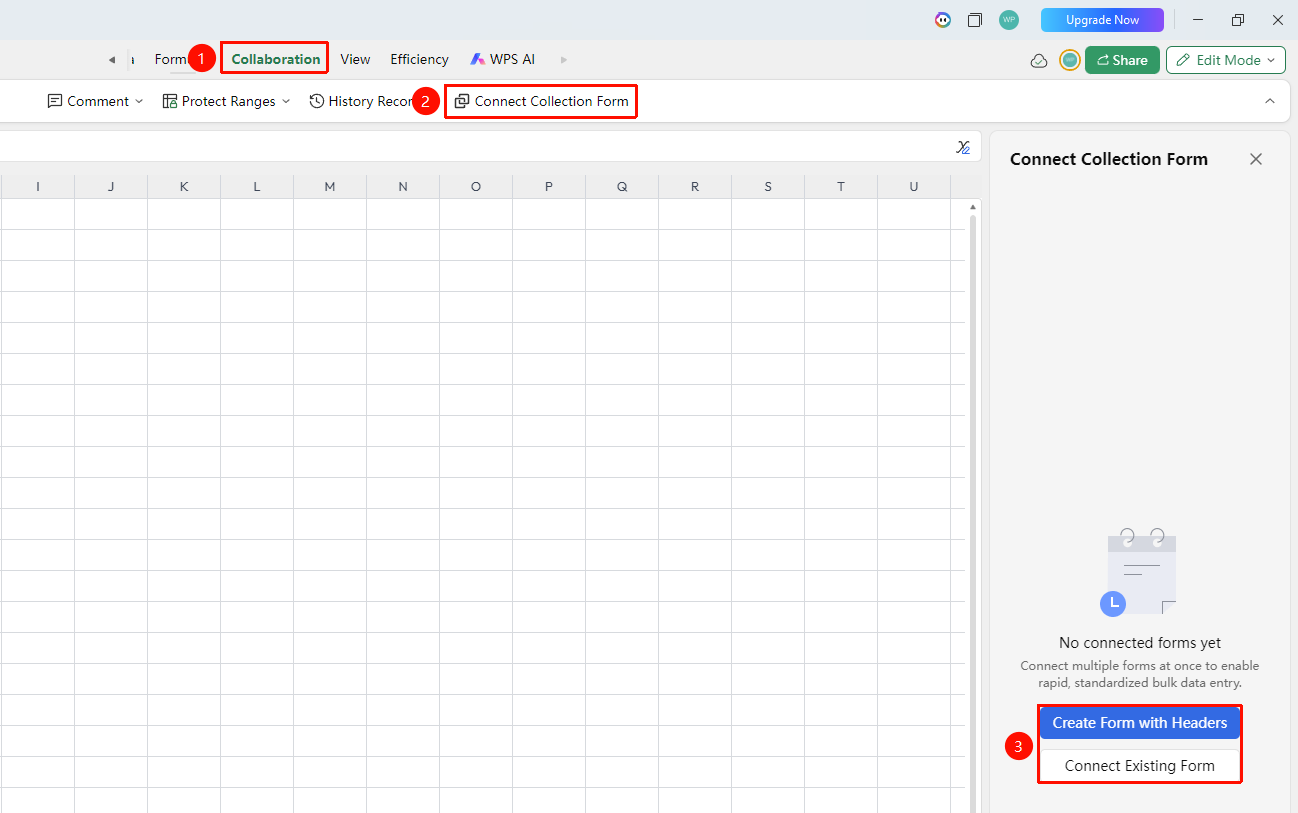
"Collaboration" tab → "Linked Collection Form"
- Click the top "Collaboration" tab
- Click the "Linked Collection Form" button in the toolbar
- The collection form creation interface pops up on the right side, where you can choose:
- Generate Collection Form from Headers: Create a new collection form using the spreadsheet headers
- Link Existing Collection Form: Link a previously published collection form
Managing Collection Form Data
Feature Entry
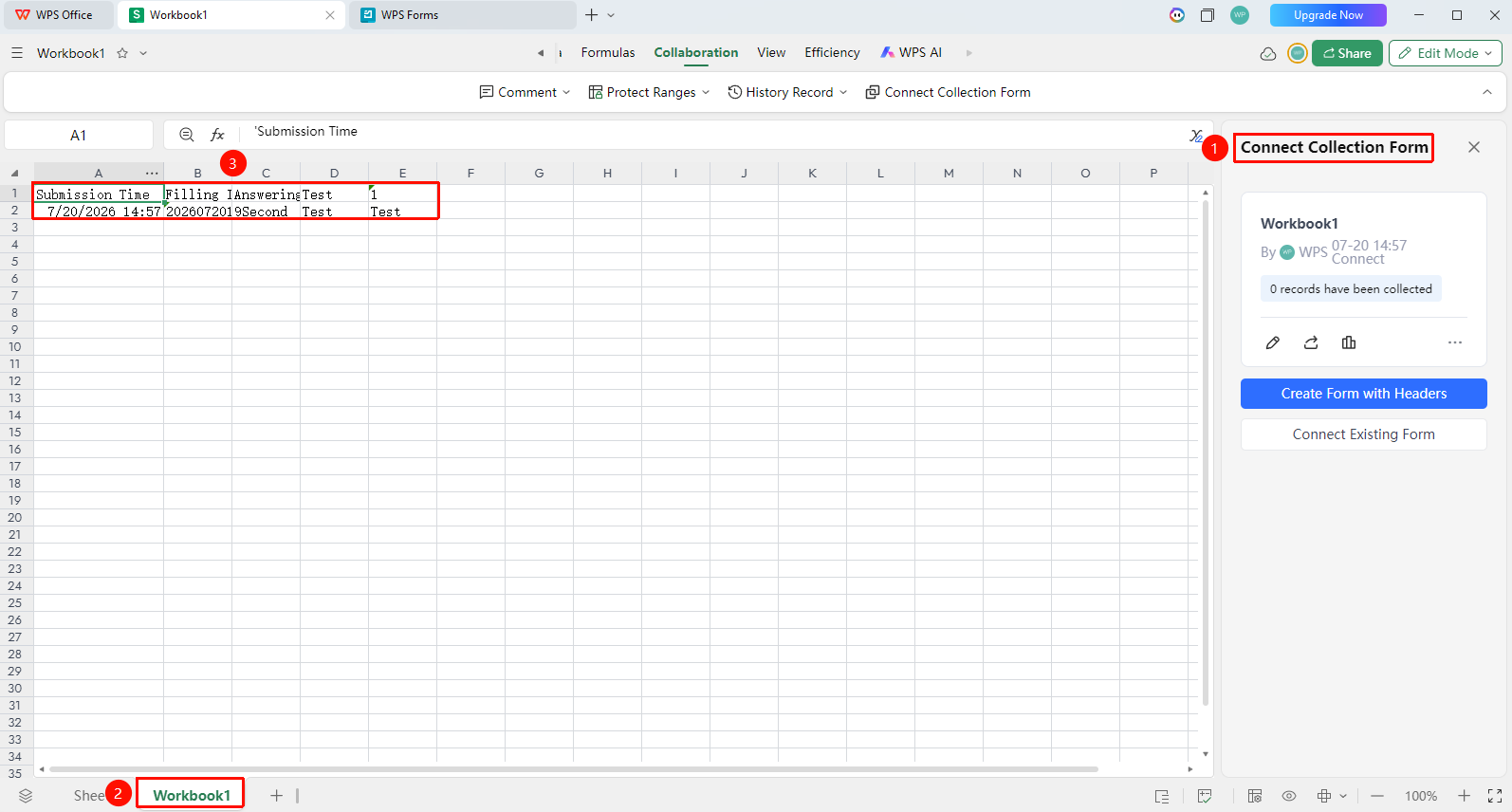
"Linked Collection Form" panel on the right side
- View received submission data in the right-side panel
- Submitted data is automatically filled into the corresponding columns of the spreadsheet
- You can view the submitter information and submission time for each entry
Editing a Linked Collection Form
Feature Entry
"Collaboration" tab → "Linked Collection Form"
- Click the top "Collaboration" tab
- Click the "Linked Collection Form" button in the toolbar
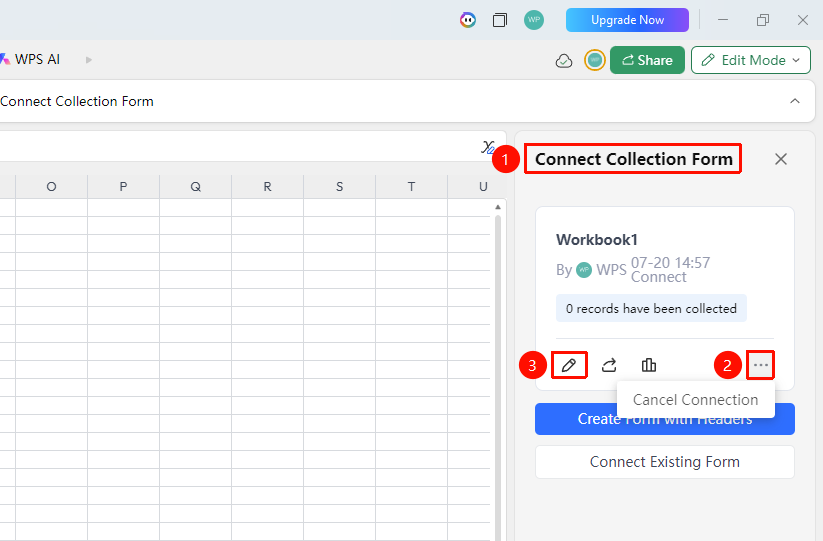
- The collection form creation interface pops up on the right side; click Edit (✏ icon) to re-edit the collection form
- Click More (... icon) to unlink the collection form
Frequently Asked Questions
Q1: Is the data filled in the collection form synced to the spreadsheet in real time?
- Solution: Yes, submitted data is synced to the current worksheet in real time, and other collaborators can see the new data immediately. No refresh or reload is required.
Q2: Can the same collection form be filled out multiple times?
- Solution: By default, the same user is allowed to fill it out multiple times, and each submission generates a new record. If you need to restrict each person to only one submission, you need to enable the corresponding restriction in the form settings.
Q3: Can the record content of a form be deleted?
- Solution: It can be deleted within the spreadsheet. Deleted form submission records can be found again on the form's statistics page.
Notes
- The Linked Collection Form feature is only available in collaboration mode (online mode)
- It is recommended to set format validation for fill-in fields in advance, such as phone numbers, dates, etc.
- Ensure that the shared collection form link has the appropriate access permissions for the intended recipients to fill it out