Feature Summary
The Shortcut Key feature provides a list of keyboard shortcuts, helping users quickly view and use common shortcut commands in WPS Sheets to improve operational efficiency.
Feature Description
| Feature Dimension | Description |
|---|---|
| Membership Restriction | No membership restriction |
| Version Restriction | No version restriction |
Operation Steps
Open the Shortcut Key Panel
Feature Entry
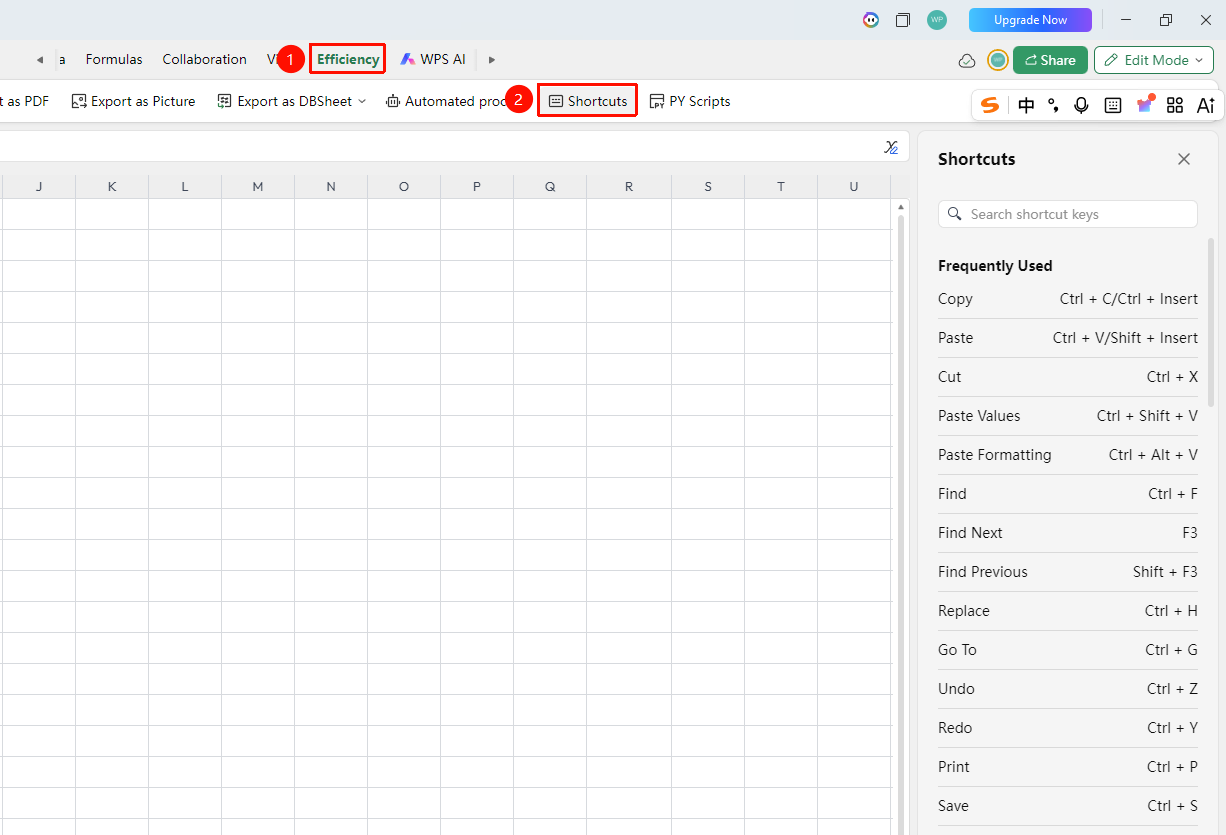
"Efficiency" tab → "Shortcut Keys"
- Click the "Efficiency" tab in the top tab bar
- Find the "Shortcut Keys" button (keyboard icon) in the toolbar
- Click the button, and the "Shortcut Keys" panel will pop up on the right side
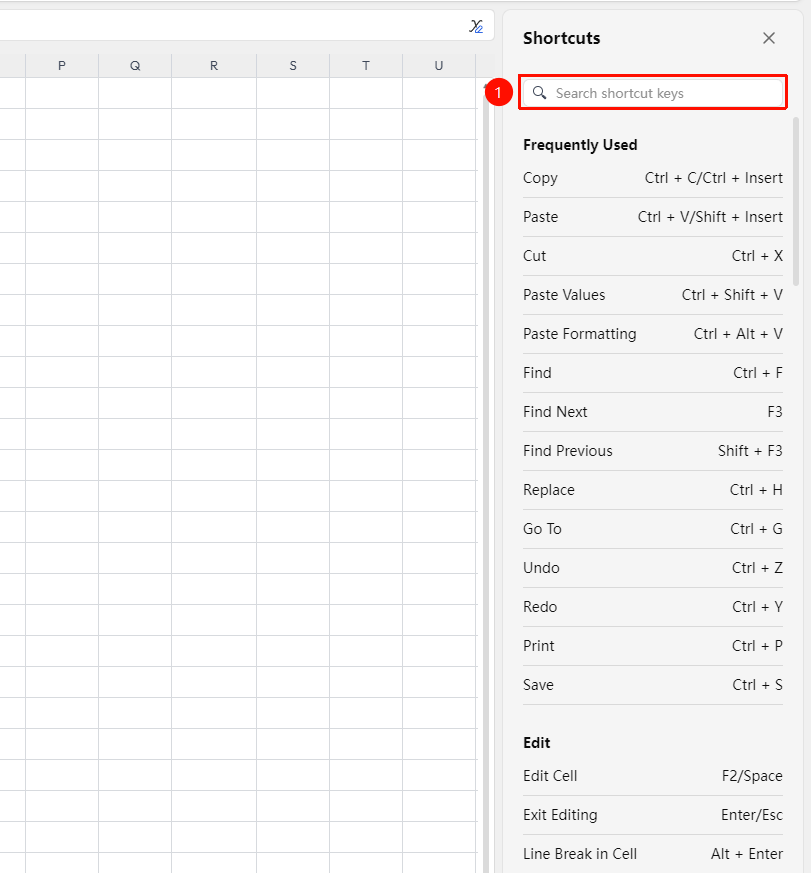
- There is a search box at the top of the panel where you can enter keywords to quickly find specific shortcuts
View the Shortcut Key List
Feature Entry
Inside the right-side panel
- After opening the Shortcut Key panel, the "Common" category shortcuts are displayed by default
- Scroll down to view more categories: Editing, Format, Data, View, etc.
- Use the top search box to enter a function name, such as "Copy" or "Paste", to quickly locate the corresponding shortcut
- The Shortcut Key panel is a read-only list; shortcut settings cannot be modified here
FAQ
Q1: Why can't I find the shortcut key for a certain function in the Shortcut Key panel?
- Solution: Not all functions have preset shortcut keys. You can enter the function name in the panel's search box to confirm.
Q2: What should I do if a shortcut key is intercepted by other software?
- Solution: Check if other software is occupying the same shortcut key combination. Common conflicting software includes: input methods, translation tools, screenshot tools, etc. Modify the conflicting software's shortcut keys or use alternative key combinations.
Q3: How do I customize shortcut key settings?
- Solution: Currently, shortcut keys in Spreadsheet Collaboration Mode do not support customization. Please use the preset shortcut keys.
Notes
- It is recommended to familiarize yourself with common shortcut keys (Ctrl+C/V/Z) to improve work efficiency