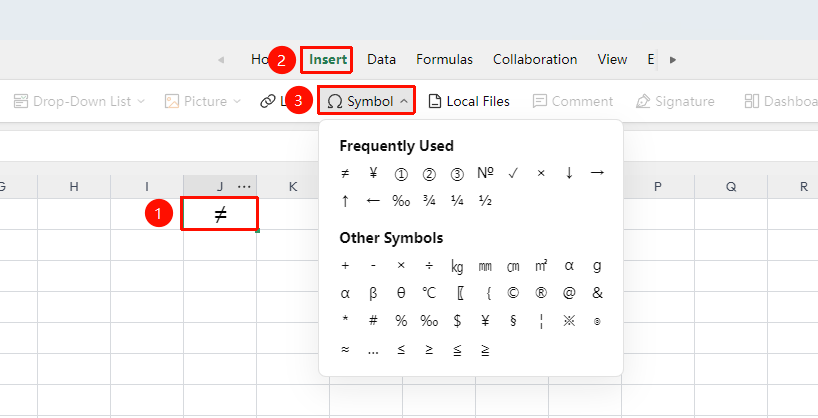
Feature Summary
Insert Symbol allows you to add special characters, mathematical symbols, Greek letters, and other characters not directly available on the keyboard into cells, using the symbol panel or shortcuts for quick insertion.
Feature Description
| Feature Dimension | Description |
|---|---|
| Membership Restrictions | No membership restrictions |
| Version Restrictions | No version restrictions |
Operation Steps
Insert Symbol via the Menu Bar
Feature Entry
"Insert" tab → "Symbol" button
- Click to select the cell where you want to insert a symbol, and position the cursor at the insertion point
- Click the "Symbol" button in the "Insert" tab
- Select the target symbol and click "Insert" to complete the addition