Feature Summary
The List function is used to automatically generate arithmetic sequences, supporting custom parameters such as start value, step value, and end value.
Feature Description
| Feature Dimension | Description |
|---|---|
| Membership Restriction | Membership required |
| Version Restriction | No version restriction |
Steps
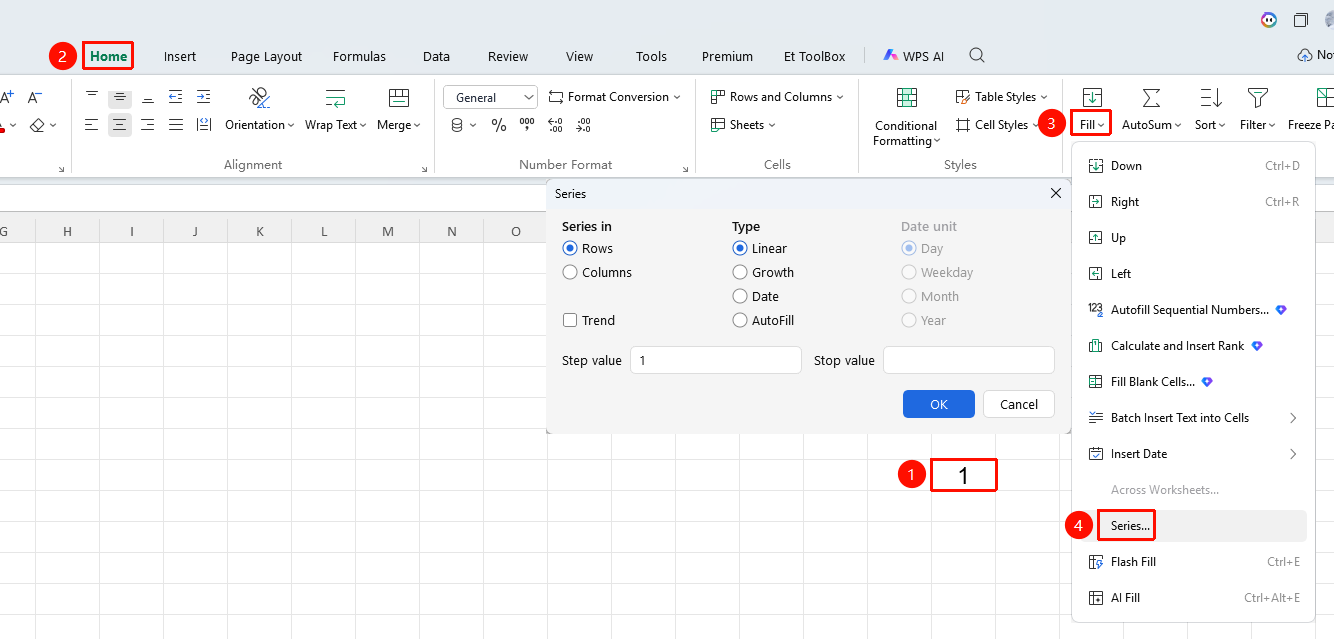
Series
Feature Entry
"Home" tab → "Fill" dropdown menu → "Series" option
- Select the cell(s) containing data
- Click the Home tab
- Select the Fill dropdown menu
- Click the "Series" option
- Customize the generation of arithmetic, geometric, or date series, and set the step value, end value, and fill direction
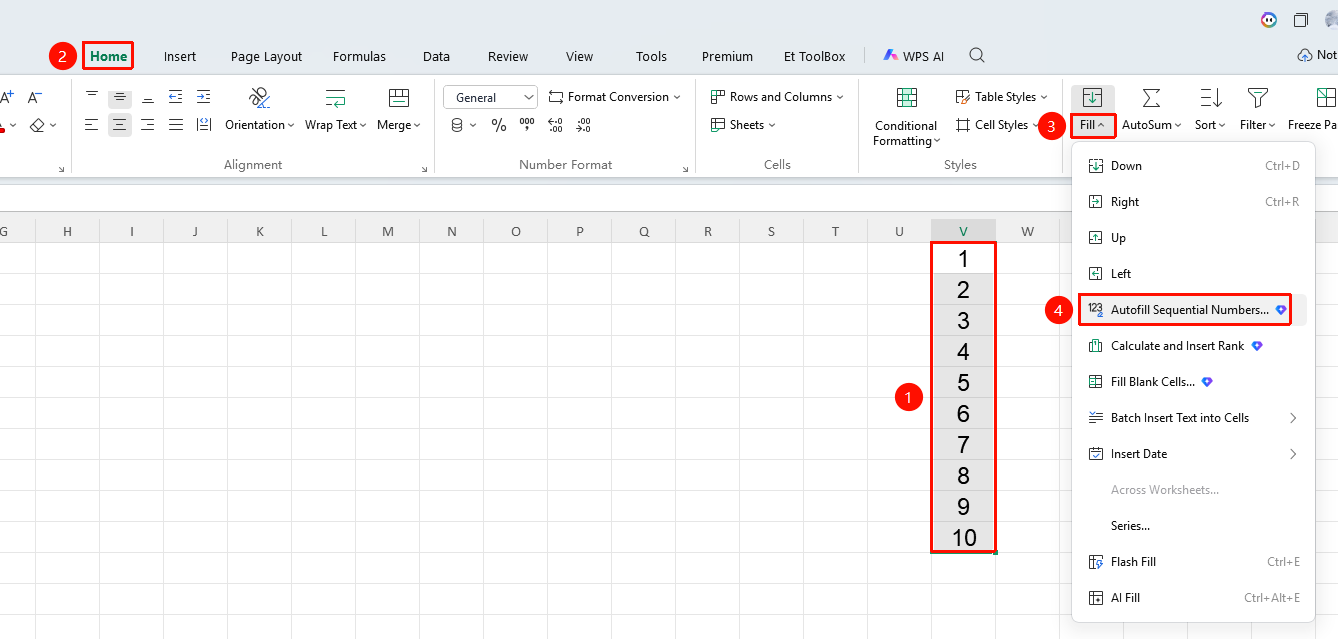
Enter 123 Sequence (Membership required)
Feature Entry
"Home" tab → "Fill" dropdown menu → "Enter 123 Sequence" option
- Select the cell(s) containing data
- Click the Home tab
- Select the Fill dropdown menu
- Click the "Enter 123 Sequence" option
- Automatically generate a continuous numeric sequence starting from 1 (1, 2, 3…) in the selected area
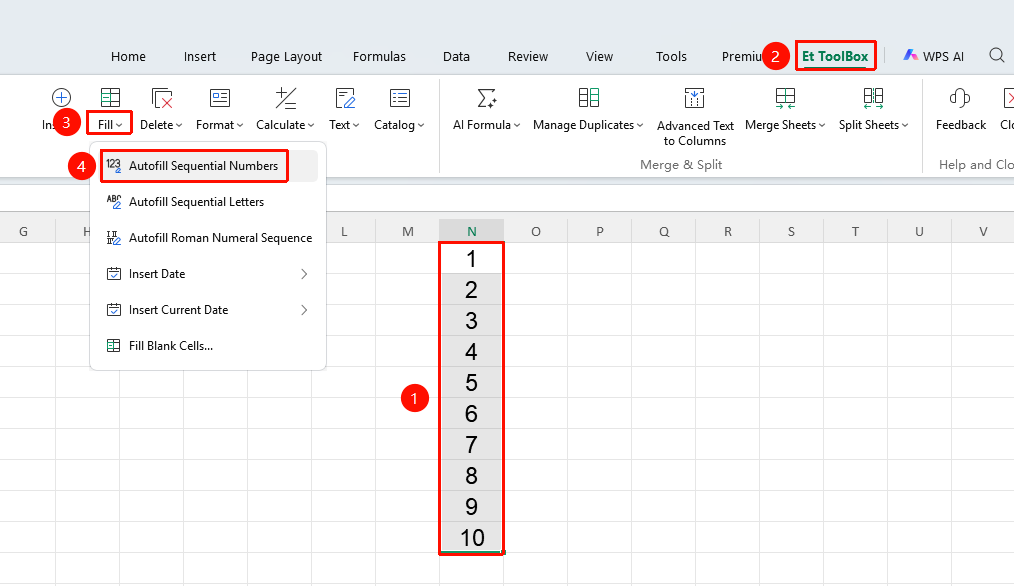
Smart Toolbox Enter 123 Sequence (Membership required)
Feature Entry
"Member Exclusive" tab → "Smart Toolbox" option → "Smart Toolbox" tab → "Fill" dropdown menu → "Enter 123 Sequence" option
- Select the cell(s) containing data
- Click the Member Exclusive tab
- Select the Smart Toolbox option to open the Smart Toolbox tab
- Click the Fill dropdown menu, and click the "Enter 123 Sequence" option
- Automatically generate a continuous numeric sequence starting from 1 (1, 2, 3…) in the selected area
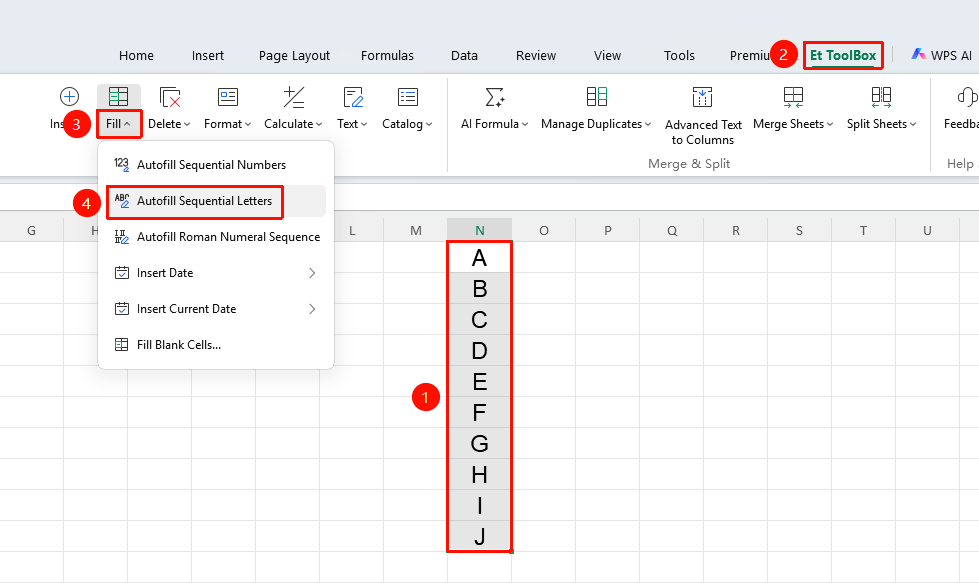
Smart Toolbox Enter ABC Sequence (Membership required)
Feature Entry
"Member Exclusive" tab → "Smart Toolbox" option → "Smart Toolbox" tab → "Fill" dropdown menu → "Enter ABC Sequence" option
- Select the cell(s) containing data
- Click the Member Exclusive tab
- Select the Smart Toolbox option to open the Smart Toolbox tab
- Click the Fill dropdown menu, and click the "Enter ABC Sequence" option
- Automatically generate a continuous alphabetic sequence starting from A (A, B, C…) in the selected area
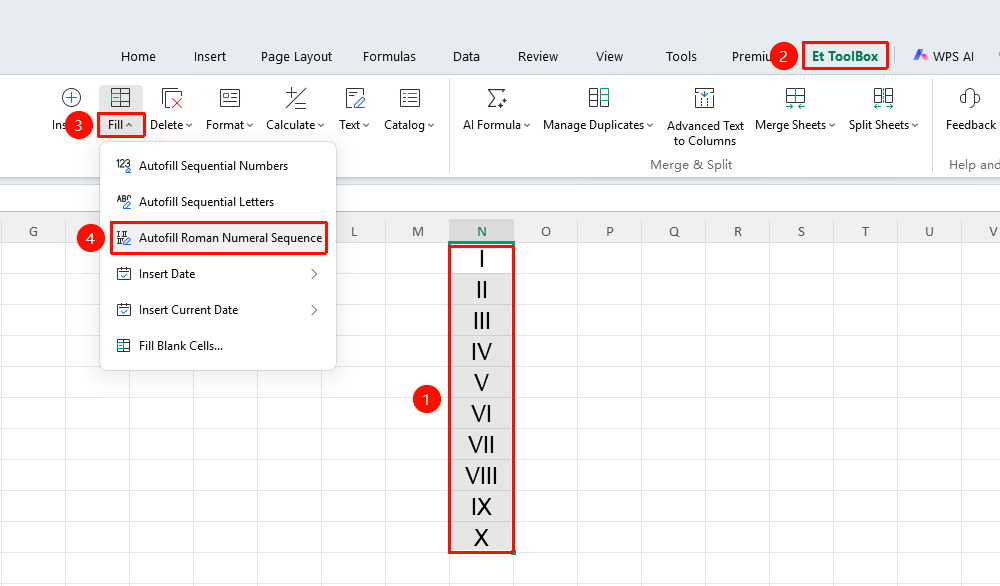
Smart Toolbox Enter Roman Numeral Sequence (Membership required)
Feature Entry
"Member Exclusive" tab → "Smart Toolbox" option → "Smart Toolbox" tab → "Fill" dropdown menu → "Enter Roman Numeral Sequence" option
- Select the cell(s) containing data
- Click the Member Exclusive tab
- Select the Smart Toolbox option to open the Smart Toolbox tab
- Click the Fill dropdown menu, and click the "Enter Roman Numeral Sequence" option
- Automatically generate a continuous Roman numeral sequence starting from I (I, II, III…) in the selected area
Notes
- Arithmetic sequence is the most commonly used series type
- When the end value is empty, the fill will extend to the end of the selected area