Feature Summary
Document encryption is used to set an open password or edit permission password for WPS spreadsheet files, preventing unauthorized users from viewing or modifying the content.
Feature Description
| Feature Dimension | Description |
|---|---|
| Membership Restriction | No membership restriction |
| Version Restriction | No version restriction |
Operation Steps
Open Permission Encryption
Feature Entry
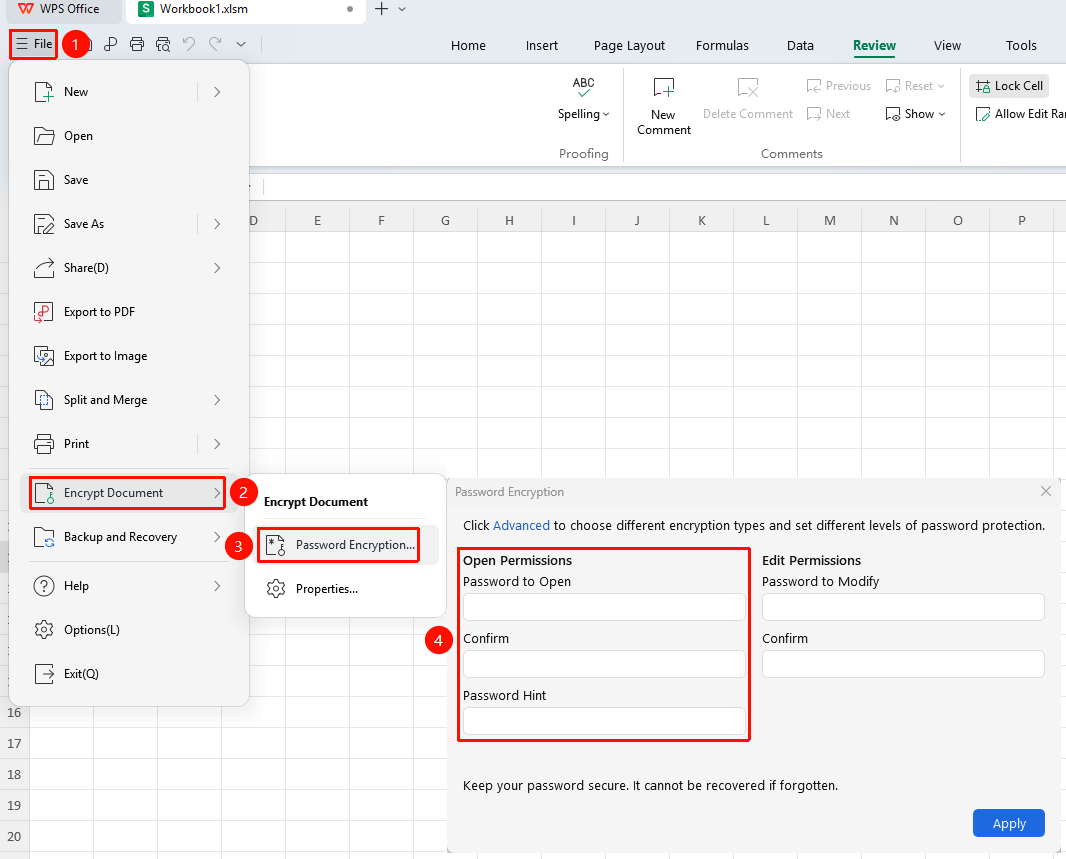
"File" tab → "Document Encryption" button → "Password Encryption" button
- Click the "File" tab in the upper left corner
- Select "Document Encryption" → "Password Encryption"
- Check "Open Permission Password" , enter a password of at least 4 characters and confirm it again (case-sensitive)
- Click OK and then press
Ctrl+S(mac:Cmd+S) to save the document, and the password will take effect
Edit Permission Encryption (Allow viewing, prohibit modification)
Feature Entry
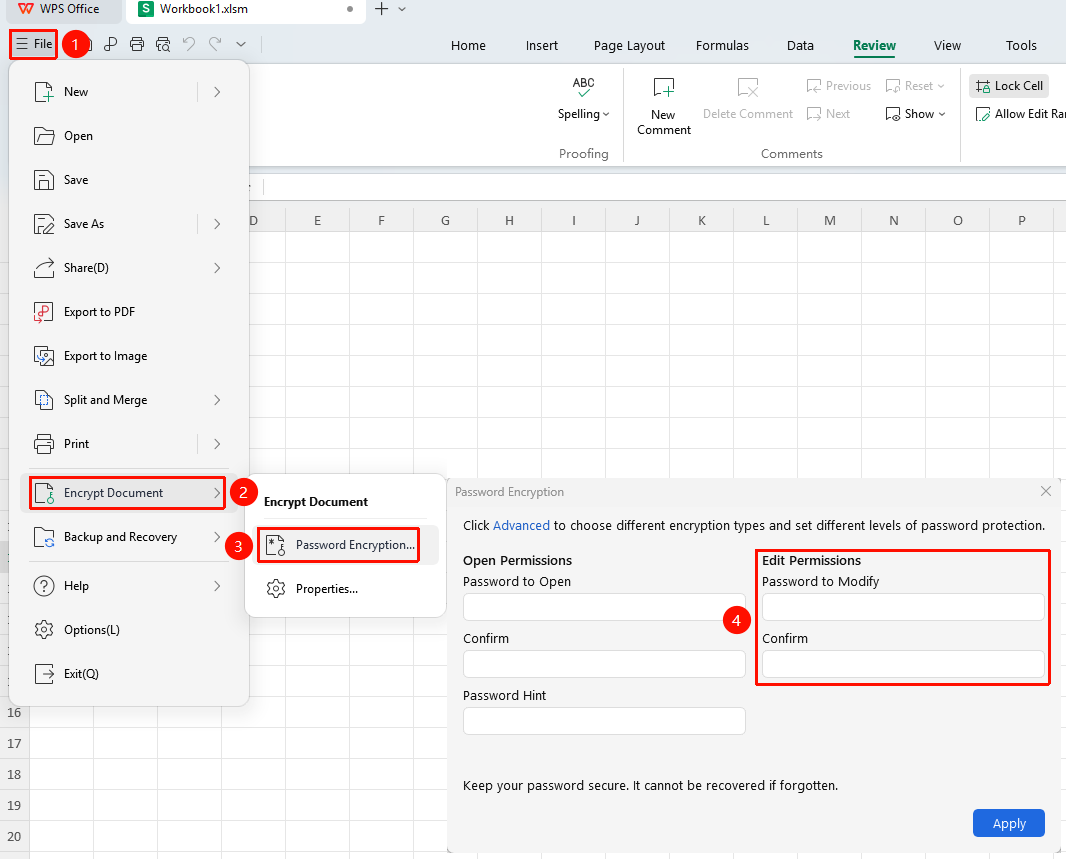
"File" tab → "Document Encryption" button → "Password Encryption" button
- Open the "Document Encryption" → "Password Encryption" window
- Check "Edit Permission Password" , enter the password and confirm
- After saving the document, others can open and view it without a password
- Modifying content requires entering the edit password; changes cannot be saved directly to the original file, only saved as a copy
Save As Encryption Method
Feature Entry
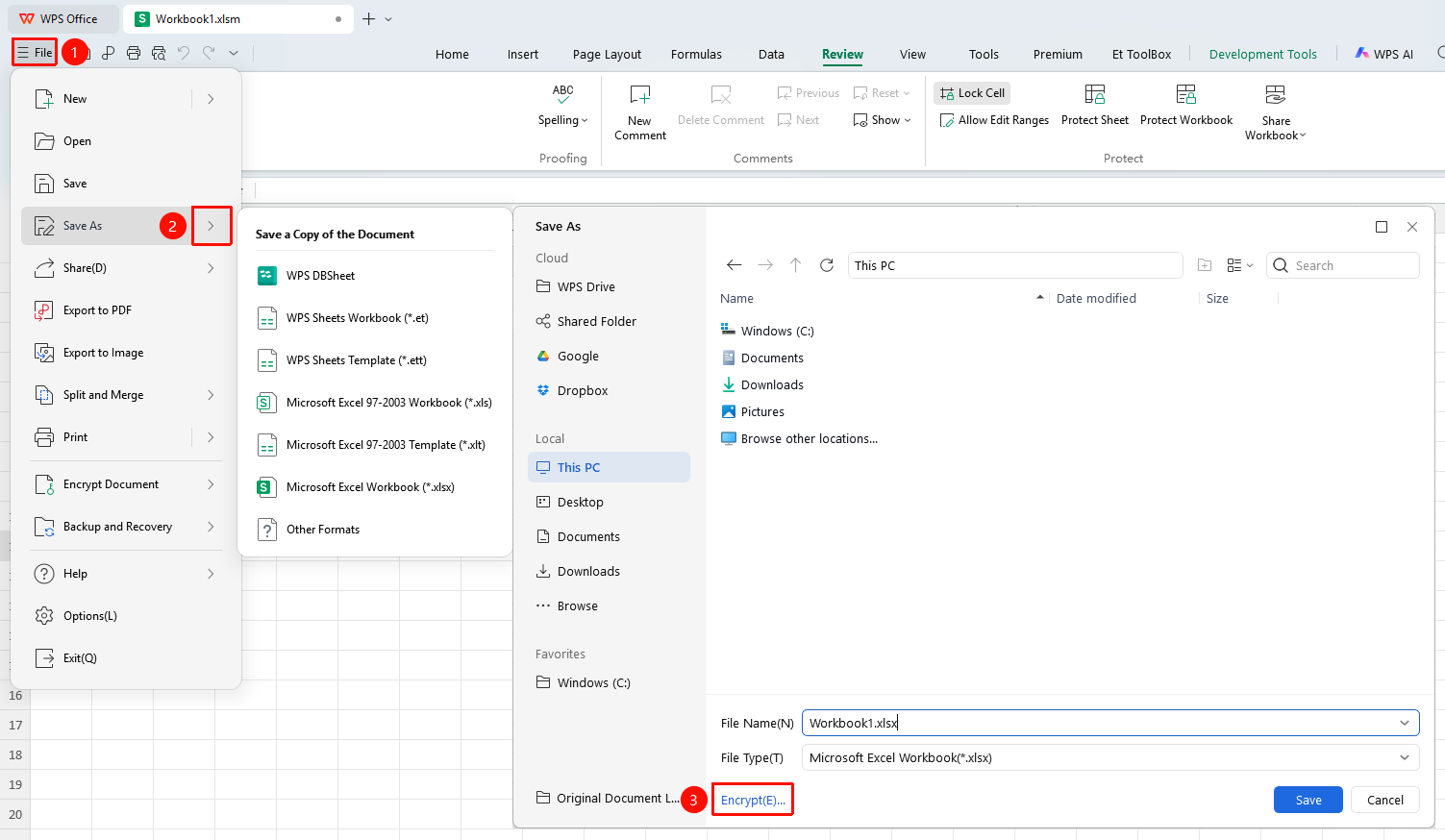
"File" tab → "Save As" button → "Encryption" button
- Click "File" → "Save As"
- Click "Encryption" at the bottom left of the pop-up window
- Set the open password/modify permission password
- Click "Save" after confirmation
Frequently Asked Questions
Question 1: What should I do if I forget the password?
- Solution: WPS uses an irreversible encryption algorithm. If the password is forgotten, it cannot be recovered officially. Please keep your password safe.
Question 2: How to remove a password that has been set?
- Solution: After opening the document with the password, go to "File" → "Document Encryption" → "Password Encryption", clear the content in the password box, click OK and save.
Question 3: What is the minimum password length?
- Solution: The password must be at least 4 characters long and supports combinations of numbers, letters, and special symbols. It is recommended to use a complex password to enhance security.
Notes
- Encrypted files require the correct password to open or edit
- The encryption method for cloud documents may differ from that for local files