Feature Summary
Invoice Assistant is a featured function of WPS Sheets, providing capabilities for invoice entry, management, and printing, suitable for financial and administrative office scenarios.
Feature Description
| Feature Dimension | Description |
|---|---|
| Membership Restriction | No membership restriction |
| Version Restriction | No version restriction |
Operation Steps
Enabling Invoice Maker
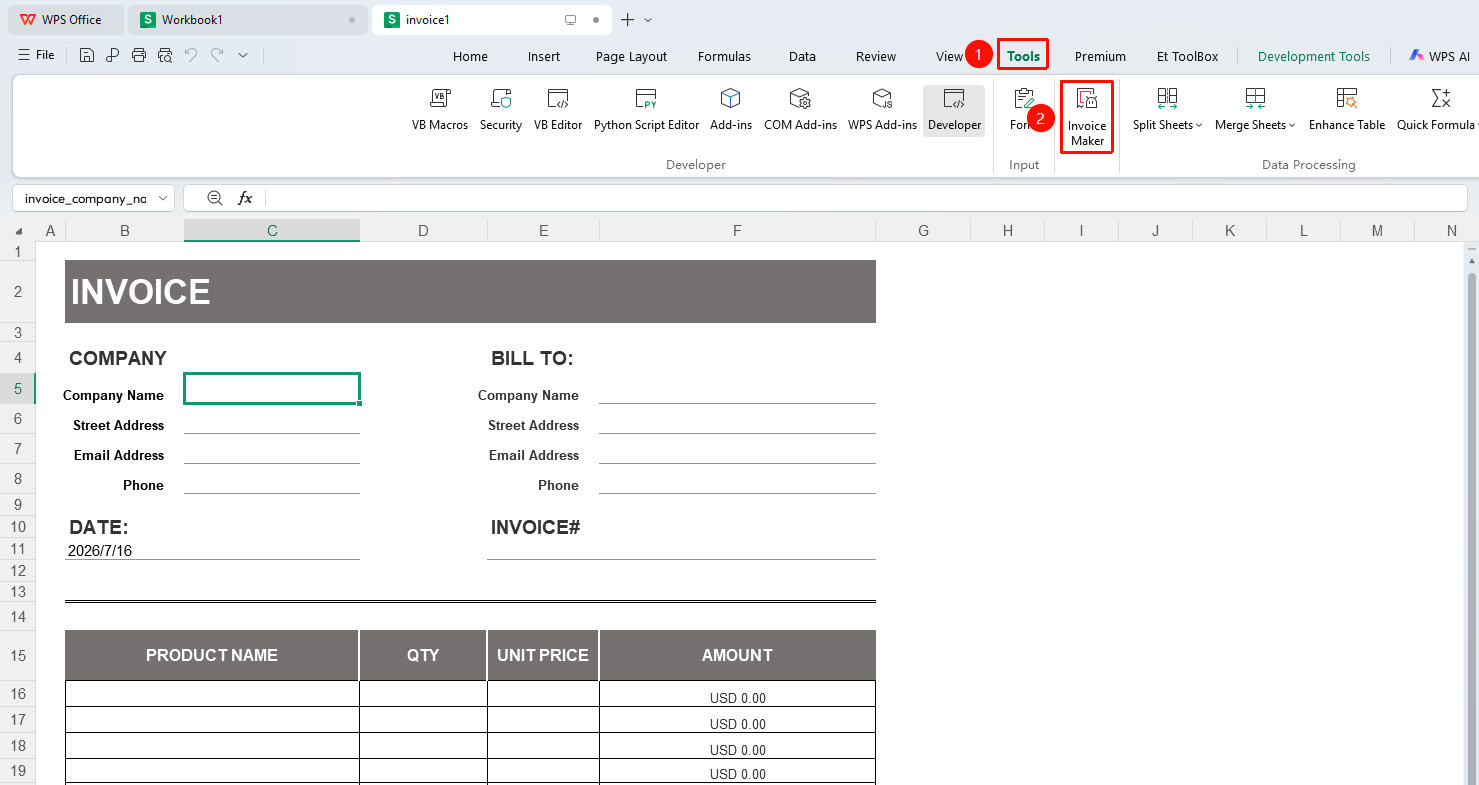
Feature Entry
"Tools" tab → "Invoice Makert" button
- Open WPS Spreadsheet and switch to the Home tab
- Find "Invoice Maker" in the ribbon (if not displayed, wait approximately 2 minutes for automatic loading)
- After opening, click the Start button on the right side
- Enter relevant information for the company, customer, items, and discounts & taxes
- After entry, the invoice can be generated
FAQ
Q1: What is the difference between Invoice Maker and Document Assistant?
- Solution: Invoice Maker is mainly used for spreadsheet-related specialized operations (such as invoice processing), while Document Assistant is used for document-level specialized features. Both are add-on functional modules of WPS.