Feature Summary
The filter feature is used to quickly display records that meet specific criteria in large datasets, hiding rows that do not match, making data viewing and analysis easier.
Feature Description
| Feature Dimension | Description |
|---|---|
| Membership Restrictions | No membership restrictions |
| Version Restrictions | No version restrictions |
Operation Steps
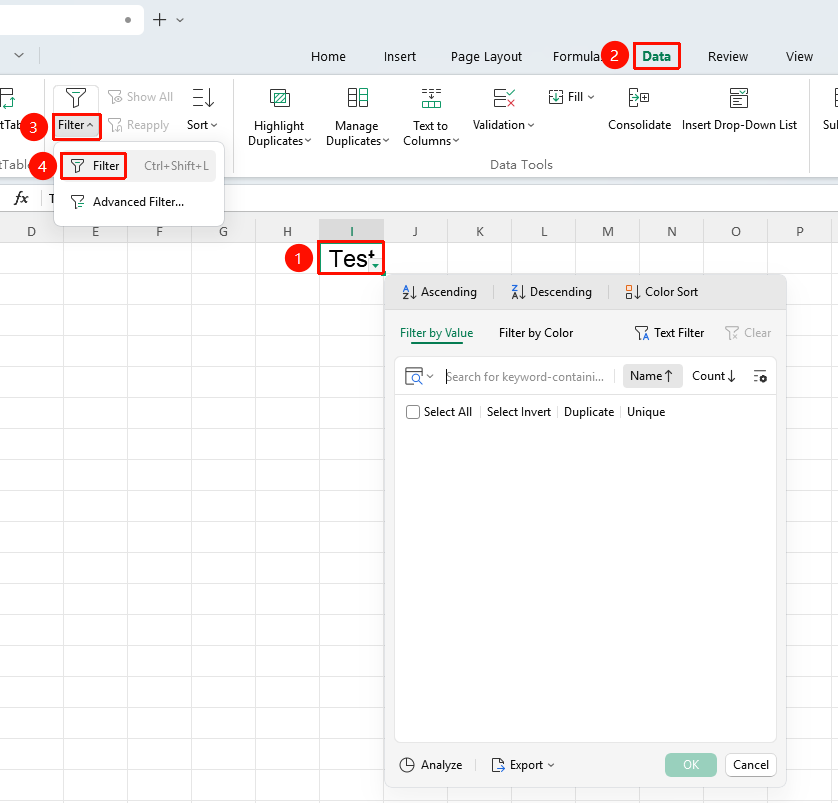
Enabling Filter from the Ribbon
Feature Entry
"Data" tab → "Filter" dropdown menu → "Filter" button
- Select any cell within the data range
- Click the Filter button in the Data tab
- Dropdown arrows will appear in the header row
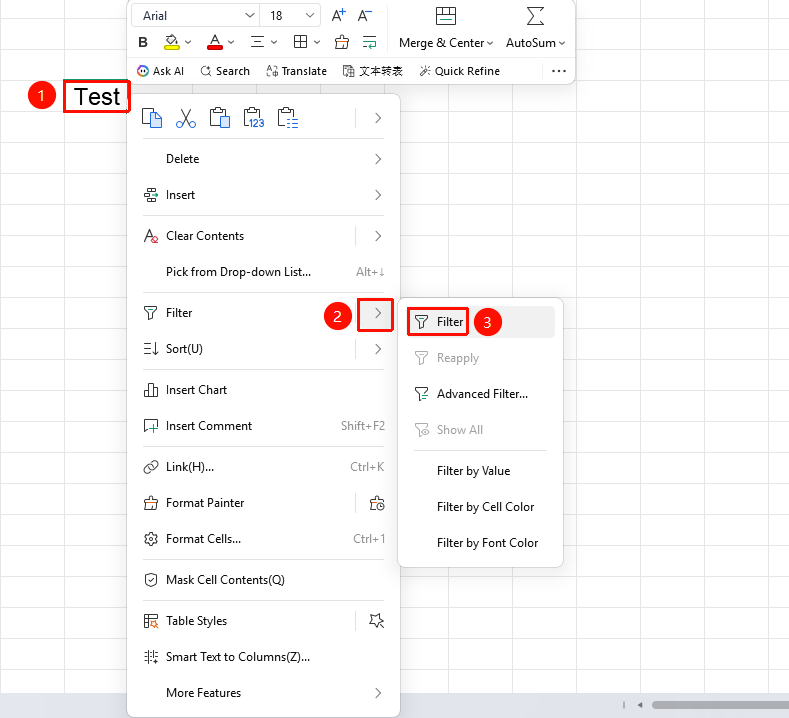
Enabling Filter from the Right-Click Menu
Feature Entry
Right-click any cell → "Filter" dropdown menu → "Filter" button
- Select any cell within the data range
- Right-click the selected cell and choose the Filter dropdown menu
- Click the Filter option
- Dropdown arrows will appear in the header row
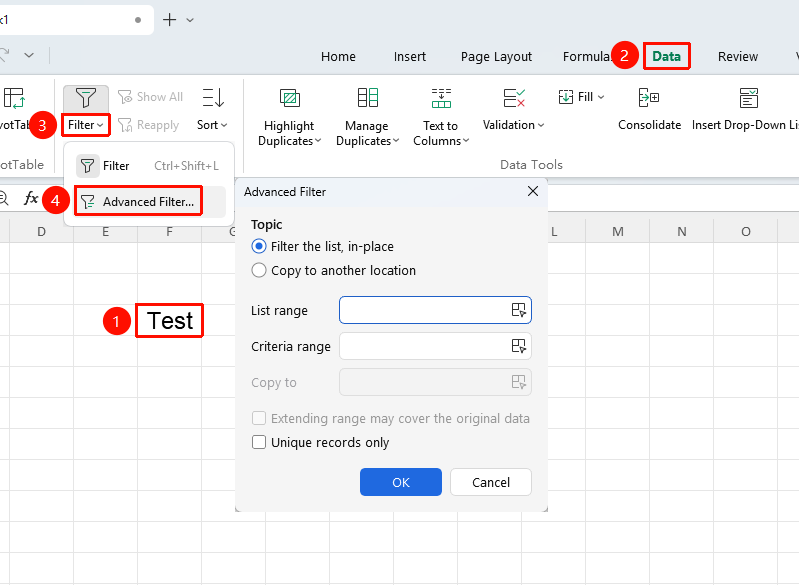
Enabling Advanced Filter from the Ribbon
Feature Entry
"Data" tab → "Filter" dropdown menu → "Advanced Filter" button
- Select any cell within the data range
- Click the Advanced Filter button in the Data tab
- Set the filter criteria in the pop-up dialog box
- Click OK
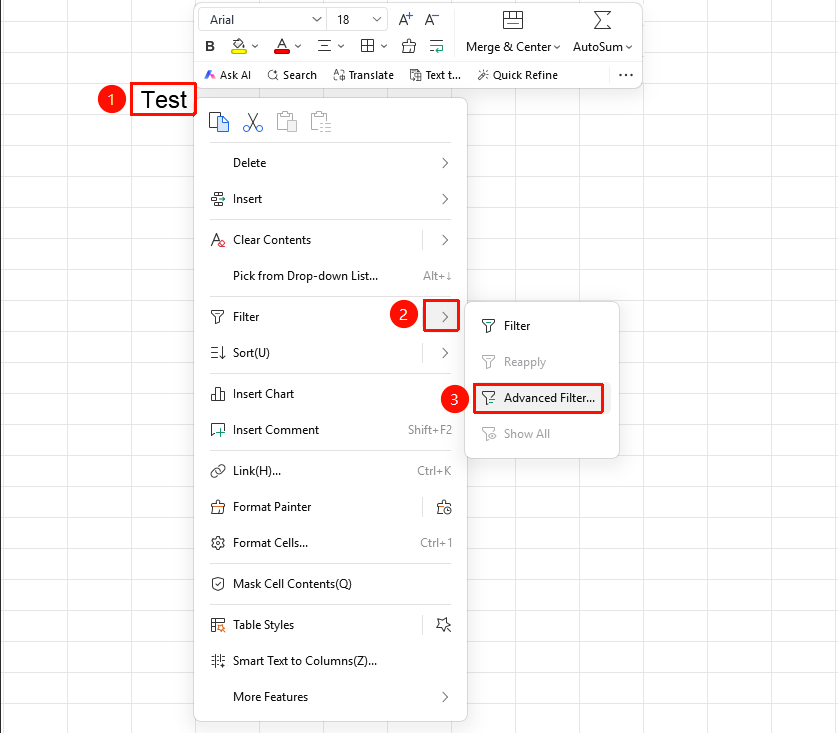
Enabling Advanced Filter from the Right-Click Menu
Feature Entry
Right-click any cell → "Filter" dropdown menu → "Advanced Filter" button
- Select any cell within the data range
- Right-click the selected cell and choose the Advanced Filter dropdown menu
- Click the Advanced Filter option
- Set the filter criteria in the pop-up dialog box
- Click OK
Frequently Asked Questions
Q1: How do I copy only visible cells after filtering?
- Solution: When copying filtered results, only visible cells are copied; hidden rows will not be copied.
Q2: How do I cancel filtering?
- Solution: Click the "Filter" button again or click the "Clear" button to cancel filtering.
Notes
- Filtering does not delete data; it only hides rows that do not meet the criteria
- Filter criteria can be set for multiple columns simultaneously
- Copying while in a filtered state will only copy visible data