Feature Summary
The Subtotaling feature is used to group and summarize data by specified fields. It supports multiple summary methods such as Sum, Count, Average, Max, and Min, and can quickly generate summary reports with outline-level display, making data viewing and analysis easier.
Feature Description
| Feature Dimension | Description |
|---|---|
| Membership Restriction | No membership restriction |
| Version Restriction | No version restriction |
Steps
Subtotaling
Feature Entry
"Data" tab → "Subtotal" button
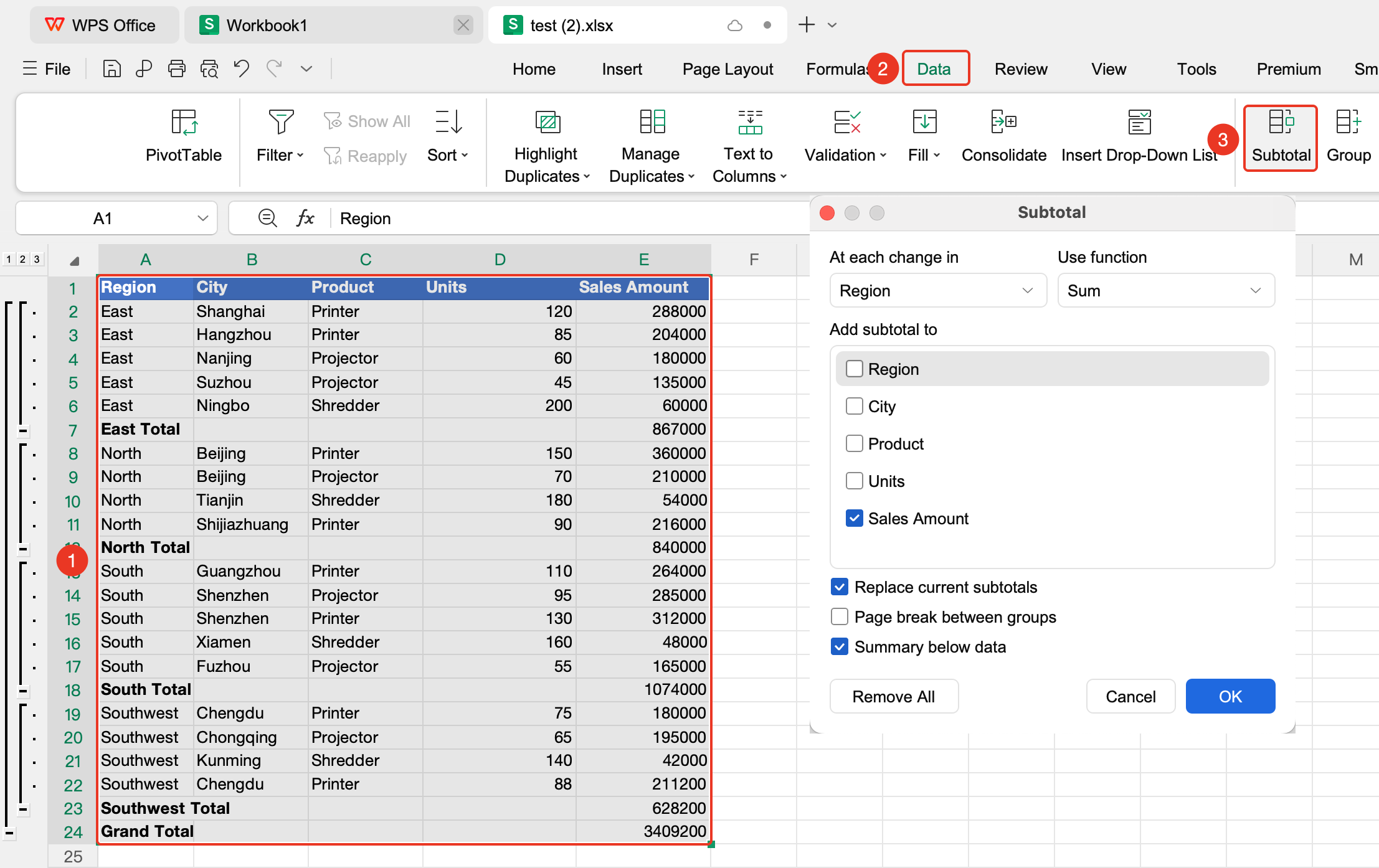
- Select any cell within the data range
- Click the Data tab, and in the "Outline" group click the "Subtotal" button
- Configure core parameters:
- At each change in: Select the column used for grouping (e.g., to group by "Department", select "Department")
- Use function: Choose the calculation logic based on your needs (Sum, Count, Average, Max, Min, and so on.)
- Add subtotal to: Check the data columns you want to summarize (multiple selections supported)
- Keep the default check on Summary below data
- Click OK to complete the subtotaling
Multi-level Nested Subtotaling
Feature Entry
"Data" tab → "Subtotal" button
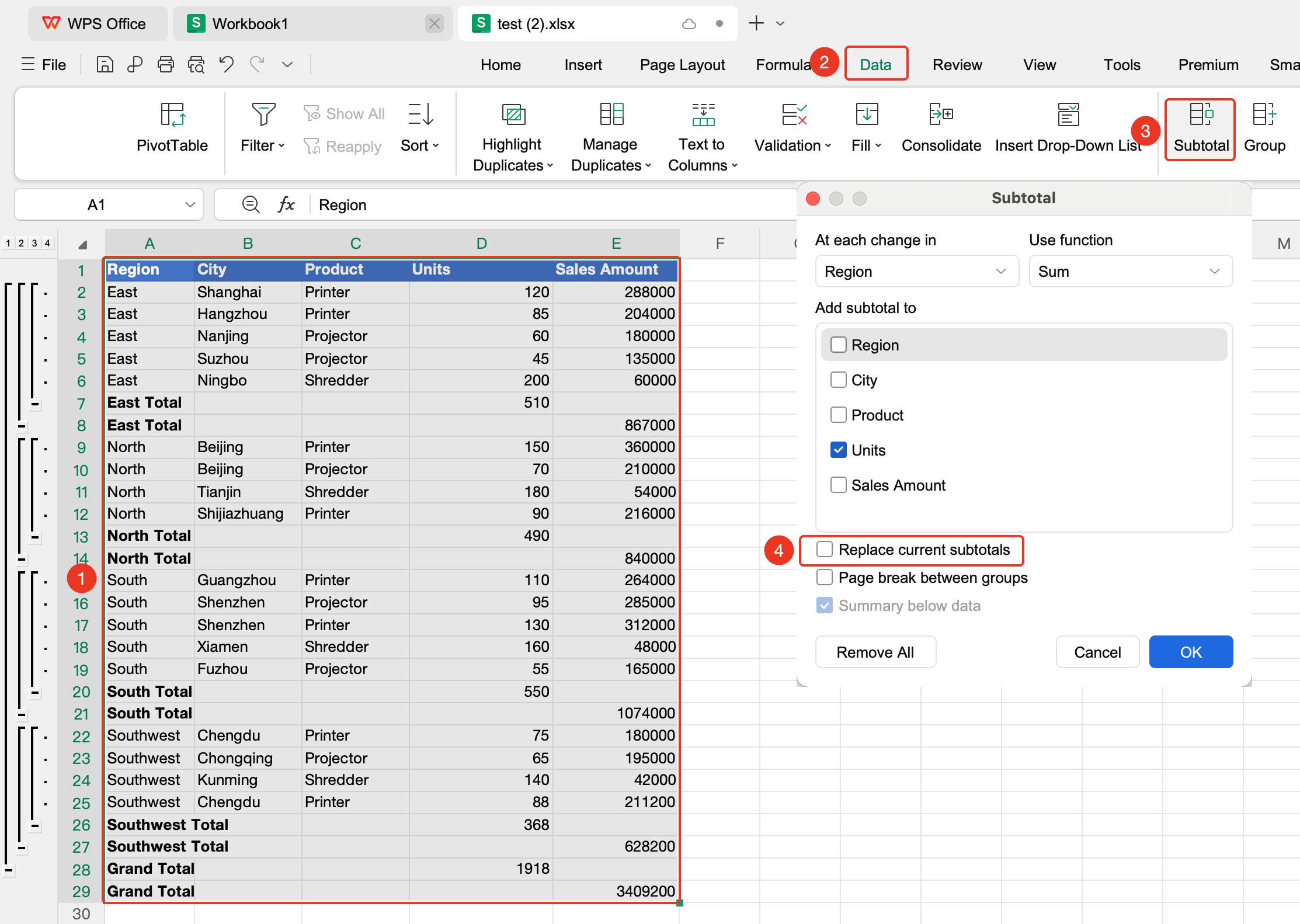
- First complete the initial subtotaling
- Click the "Subtotal" button in the Data tab again
- Set the corresponding summary function and summary items
- **Uncheck "Replace current subtotals" ** to keep the previous summary results
- Click OK to generate a two-level nested subtotal
- Repeat the above steps for more levels if needed
Removing Subtotals
Feature Entry
"Data" tab → "Subtotal" button → "Remove All" option
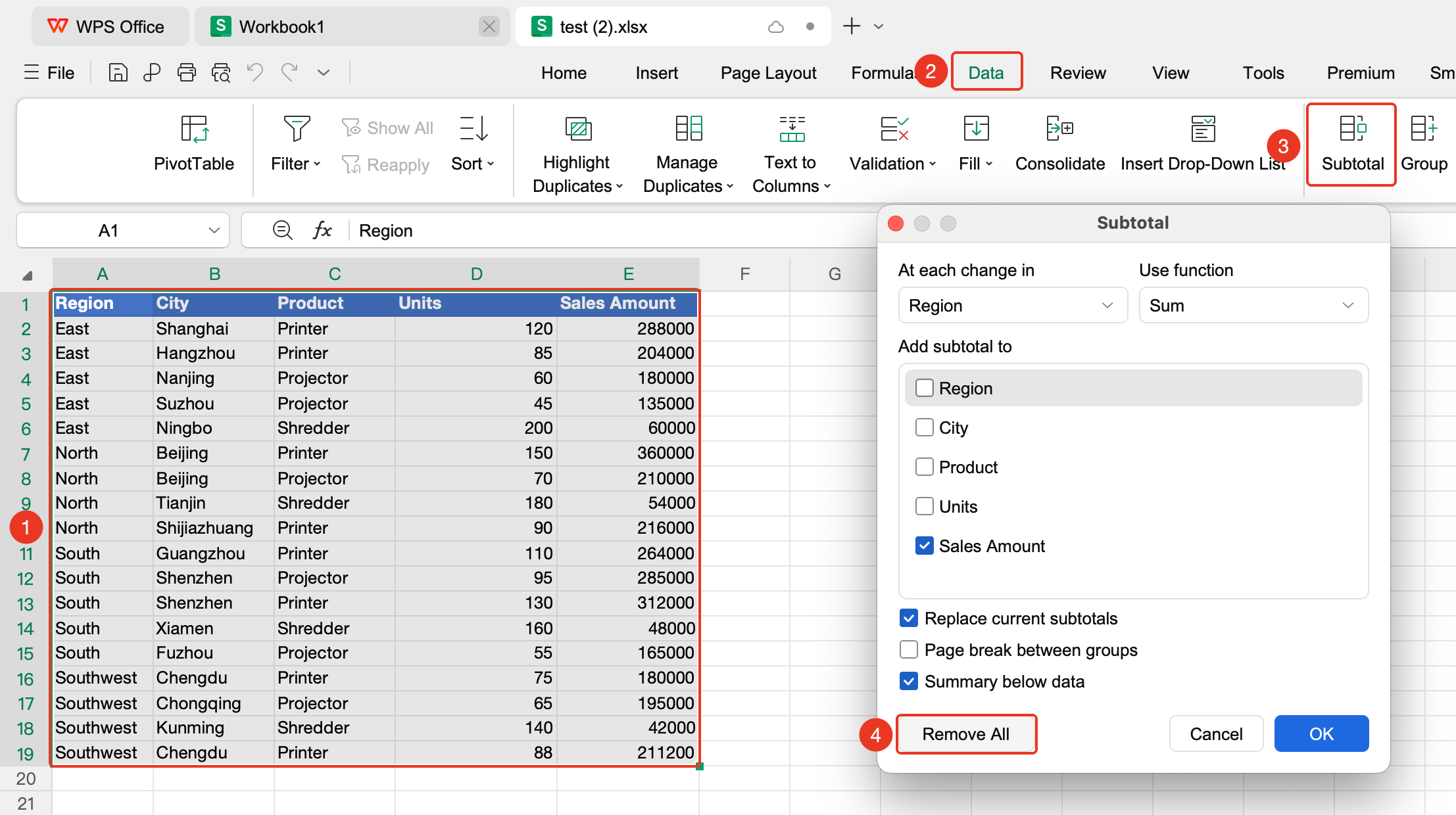
- Click any cell within the data range
- Open the Subtotal dialog box in the Data tab again
- Click the "Remove All" option in the lower-left corner of the dialog box
- Click OK to restore the original data
Notes
- Data must be a contiguous rectangular range, with the first row being a standard header row; merged cells are not allowed
- When creating multi-level nested subtotals, you must uncheck "Replace current subtotals"
- Removing subtotals restores the original data and does not affect the source data