Feature Summary
Running a macro automatically executes recorded macro operations, enabling batch processing of repetitive tasks and greatly improving spreadsheet editing efficiency.
Feature Description
| Feature Dimension | Description |
|---|---|
| Membership Restriction | No membership restriction |
| Version Restriction | No version restriction; Mac only supports WPS macros (JS macros) |
Operation Steps
Run an Existing Macro
Feature Entry
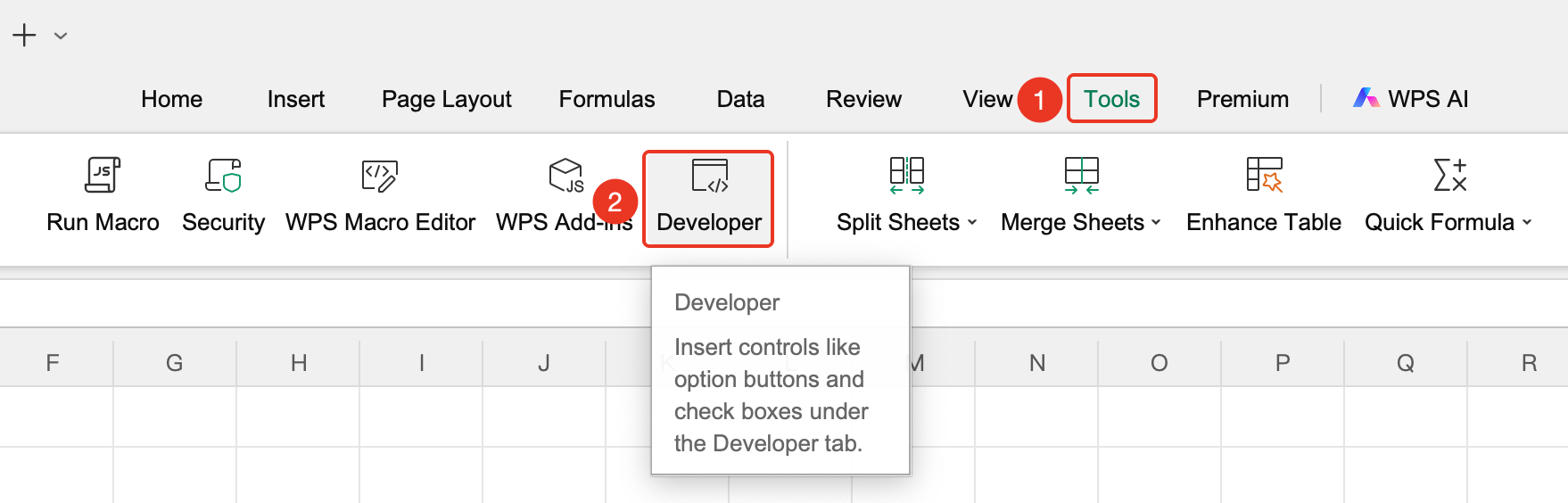
"Tools" tab → "Developer Tools" button → "Developer Tools" tab → "Run Macro" button
- Click the "Tools" tab at the top, locate and click the "Developer Tools" button to bring up the "Developer Tools" tab at the top
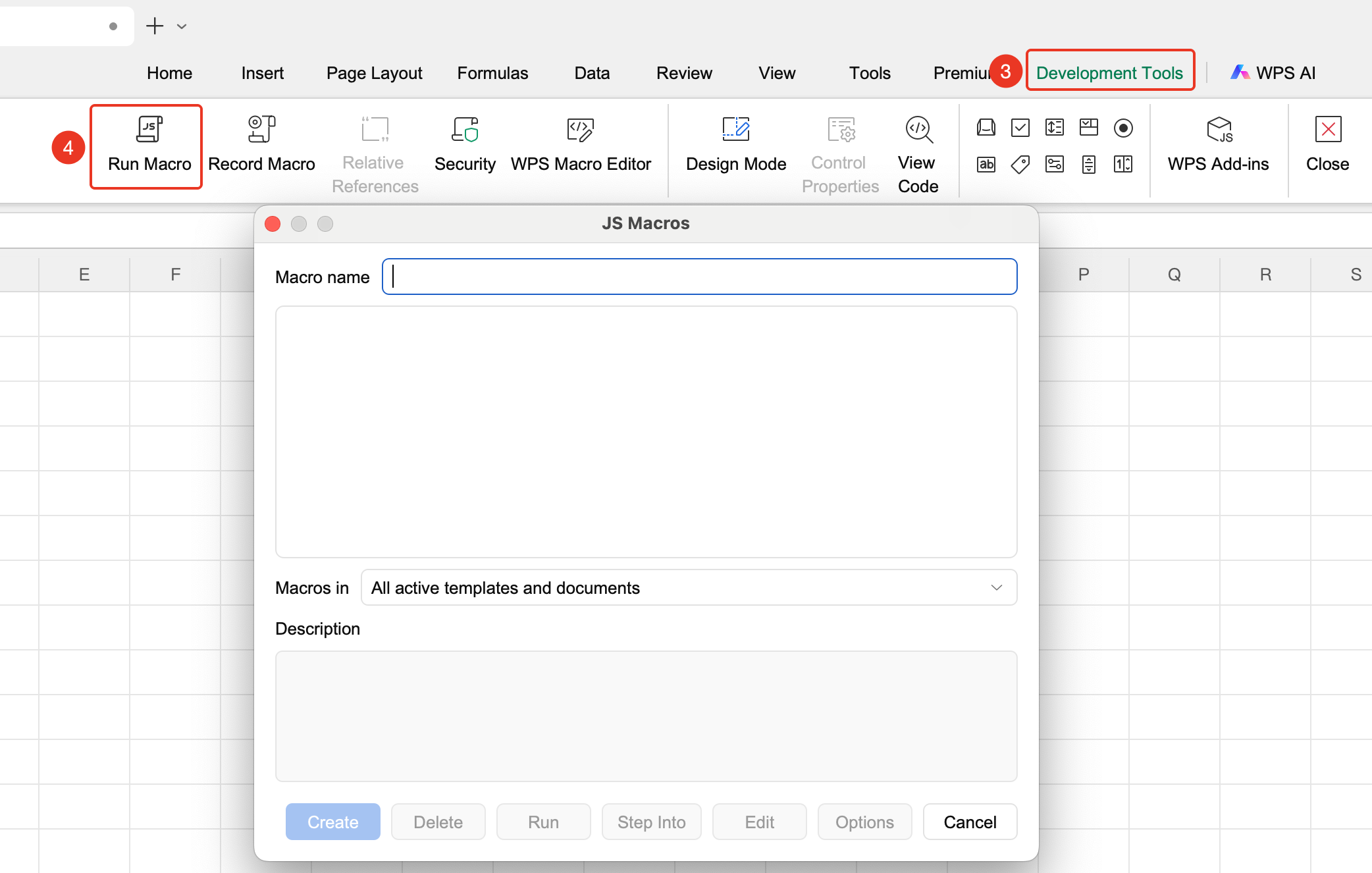
- Click the "Run Macro" button in the Developer tab
- In the pop-up macro list, select the name of the macro you want to run
- Click "Run" to automatically execute all operations contained in the macro
Create a Macro
Feature Entry
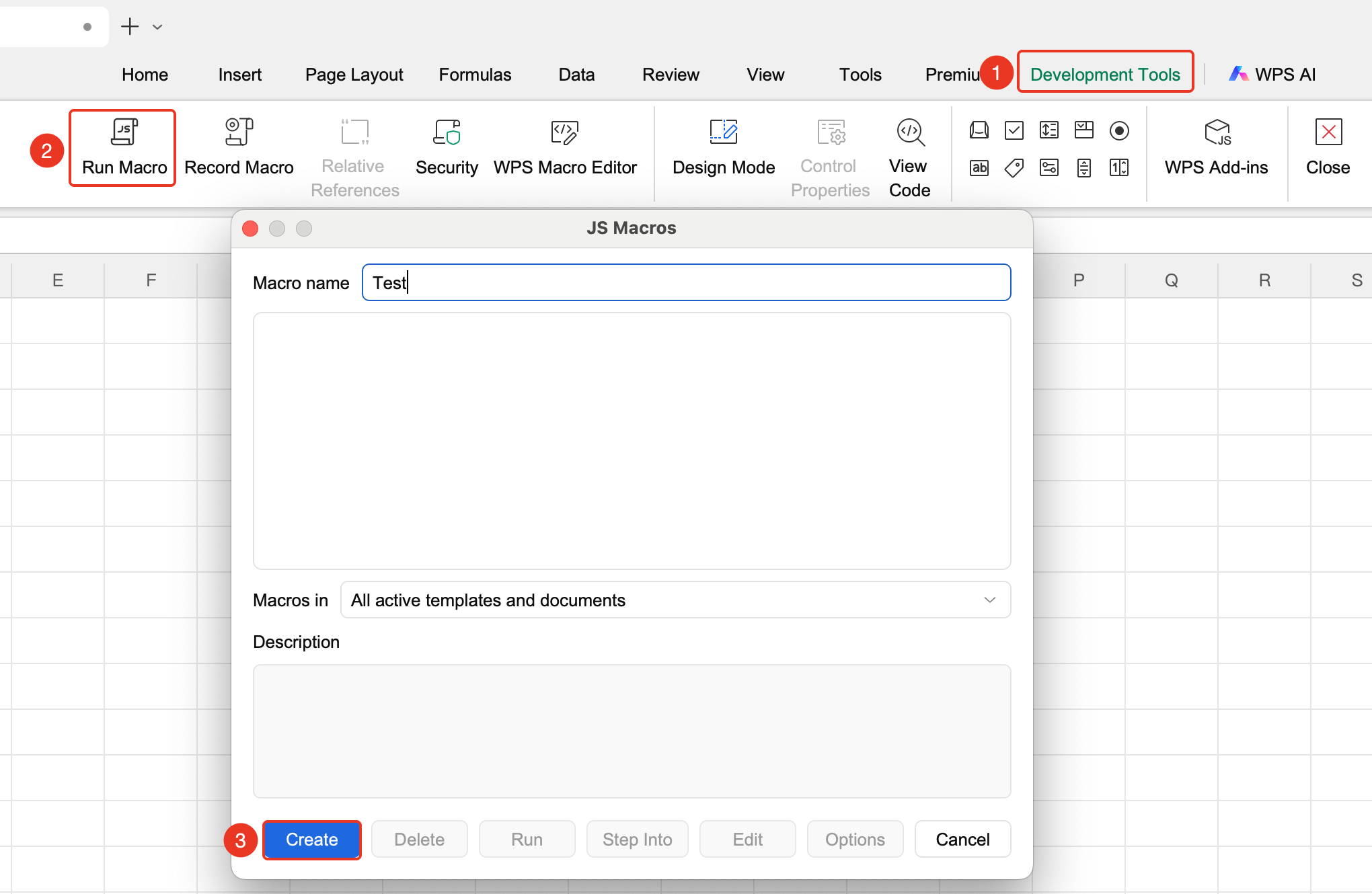
"Developer" tab → "Run Macro" button → "Create" button
- Click the Developer tab
- Click the "Run Macro" button
- Enter a macro name and click "Create" to finish creation
Delete a Macro
Feature Entry
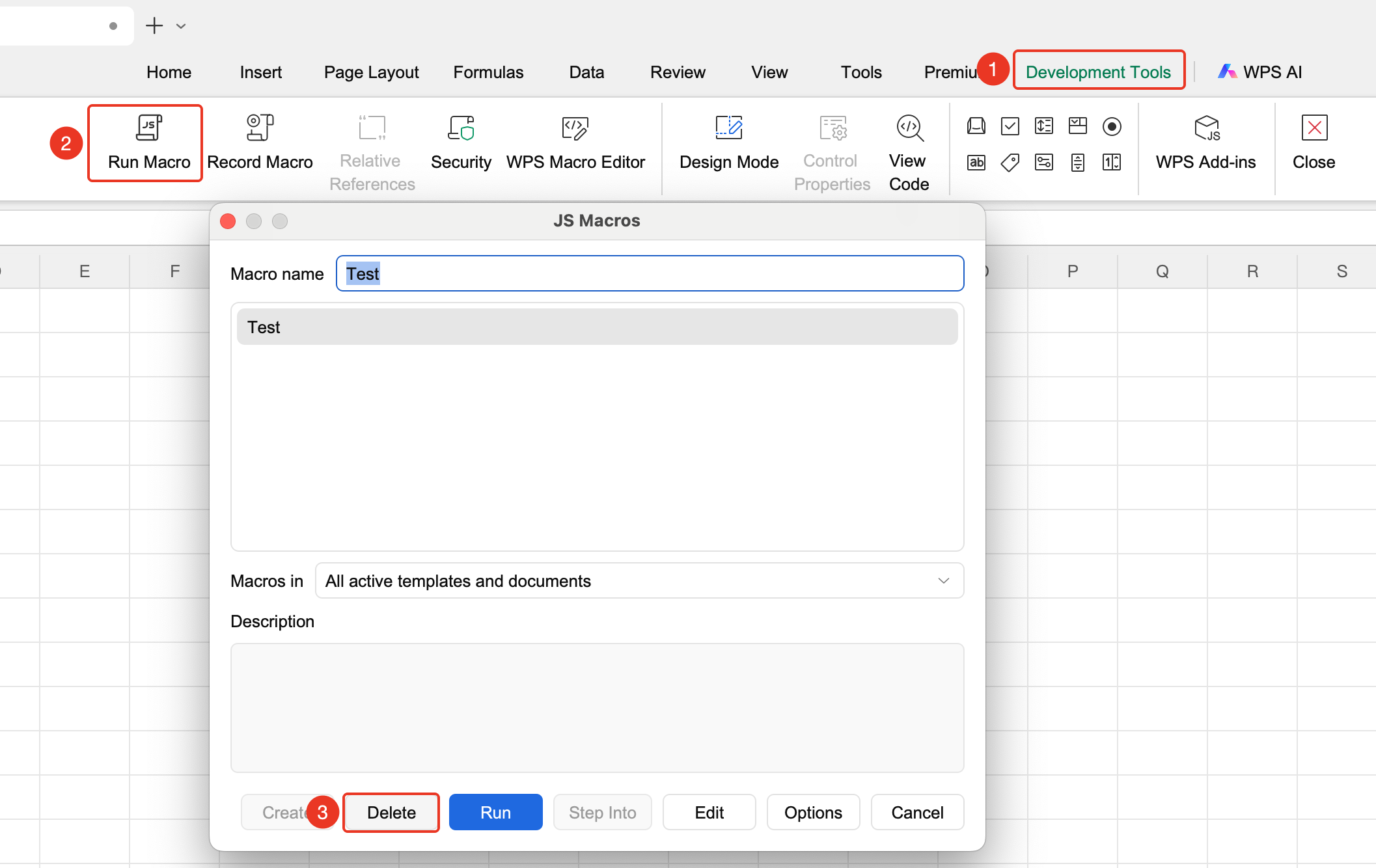
"Developer" tab → "Run Macro" button → "Delete" button
- Click the Developer tab
- Click the "Run Macro" button
- Select the macro you want to delete and click the "Delete" button
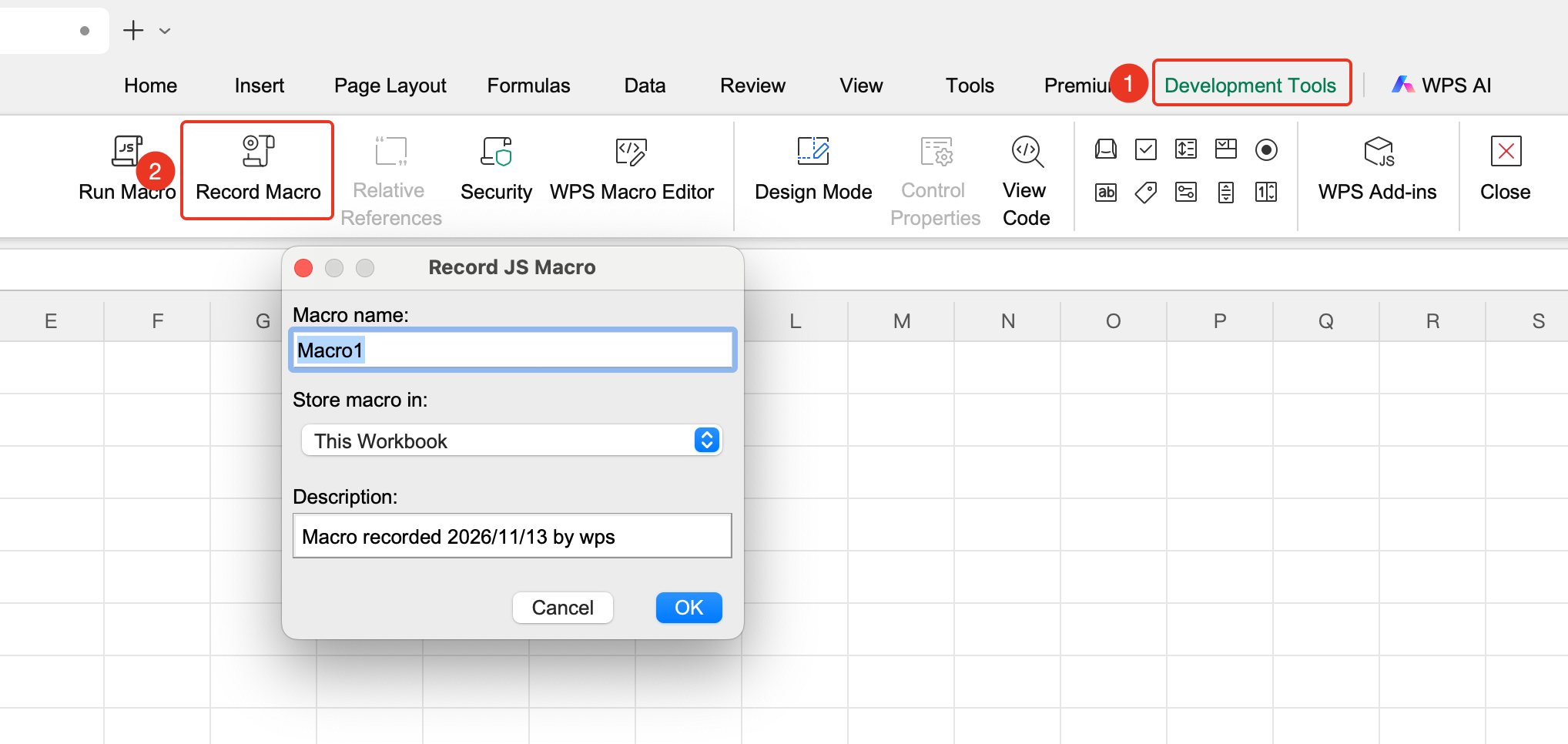
Record a New Macro
Feature Entry
"Developer" tab → "Record New Macro" button
- Click the "Record New Macro" button in the Developer tab
- Enter a macro name (only English letters, numbers, and underscores are supported); you can set a shortcut key
- Start performing the repetitive operations you want to automate
- After completing the operations, click "Stop Recording" to save the macro
Frequently Asked Questions
Question 1: What should I do if the macro code is lost when saving the file?
- Solution: Files containing macros need to be saved in the "Macro-Enabled Workbook (*.xlsm)" format; the regular xlsx format will cause macro code to be lost.
Question 2: Can I run macros from unknown sources?
- Solution: It is not recommended. Macros from unknown sources may carry virus code. Verify that the file source is trustworthy before running.
Notes
- Support for WPS macros is limited on Mac/Linux systems; using them on Windows systems is highly recommended.